







Question: Create a Windows Forms application. Use the following names for the project and solution, respectively: Mills Project and Mills Solution. Save the application in the
Create a Windows Forms application. Use the following names for the project and solution, respectively: Mills Project and Mills Solution. Save the application in the VB2017\Chap05 folder. Mills Skating Rink holds a weekly ice-skating competition. Competing skaters must perform a two-minute program in front of a panel of judges. The number of judges varies from week to week. At the end of a skater’s program, each judge assigns a score of 0 through 10 to the skater. The manager of the ice rink wants you to create an application that allows him to enter each judge’s score for a specific skater. The application should calculate and display the skater’s average score. It should also display the skater’s total score and the number of scores entered. Figure 5-48 shows a sample run of the application, assuming the manager entered two scores: 10 and 8. (You enter a score by selecting it from the list box and then clicking the Record score button.) Code the application. Save the solution and then start and test the application.
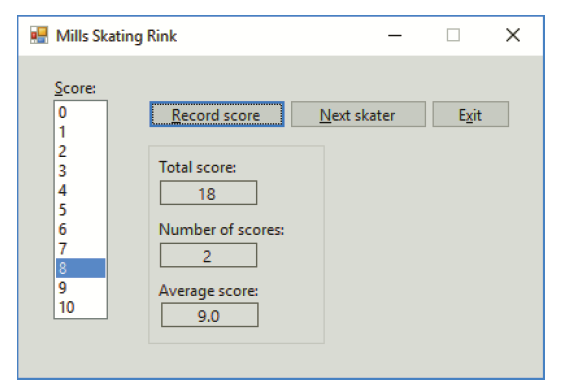
Mills Skating Rink Score: Record score Next skater Exit 2 3 4 Total score: 18 6 Number of scores: 2 Average score: 10 9.0
Step by Step Solution
3.19 Rating (166 Votes )
There are 3 Steps involved in it
Microsoft Visual Studio Solution File Format Version 1200 Visual Studio 15 VisualStudioVe... View full answer

Get step-by-step solutions from verified subject matter experts
 Study Help