







Question: 0 LAB ACTVTY 23.47.1: Switch Names and Surnames (String Arrays) This tool is provided by a third party. Though your activity may be recorded, a
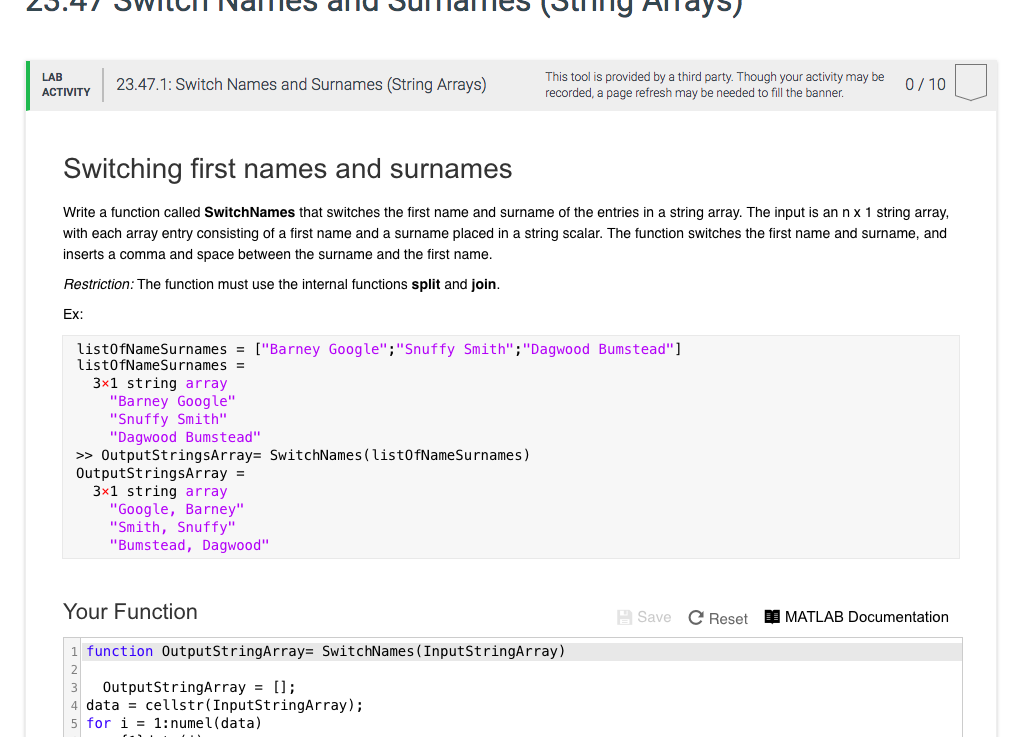
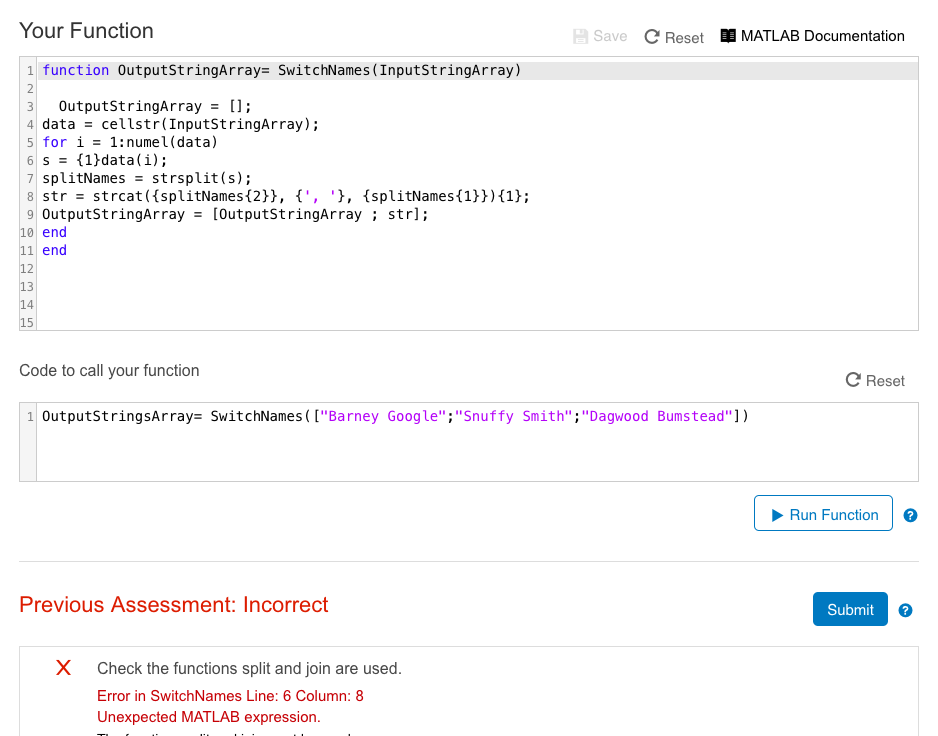
0 LAB ACTVTY 23.47.1: Switch Names and Surnames (String Arrays) This tool is provided by a third party. Though your activity may be recorded, a page refresh may be needed to fill the banner 0/10 Switching first names and surnames Write a function called SwitchNames that switches the first name and surname of the entries in a string array. The input is an n x 1 string array with each array entry consisting of a first name and a surname placed in a string scalar. The function switches the first name and surname, and inserts a comma and space between the surname and the first name Restriction: The function must use the internal functions split and join Ex ["Barney Google","Snuffy Bumstead"] listOfNameSurnames listOfNameSurnames 3x1 string array Smith "Dagwood = "Barney Google" "Snuffy Smith" "Dagwood Bumstead >> OutputstringsArray= SwitchNames(listOfNameSurnames) OutputstringsArray = 3x1 string array "Google, Barney" "Smith, Snuffy" "Bumstead, Dagwood" Your Function Save Reset E MATLAB Documentation 1 function OutputstringArray= SwitchNames(InputStringArray) OutputstringArray= []; 4 data cellstr (InputStringArray); 15 for 1 = 1:nume 1 (data)
Step by Step Solution
There are 3 Steps involved in it

Get step-by-step solutions from verified subject matter experts
 Study Help