







Question: 1 . 1 4 zyLab training: Interleaved input / output Auto - graded programming assignments have numerous advantoges, but have some challenges too. Students commonly
zyLab training: Interleaved input output
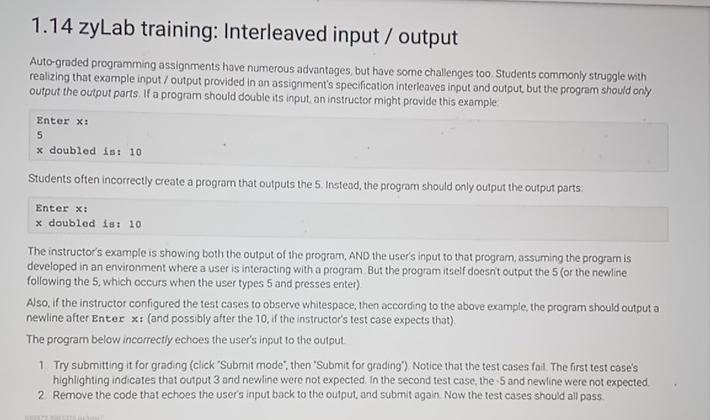
Autograded programming assignments have numerous advantoges, but have some challenges too. Students commonly struggle with realizing that example input output provided in an assignment's specification interleaves input and output, but the program shou'd only output the output parts. If a program should double its input, an instructor might provide this example
Enter X:
doubled is:
Students often incorrectly create a program that outputs the Instead, the program should only output the output parts:
Enter x:
doubled is:
The instructor's example is showing both the output of the program, AND the user's input to that program, assuming the program is developed in an environment where a user is interacting with a program But the program itseif doesn't output the or the newline following the which occurs when the user types and presses enter
Aso, if the instructor configured the test cases to observe whitespace, then according to the above example, the program should output a newline after Enter : and possibly after the if the instructor's test case expects that
The program below incorrectly echoes the user's input to the output.
Try submitting it for grading click 'Submit mode', then 'Submit for grading" Notice that the test cases fail The first test case's highlighting ind cates that output and newline were not expected. In the second test case, the and newine were not expected.
Remove the code that echoes the user's input back to the output, and submit again. Now the test cases should all pass
Step by Step Solution
There are 3 Steps involved in it
1 Expert Approved Answer
Step: 1 Unlock

Question Has Been Solved by an Expert!
Get step-by-step solutions from verified subject matter experts
Step: 2 Unlock
Step: 3 Unlock
 Study Help