







Question: 1 : 1 5 Done Lab 1 . pdf 8 . For the following exercises create script called Lab 1 RectWindow. 3 of 3 a
:
Done
Labpdf
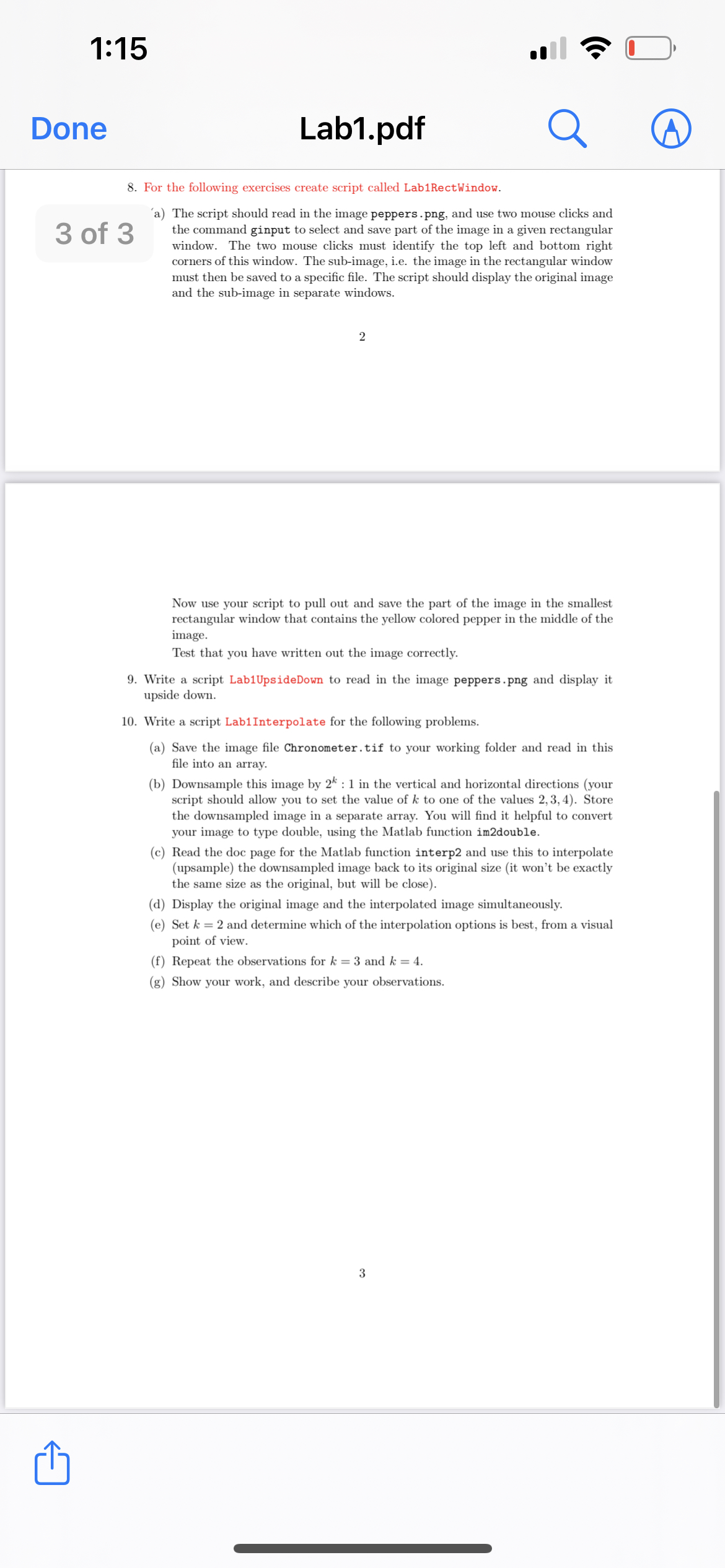
For the following exercises create script called LabRectWindow.
of
a The script should read in the image peppers.png and use two mouse clicks and the command ginput to select and save part of the image in a given rectangular window. The two mouse clicks must identify the top left and bottom right corners of this window. The subimage, ie the image in the rectangular window must then be saved to a specific file. The script should display the original image and the subimage in separate windows.
Now use your script to pull out and save the part of the image in the smallest rectangular window that contains the yellow colored pepper in the middle of the image.
Test that you have written out the image correctly.
Write a script LabUpsideDown to read in the image peppers.png and display it upside down.
Write a script LabInterpolate for the following problems.
a Save the image file Chronometer.tif to your working folder and read in this file into an array.
b Downsample this image by : in the vertical and horizontal directions your script should allow you to set the value of to one of the values Store the downsampled image in a separate array. You will find it helpful to convert your image to type double, using the Matlab function imdouble.
c Read the doc page for the Matlab function interp and use this to interpolate upsample the downsampled image back to its original size it won't be exactly the same size as the original, but will be close
d Display the original image and the interpolated image simultaneously.
e Set and determine which of the interpolation options is best, from a visual point of view.
f Repeat the observations for and
g Show your work, and describe your observations.
Step by Step Solution
There are 3 Steps involved in it
1 Expert Approved Answer
Step: 1 Unlock

Question Has Been Solved by an Expert!
Get step-by-step solutions from verified subject matter experts
Step: 2 Unlock
Step: 3 Unlock
 Study Help