







Question: 1. 2. 3. This program, process-run.py, allows you to see how process states change as programs run and either use the CPU (e.g., perform an

1. 
2. 
3. 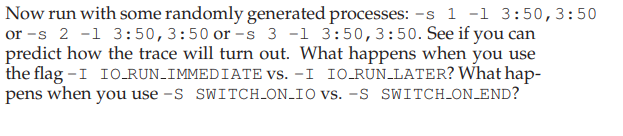
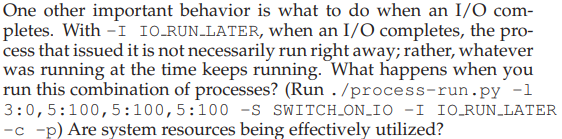
This program, process-run.py, allows you to see how process states change as programs run and either use the CPU (e.g., perform an add instruction) or do I/O (e.g., send a request to a disk and wait for it to complete). See the README for details. One other important behavior is what to do when an I/O com- pletes. With - I IO RUN-LATER, when an I/O completes, the pro- cess that issued it is not necessarily run right away; rather, whatever was running at the time keeps running. What happens when you run this combination of processes? (Run . /process-run.py -1 3:0,5:100,5:100,5:100 -S SWITCH_ON_IO -I IO_RUN_LATER -C -p) Are system resources being effectively utilized? Now run the same processes, but with -I IO-RUN-IMMEDIATE set, which immediately runs the process that issued the I/O. How does this behavior differ? Why might running a process that just com- pleted an I/O again be a good idea? Now run with some randomly generated processes: -s 1 -1 3:50,3:50 or -s 2 -1 3:50,3:50 or -s 3 -1 3:50,3:50. See if you can predict how the trace will turn out. What happens when you use the flag -I IO RUN-IMMEDIATE VS. -I IO RUN-LATER? What hap- pens when you use -S SWITCH_ON_IO vs. -S SWITCH-ON-END
Step by Step Solution
There are 3 Steps involved in it

Get step-by-step solutions from verified subject matter experts
 Study Help