Question: 1. 2. Answer in Python. Use the given code in the answer Given the example output, write code that will generate this output. Note: do

1. 1. 2. Answer in Python. Use the given code in the
2.

answer Given the example output, write code that will generate this output.Answer in Python. Use the given code in the answer

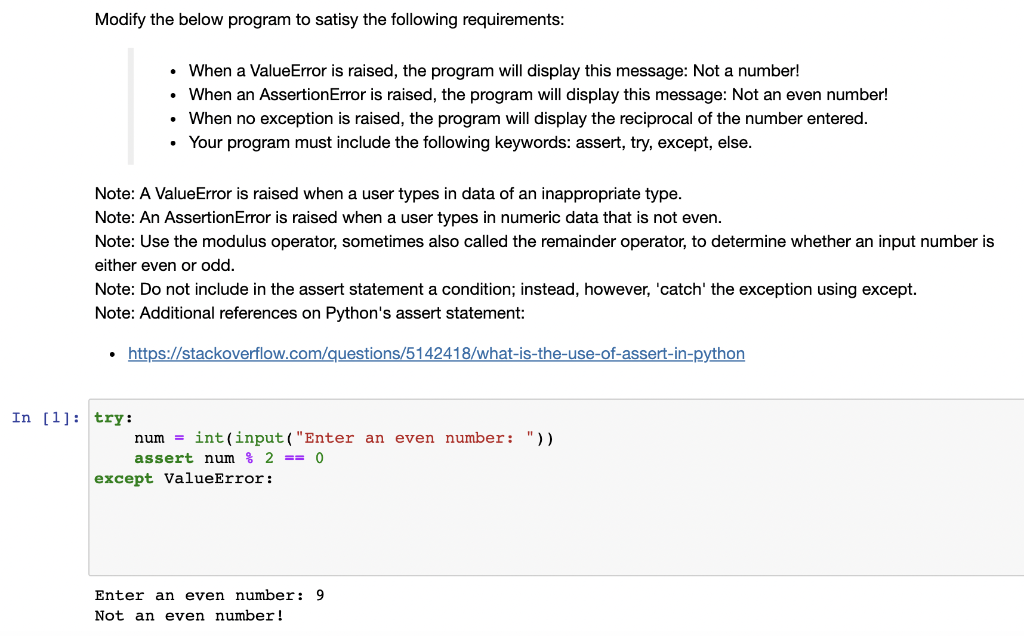
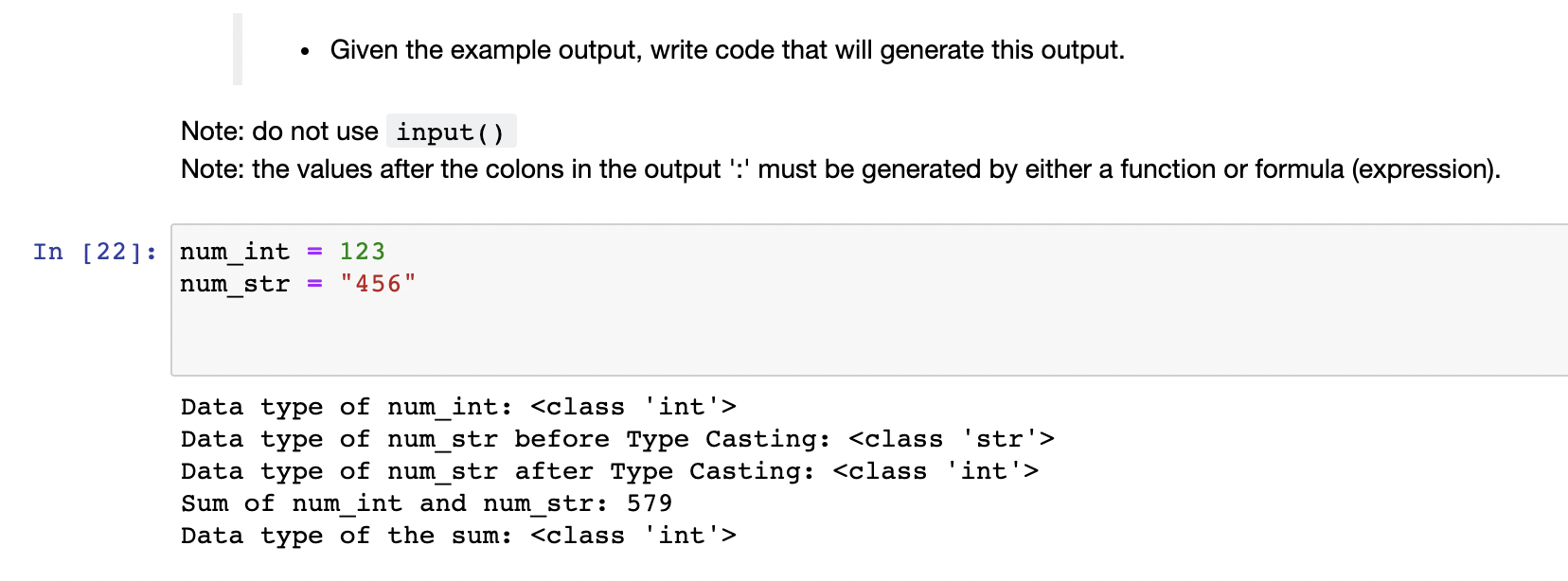
Given the example output, write code that will generate this output. Note: do not use input(). Note: the values after the colons in the output ':' must be generated by either a function or formula (expression). = In [22]: num_int num str = 123 "456" Data type of num_int: Data type of num_str before Type Casting: Data type of num_str after Type Casting: Sum of num int and num str: 579 Data type of the sum: Modify the below program to satisy the following requirements: When a ValueError is raised, the program will display this message: Not a number! When an AssertionError is raised, the program will display this message: Not an even number! When no exception is raised, the program will display the reciprocal of the number entered. Your program must include the following keywords: assert, try, except, else. . Note: A ValueError is raised when a user types in data of an inappropriate type. Note: An AssertionError is raised when a user types in numeric data that is not even. Note: Use the modulus operator, sometimes also called the remainder operator, to determine whether an input number is either even or odd. Note: Do not include in the assert statement a condition; instead, however, 'catch' the exception using except. Note: Additional references on Python's assert statement: https://stackoverflow.com/questions/5142418/what-is-the-use-of-assert-in-python In [1]: try: num = int(input("Enter an even number: ")) assert num% 2 == 0 except ValueError: Enter an even number: 9 Not an even number

Step by Step Solution

There are 3 Steps involved in it

1 Expert Approved Answer
Step: 1 Unlock blur-text-image
Question Has Been Solved by an Expert!

Get step-by-step solutions from verified subject matter experts

Step: 2 Unlock
Step: 3 Unlock

Students Have Also Explored These Related Databases Questions!