







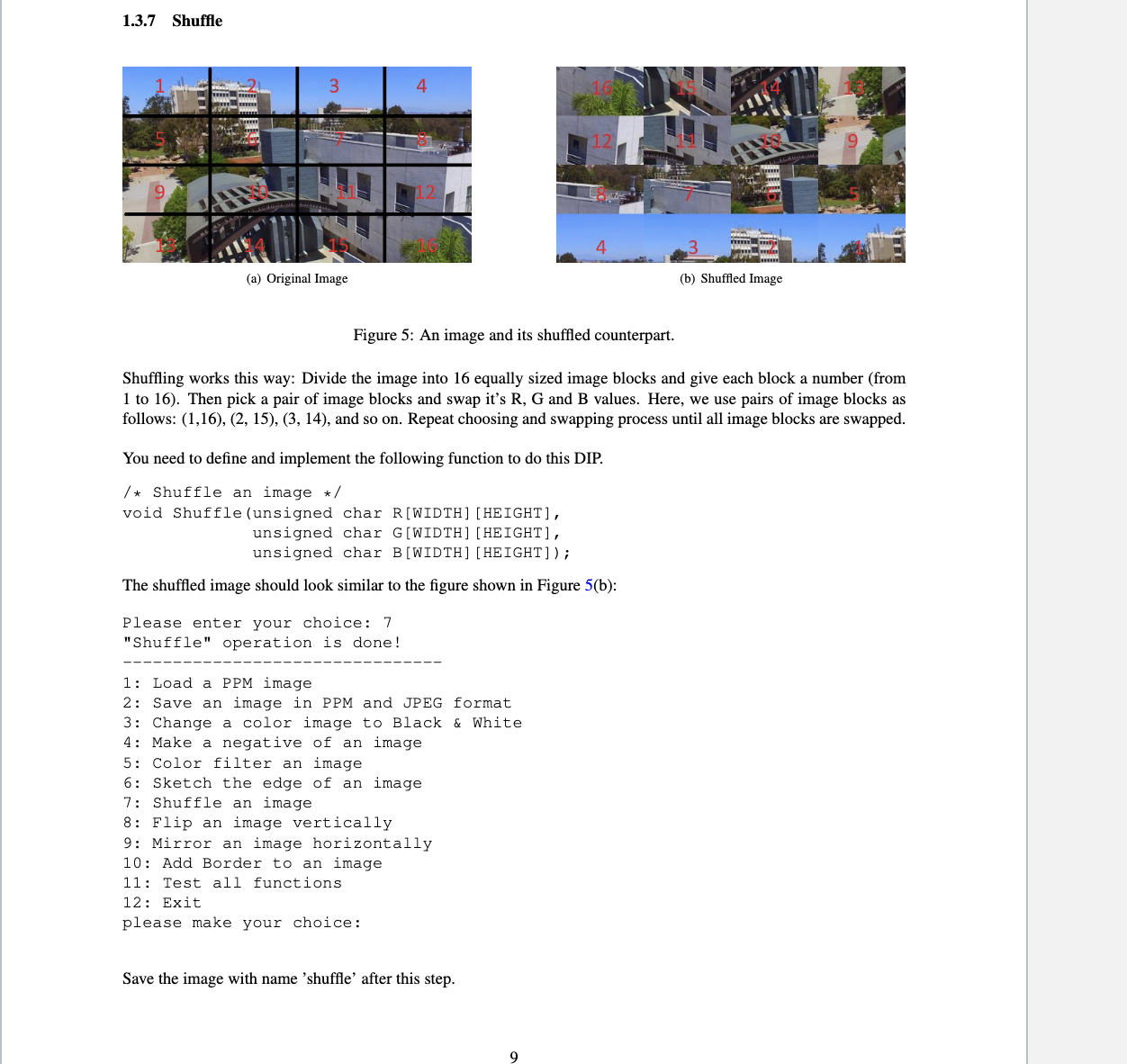
Question: 1 . 3 . 7 Shuffle Figure 5 : An image and its shuffled counterpart. Shuffling works this way: Divide the image into 1 6
Shuffle
Figure : An image and its shuffled counterpart.
Shuffling works this way: Divide the image into equally sized image blocks and give each block a number from
to Then pick a pair of image blocks and swap it's R G and B values. Here, we use pairs of image blocks as
follows: and so on Repeat choosing and swapping process until all image blocks are swapped.
You need to define and implement the following function to do this DIP.
Shuffle an image
void Shuffleunsigned char RWIDTHHEIGHT
unsigned char GWIDTHHEIGHT
unsigned char BWIDTHHEIGHT;
The shuffled image should look similar to the figure shown in Figure b:
Please enter your choice:
"Shuffle" operation is done!Load a PPM image
Save an image in PPM and JPEG format
Change a color image to Black & White
Make a negative of an image
Color filter an image
Sketch the edge of an image
Shuffle an image
Flip an image vertically
Mirror an image horizontally
: Add Border to an image
: Test all functions
: Exit
please make your choice:
Save the image with name 'shuffle' after this step.
Step by Step Solution
There are 3 Steps involved in it
1 Expert Approved Answer
Step: 1 Unlock

Question Has Been Solved by an Expert!
Get step-by-step solutions from verified subject matter experts
Step: 2 Unlock
Step: 3 Unlock
 Study Help