







Question: 1. a to d Use SQL to make the following changes to the Premier Products database After each changes execute to query to show that
1. a to d
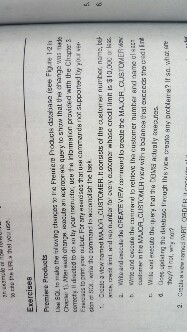
Use SQL to make the following changes to the Premier Products database After each changes execute to query to show that the change was correctly. If directed to do by your instructor, use information provided with the chapter 2 For any exercise that use commands non supported by your Write the command to Create a View named_CUSTOMER. It consists of the customer number, name, for every customer whose credit limit is $10,000 Write and execute the CREATE VIEW to create the MAJOR_CUSTOMER view Write and execute the estimate to retrieve the customer number and name of customer in the MAJOR_CUSTOMER view with the balance that exceeds the 1 limit. Write and execute the qurery that the actually updating the database through this view create any problems? If so, what are they? If not, why not? Create a new command Use SQL to make the following changes to the Premier Products database After each changes execute to query to show that the change was correctly. If directed to do by your instructor, use information provided with the chapter 2 For any exercise that use commands non supported by your Write the command to Create a View named_CUSTOMER. It consists of the customer number, name, for every customer whose credit limit is $10,000 Write and execute the CREATE VIEW to create the MAJOR_CUSTOMER view Write and execute the estimate to retrieve the customer number and name of customer in the MAJOR_CUSTOMER view with the balance that exceeds the 1 limit. Write and execute the qurery that the actually updating the database through this view create any problems? If so, what are they? If not, why not? Create a new command
Step by Step Solution
There are 3 Steps involved in it

Get step-by-step solutions from verified subject matter experts
 Study Help