







Question: 1. a) Write a program using a for loop that inputs (x,y) coordinates for 3 points from the keyboard (with cin) using 1D arrays
![xs[i] = x[i]/(2*PI) * x_scale + x0_plot; ys[i] = y[i] *y_scale + y0_plot; Apply the equations above to the](https://dsd5zvtm8ll6.cloudfront.net/questions/2023/11/655f81b7c0451_1700847927043.jpg)
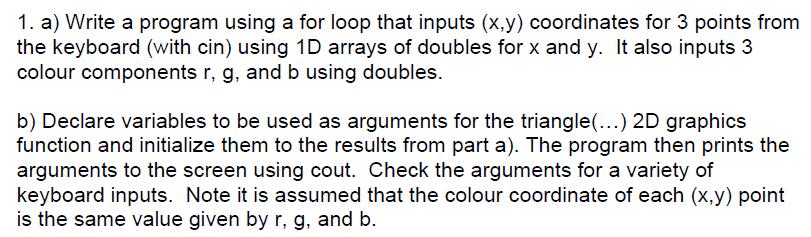
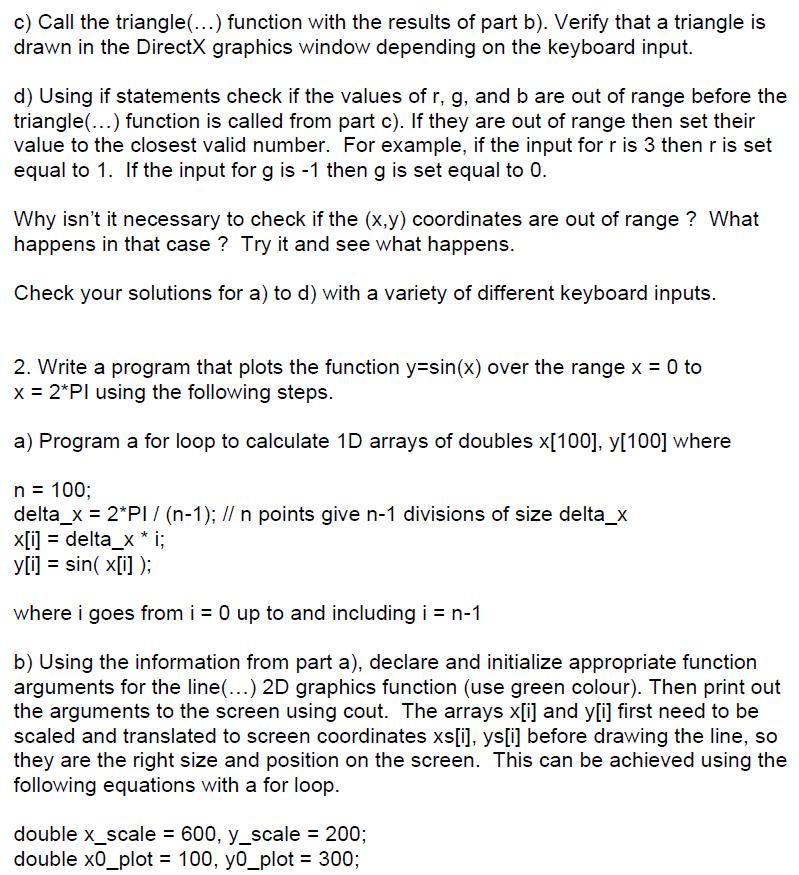
1. a) Write a program using a for loop that inputs (x,y) coordinates for 3 points from the keyboard (with cin) using 1D arrays of doubles for x and y. It also inputs 3 colour components r, g, and b using doubles. b) Declare variables to be used as arguments for the triangle(...) 2D graphics function and initialize them to the results from part a). The program then prints the arguments to the screen using cout. Check the arguments for a variety of keyboard inputs. Note it is assumed that the colour coordinate of each (x,y) point is the same value given by r, g, and b. c) Call the triangle(...) function with the results of part b). Verify that a triangle is drawn in the DirectX graphics window depending on the keyboard input. d) Using if statements check if the values of r, g, and b are out of range before the triangle(...) function is called from part c). If they are out of range then set their value to the closest valid number. For example, if the input for r is 3 then r is set equal to 1. If the input for g is -1 then g is set equal to 0. Why isn't it necessary to check if the (x,y) coordinates are out of range? What happens in that case? Try it and see what happens. Check your solutions for a) to d) with a variety of different keyboard inputs. 2. Write a program that plots the function y=sin(x) over the range x = 0 to x = 2*Pl using the following steps. a) Program a for loop to calculate 1D arrays of doubles x[100], y[100] where n = 100; delta_x = 2*PI / (n-1); // n points give n-1 divisions of size delta_x x[i] = delta_x * i; y[i] = sin( x[i]); where i goes from i = 0 up to and including i = n-1 b) Using the information from part a), declare and initialize appropriate function arguments for the line(...) 2D graphics function (use green colour). Then print out the arguments to the screen using cout. The arrays x[i] and y[i] first need to be scaled and translated to screen coordinates xs[i], ys[i] before drawing the line, so they are the right size and position on the screen. This can be achieved using the following equations with a for loop. double x_scale = 600, y_scale = 200; double x0_plot = 100, y0_plot = 300; xs[i] = x[i]/(2*PI) * x_scale + x0_plot; ys[i] = y[i] *y_scale + y0_plot; Apply the equations above to the results of part a) and print out the array elements to the screen using cout to check them.
Step by Step Solution
3.57 Rating (164 Votes )
There are 3 Steps involved in it
It seems like youre combining two different programming tasks one involving DirectX graphics and ano... View full answer

Get step-by-step solutions from verified subject matter experts
 Study Help