







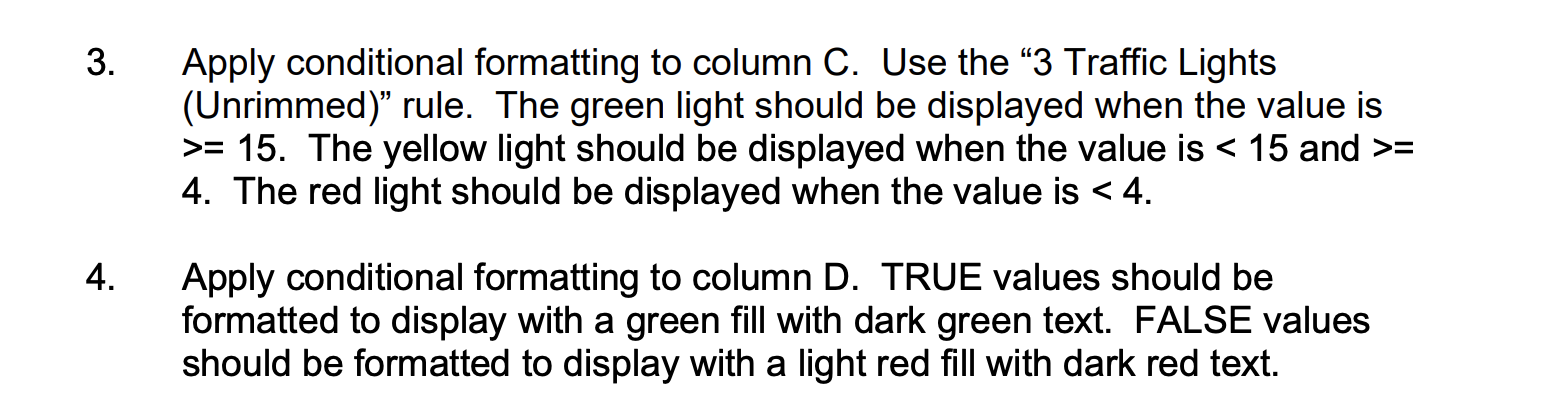
Question: 1. Apply conditional formatting to column C. Use the 3 Traffic Lights (Unrimmed) rule. The green light should be displayed when the value is >=
1. Apply conditional formatting to column C. Use the 3 Traffic Lights (Unrimmed) rule. The green light should be displayed when the value is >= 15. The yellow light should be displayed when the value is = The red light should be displayed when the value is
4. Apply conditional formatting to column D. TRUE values should be formatted to display with a green fill with dark green text. FALSE values should be formatted to display with a light red fill with dark red text.
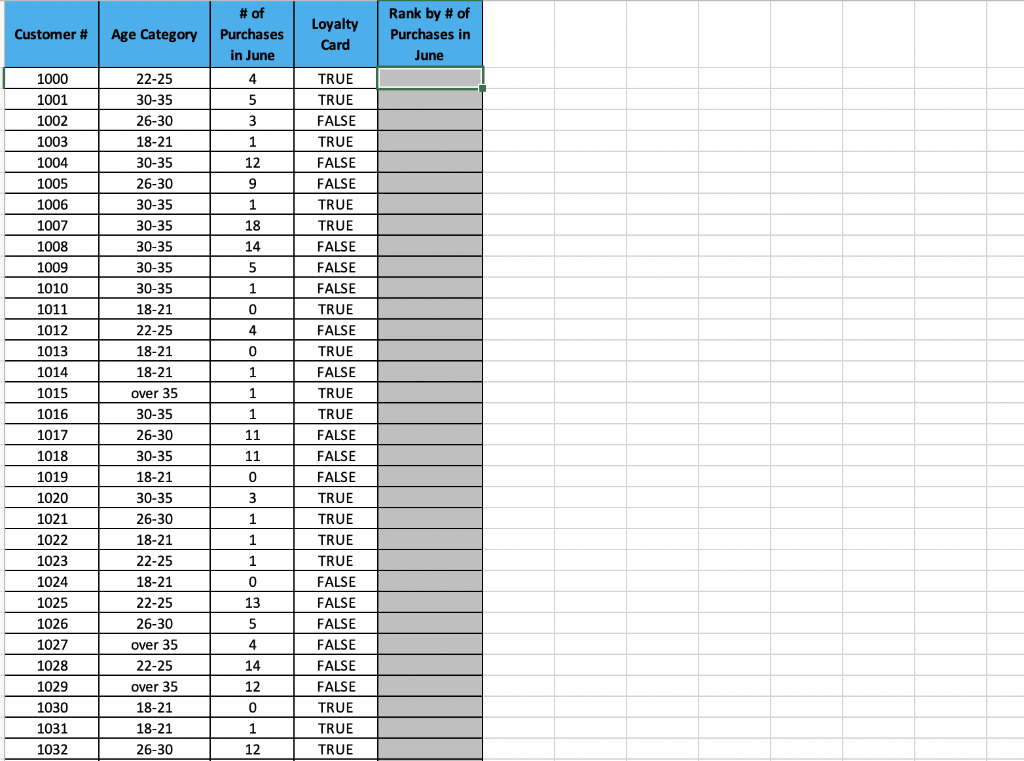
the columns go all the way down to row 108.
please show the formulas you use to get the answer thank you!
3. Apply conditional formatting to column C. Use the 3 Traffic Lights (Unrimmed)" rule. The green light should be displayed when the value is >= 15. The yellow light should be displayed when the value is = 4. The red light should be displayed when the value is
Step by Step Solution
There are 3 Steps involved in it
1 Expert Approved Answer
Step: 1 Unlock

Question Has Been Solved by an Expert!
Get step-by-step solutions from verified subject matter experts
Step: 2 Unlock
Step: 3 Unlock
 Study Help