







Question: 1) Create a GUI using JFrame, JLabel, and JButton (JAVA) In your program, use any the following methods defined in the JComponent class and inherited
1) Create a GUI using JFrame, JLabel, and JButton (JAVA)
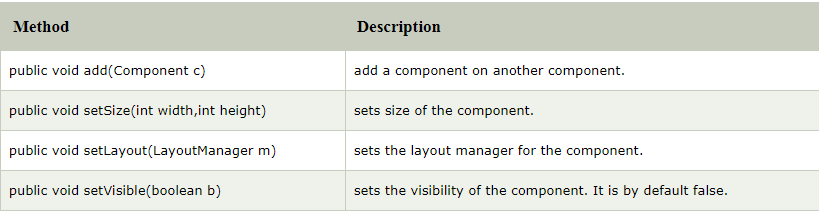
In your program, use any the following methods defined in the JComponent class and inherited by the Jframe, JLabel and JButton objects
- You need to have a JFrame object and atleast one label and one button object.
- Use setText method to set the text values of the button and the label.
- Use setBounds to set the X, Y axes and size of the label and button
- Copy/paste your code below, along with the screen shot of the GUI. Also submit your code.
Method Description public void add(Component c) public void setSize(int width,int height) public void setLayout(LayoutManager m) public void setVisible(boolean b) add a component on another component. sets size of the component. sets the layout manager for the component. sets the visibility of the component. It is by default false
Step by Step Solution
There are 3 Steps involved in it

Get step-by-step solutions from verified subject matter experts
 Study Help