







Question: 1. Create a SELECT statement that will use the CASE switch. Give the empno, ename , job along with the location information from the dept
1. Create a SELECT statement that will use the CASE switch. Give the empno, ename , job along with the location information from the dept table. For instance if deptno is 10 then use the CASE statement to display the string Accounting. Do the same for the three other locations in the dept table. Use dept as the column alias
2. Modify the previous query so we get the month and the year someone was hired. Dont show the day that they were hired. Use the to_char() function along with a format mask to return the month and year that they were hired.
3. Modify the SQL query to show the number of years someone has worked for this company by subtracting hiredate from sysdate. Because hiredate is of the date data type you will have to use single row functions to extract the year value. I'll attach a screenshot of the tables
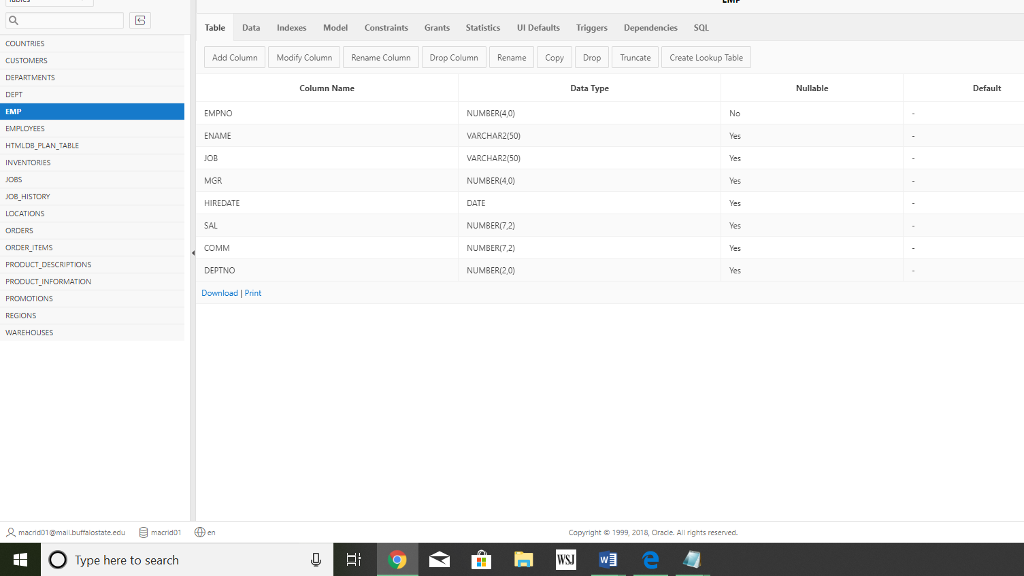
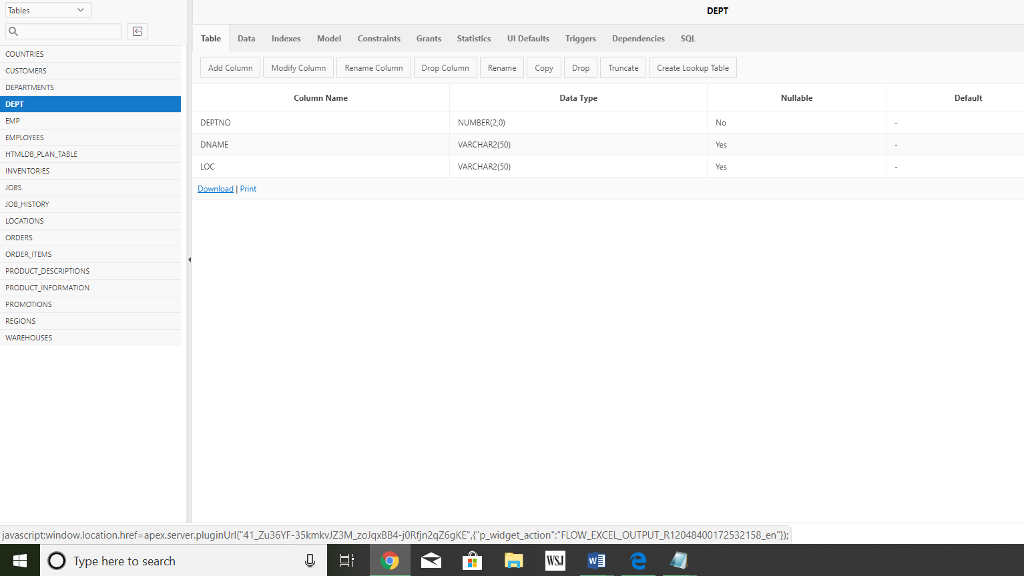
Table Data Indexes Model Constraints Grants Statistics Ul Defaults Triggers Dependencies sa Add Column Modify Column Rename Column Drop Colmn Rename Copy Drop Truncate Create Lookup Table Column Name Data Type NUMBER(40 EMPNO ENAME OB MGR No HTMLDB FLAN TABLE VARCHAR2(50) NUMBER(40) DATE NUMBERT2 NUMBER(7.2) NUMBER(20) 08 HISTORY SAL ORDER ITENTS DEPTNO Download I Print macnogmailburttalostate.eou emacrid01 Den Capyright1999, 2018 Orace. All rights reserved Type here to search
Step by Step Solution
There are 3 Steps involved in it

Get step-by-step solutions from verified subject matter experts
 Study Help