







Question: 1. Create an HTML file called as4.html. In it include the following: an h1 element containing Assignment 4 an h2 element containing the name
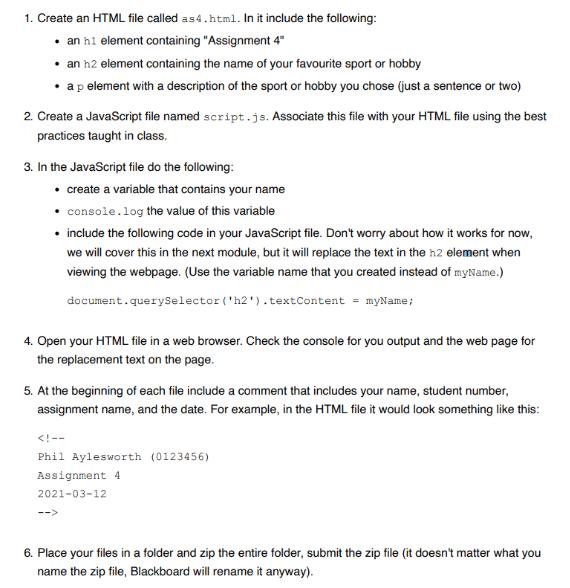
1. Create an HTML file called as4.html. In it include the following: an h1 element containing "Assignment 4" an h2 element containing the name of your favourite sport or hobby a p element with a description of the sport or hobby you chose (just a sentence or two) 2. Create a JavaScript file named script.js. Associate this file with your HTML file using the best practices taught in class. 3. In the JavaScript file do the following: create a variable that contains your name console.log the value of this variable include the following code in your JavaScript file. Don't worry about how it works for now, we will cover this in the next module, but it will replace the text in the h2 element when viewing the webpage. (Use the variable name that you created instead of myName.) document.querySelector('h2').textContent = myName; 4. Open your HTML file in a web browser. Check the console for you output and the web page for the replacement text on the page. 5. At the beginning of each file include a comment that includes your name, student number, assignment name, and the date. For example, in the HTML file it would look something like this: 6. Place your files in a folder and zip the entire folder, submit the zip file (it doesn't matter what you name the zip file, Blackboard will rename it anyway).
Step by Step Solution
There are 3 Steps involved in it
filename as4html Mohit Tandon 13528 Assignment 4 20240502 HTML HEAD TITLE Assignment4 TITLE body h1 ... View full answer

Get step-by-step solutions from verified subject matter experts
 Study Help