







Question: 1. Describe the differences between RSA and ECDSA encryption algorithms, and name a well-known product that uses each type of encryption. Cite your references. 2.
1. Describe the differences between RSA and ECDSA encryption algorithms, and name a well-known product that uses each type of encryption. Cite your references.
2. Please show screen captures and written steps on how to do each task
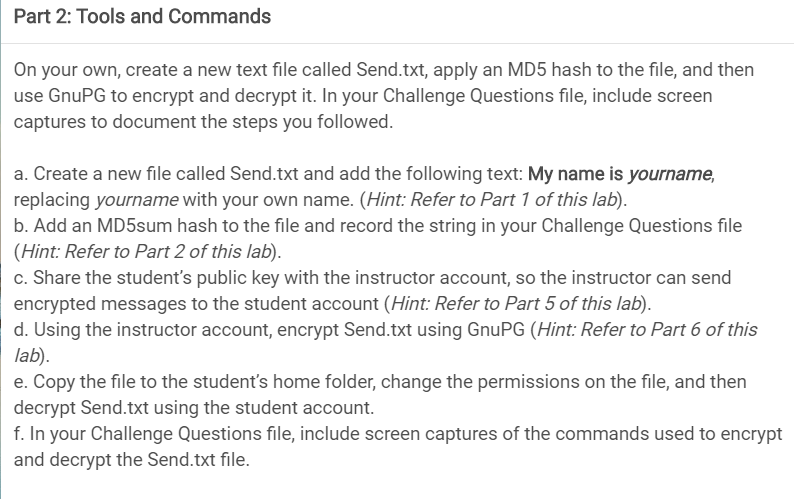
Part 2: Tools and Commands On your own, create a new text file called Send.txt, apply an MD5 hash to the file, and then use GnuPG to encrypt and decrypt it. In your Challenge Questions file, include screen captures to document the steps you followed. a. Create a new file called Send.txt and add the following text: My name is yourname, replacing yourname with your own name. (Hint: Refer to Part 1 of this lab). b. Add an MD5sum hash to the file and record the string in your Challenge Questions file (Hint: Refer to Part 2 of this lab). c. Share the student's public key with the instructor account, so the instructor can send encrypted messages to the student account (Hint: Refer to Part 5 of this lab). d. Using the instructor account, encrypt Send.txt using GnuPG (Hint: Refer to Part 6 of this lab) e. Copy the file to the student's home folder, change the permissions on the file, and then decrypt Send.txt using the student account. f. In your Challenge Questions file, include screen captures of the commands used to encrypt and decrypt the Send.txt file. Part 2: Tools and Commands On your own, create a new text file called Send.txt, apply an MD5 hash to the file, and then use GnuPG to encrypt and decrypt it. In your Challenge Questions file, include screen captures to document the steps you followed. a. Create a new file called Send.txt and add the following text: My name is yourname, replacing yourname with your own name. (Hint: Refer to Part 1 of this lab). b. Add an MD5sum hash to the file and record the string in your Challenge Questions file (Hint: Refer to Part 2 of this lab). c. Share the student's public key with the instructor account, so the instructor can send encrypted messages to the student account (Hint: Refer to Part 5 of this lab). d. Using the instructor account, encrypt Send.txt using GnuPG (Hint: Refer to Part 6 of this lab) e. Copy the file to the student's home folder, change the permissions on the file, and then decrypt Send.txt using the student account. f. In your Challenge Questions file, include screen captures of the commands used to encrypt and decrypt the Send.txt file
Step by Step Solution
There are 3 Steps involved in it

Get step-by-step solutions from verified subject matter experts
 Study Help