







Question: 1 First, format the income statement below to make it look professional for exhibit purposes. 2 Also, format the Net Income cells (row 26) so
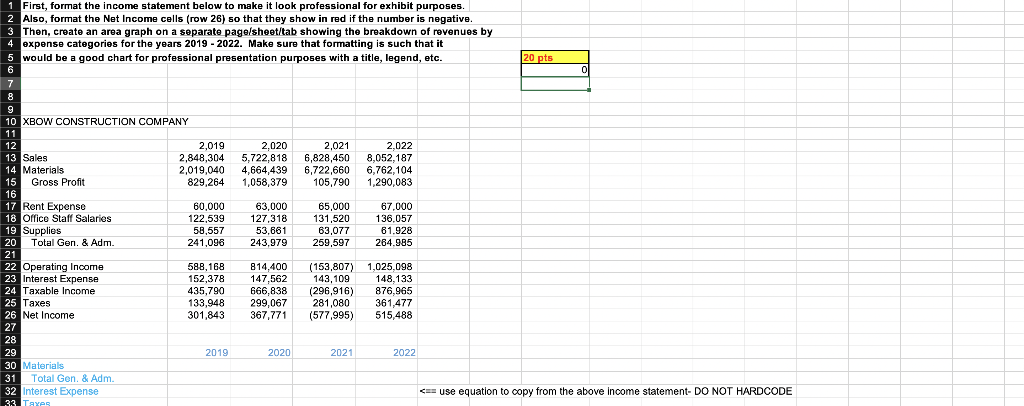
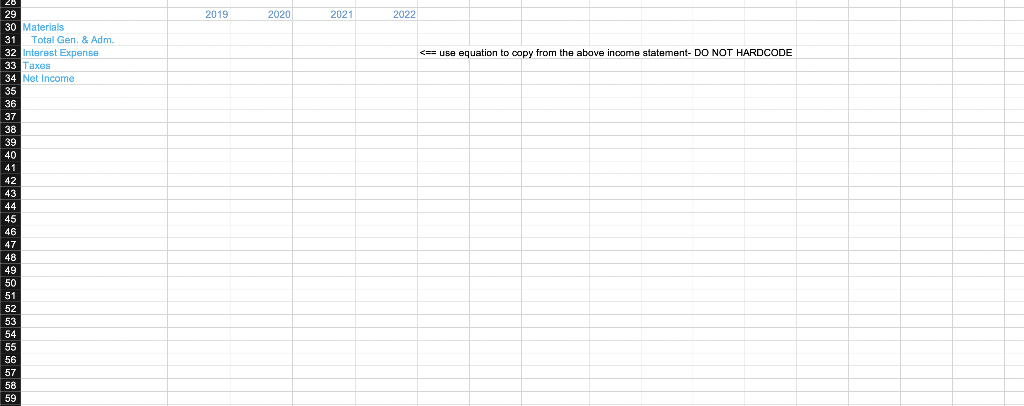
1 First, format the income statement below to make it look professional for exhibit purposes. 2 Also, format the Net Income cells (row 26) so that they show in red if the number is negative. 3 Then, create an area graph on a separate page/sheet/tab showing the breakdown of revenues by 4 expense categories for the years 2019 - 2022. Make sure that formatting is such that it would be a good chart for professional presentation purposes with a title, legend, etc. XBOW CONSTRUCTION COMPANY Materials Total Gen. \& Adm. Interest Expense s== use equation to copy from the above income statement- DO NOT HARDCODE Taxes Net Income 1 First, format the income statement below to make it look professional for exhibit purposes. 2 Also, format the Net Income cells (row 26) so that they show in red if the number is negative. 3 Then, create an area graph on a separate page/sheet/tab showing the breakdown of revenues by 4 expense categories for the years 2019 - 2022. Make sure that formatting is such that it would be a good chart for professional presentation purposes with a title, legend, etc. XBOW CONSTRUCTION COMPANY Materials Total Gen. \& Adm. Interest Expense s== use equation to copy from the above income statement- DO NOT HARDCODE Taxes Net Income
Step by Step Solution
There are 3 Steps involved in it

Get step-by-step solutions from verified subject matter experts
 Study Help