







Question: 1. Implement a console system from where the manager can add new instructors, delete if needed, add or cancel training sessions, print and save them
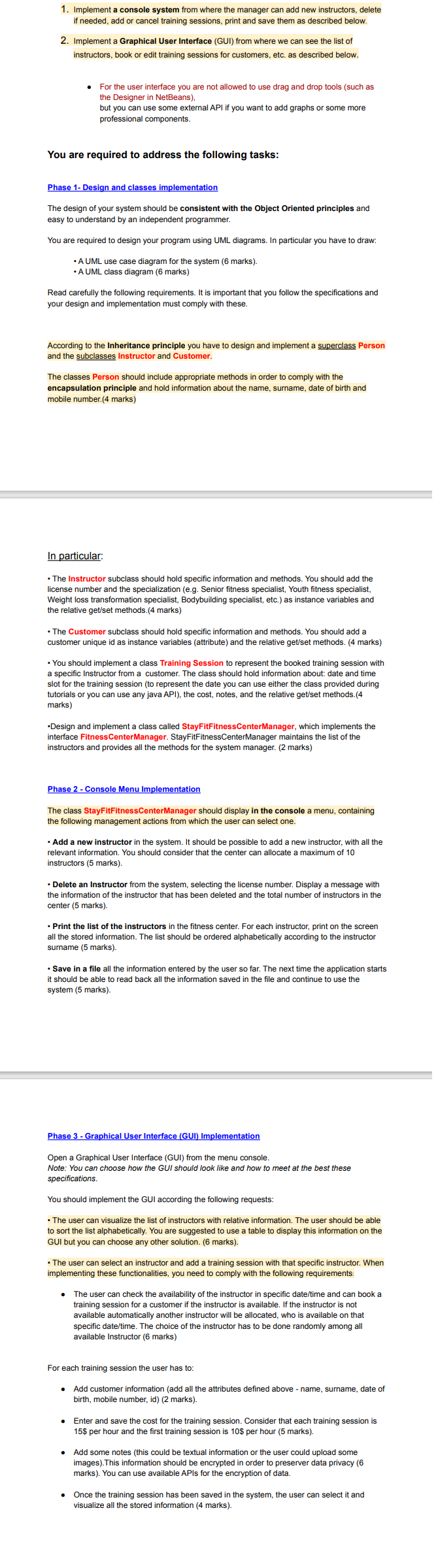
1. Implement a console system from where the manager can add new instructors, delete if needed, add or cancel training sessions, print and save them as described below. 2. Implement a Graphical User Interface (GUI) from where we can see the list of instructors, book or edit training sessions for customers, etc. as described below. - For the user interface you are not allowed to use drag and drop tools (such as but you can use some external API if you want to add graphs or some more professional components. You are required to address the following tasks: Phase 1- Design and classes implementation The design of your system should be consistent with the Object Oriented principles and easy to understand by an independent programmer. easy to understand by an independent programmer. You are required to design your program using UML diagrams. In particular you have to draw: - A UML use case diagram for the system (6 marks). Read carefully the following requirements. It is important that you follow the specifications and your design and implementation must comply with these. According to the Inheritance principle you have to design and implement a superclass Person and the subclasses Instructor and Customer. The classes Person should include appropriate methods in order to comply with the encapsulation principle and hold information about the name, surname, date of birth and mobile number.(4 marks) In particular: - The Instructor subclass should hold specific information and methods. You should add the Weight loss transformation specialist, Bodybuilding specialist, etc.) as instance variables and the relative get/set methods. (4 marks) - The Customer subclass should hold specific information and methods. You should add a customer unique id as instance variables (attribute) and the relative get/set methods. (4 marks) - You should implement a class Training Session to represent the booked training session with slot for the training session (to represent the date you can use either the class provided during tutorials or you can use any java API), the cost, notes, and the relative get/set methods.(4 marks) -Design and implement a class called StayFitFitnessCenterManager, which implements the instructors and provides all the methods for the system manager. ( 2 marks) Phase 2 - Console Menu Implementation The class StayFitFitnessCenterManager should display in the console a menu, containing the following management actions from which the user can select one - Add a new instructor in the system. It should be possible to add a new instructor, with all the instructors (5 marks). - Delete an Instructor from the system, selecting the license number. Display a message with the information of the - Print the list of the instructors in the fitness center. For each instructor, print on the screen all the stored information. The list should be ordered alphabetically according to the instructor - Save in a file all the information entered by the user so far. The next time the application starts it should be able to re. Phase 3 - Graphical User Interface (GUI) Implementation Open a Graphical User Interface (GUI) from the menu console. Note: You can You should implement the GUI according the following requests: - The user can visualize the list of instructors with relative information. The user should be able to sort the list alphabetically. You are suggested to use a table to display this information on the - The user can select an instructor and add a training session with that specific instructor. When implementing these functionalities, you need to comply with the following requirements: - The user can check the availability of the instructor in specific date/time and can book a available automatically another instructor will be allocated, who is available on that specific date/time. The choice of the instructor has to be done randomly among all available Instructor ( 6 marks) For each training session the user has to: - Add customer information (add all the attributes defined above - name, surname, date of birth, mobile number, id) (2 marks). - Enter and save the cost for the training session. Consider that each training session is 15$ per hour and the first training session is 10$ per hour ( 5 marks). - Add some notes (this could be textual information or the user could upload some images). This information should be encrypted in order to prese marks). You can use available APIs for the encryption of data. - Once the training session has been saved in the system, the user can select it and visualize all the stored information (4 marks)
Step by Step Solution
There are 3 Steps involved in it

Get step-by-step solutions from verified subject matter experts
 Study Help