







Question: 1 import pygame 2 import sys 3 import random as rn 4 5 pygame. init) 6 7 BLACK= ( 0,0,0) 8 WHITE = (255,255,255) 9
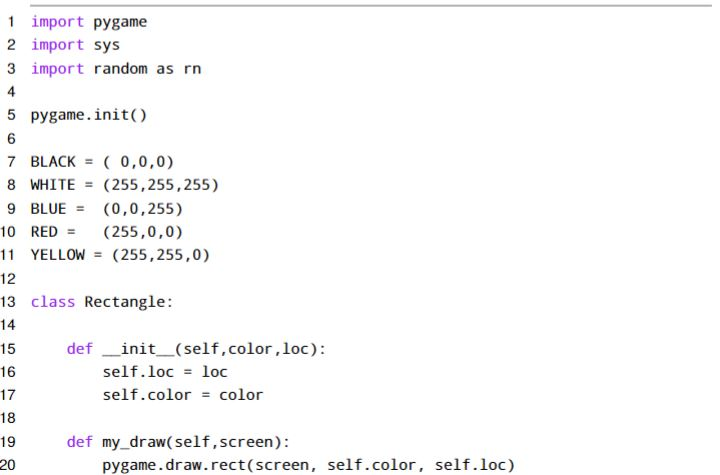
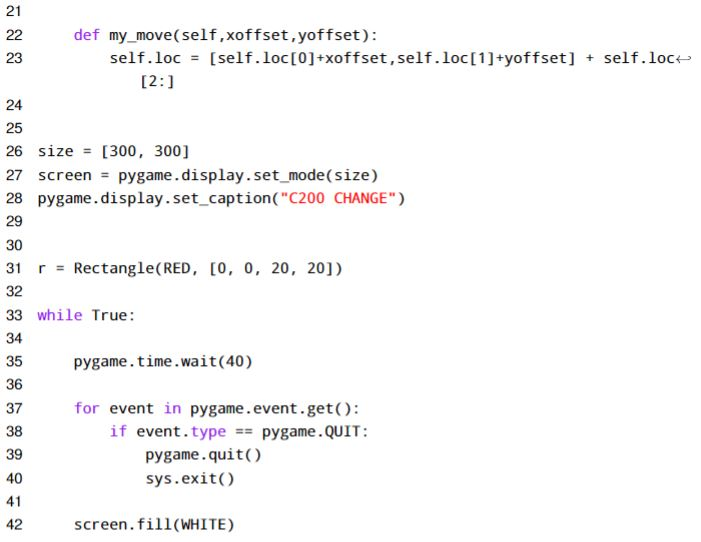
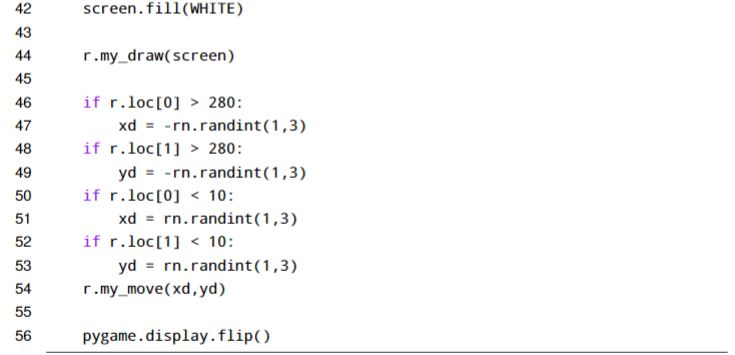
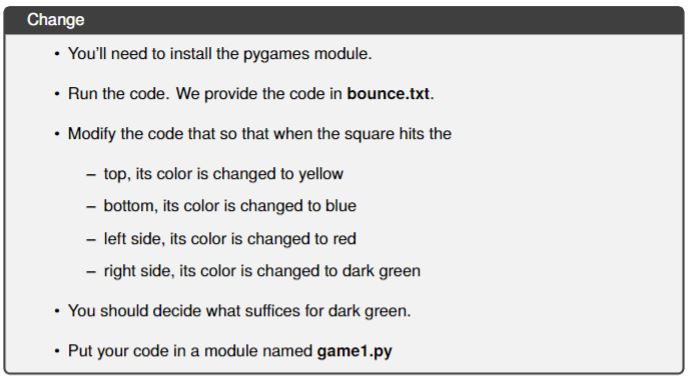
1 import pygame 2 import sys 3 import random as rn 4 5 pygame. init) 6 7 BLACK= ( 0,0,0) 8 WHITE = (255,255,255) 9 BLUE = (0,0,255) 10 RED(255,0,0) 11 YELLOW= (255,255,0) 12 13 class Rectangle: 14 15 def-init-(self,color,loc): 16 17 18 19 def my_draw(self,screen) 20 self. loc = loc self.color color pygame.draw.rect(screen, self.color, self.loc) 1 import pygame 2 import sys 3 import random as rn 4 5 pygame. init) 6 7 BLACK= ( 0,0,0) 8 WHITE = (255,255,255) 9 BLUE = (0,0,255) 10 RED(255,0,0) 11 YELLOW= (255,255,0) 12 13 class Rectangle: 14 15 def-init-(self,color,loc): 16 17 18 19 def my_draw(self,screen) 20 self. loc = loc self.color color pygame.draw.rect(screen, self.color, self.loc)
Step by Step Solution
There are 3 Steps involved in it

Get step-by-step solutions from verified subject matter experts
 Study Help