







Question: python 3.8 and pygame 2.0.0 Lab === Module Description === This module contains a basic automatic random tiling generator that you will complete for Task
python 3.8 and pygame 2.0.0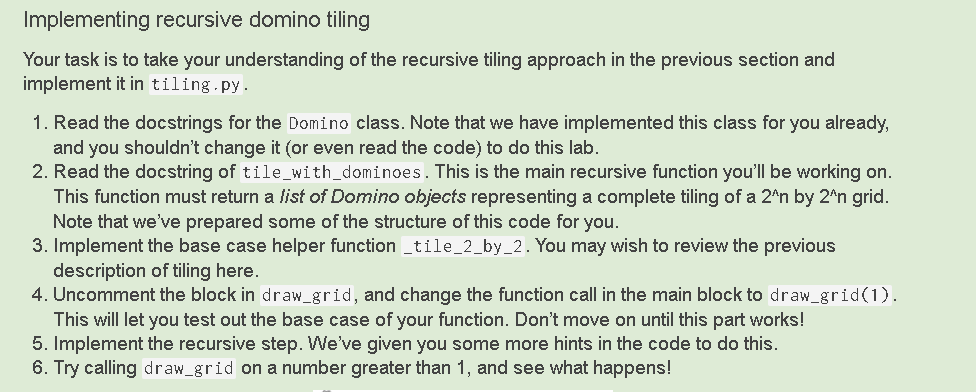
"""Lab
=== Module Description === This module contains a basic automatic random tiling generator that you will complete for Task 3 of this lab.
There's quite a bit to read here---go slow, and make sure you read carefully before writing any code yourself.
Keep in mind that this program requires the Python library pygame to be installed (it already is for the Teaching Labs, but you'll need to install it yourself if you're using your own machine). """ import random from typing import List, Tuple import pygame
# Constants defining the size of a square, and two colours. SQUARE_SIZE = 20 BLACK = (0, 0, 0) WHITE = (255, 255, 255)
def draw_grid(n: int) -> None: """Draw a pygame grid of size 2^n by 2^n.
Precondition: n >= 1 """ # Initialize a pygame screen filled in black. pygame.init() screen = pygame.display.set_mode((2**n * SQUARE_SIZE, 2**n * SQUARE_SIZE)) screen.fill(BLACK)
# Draw white gridlines in the screen. for i in range(2 ** n): for j in range(2 ** n): rect = (i * SQUARE_SIZE, j * SQUARE_SIZE, # Last two coordinates are *width and height* # http://www.pygame.org/docs/ref/rect.html # (i + 1) * SQUARE_SIZE, (j + 1) * SQUARE_SIZE) SQUARE_SIZE, SQUARE_SIZE) pygame.draw.rect(screen, WHITE, rect, 1)
# Uncomment the following part after you've implemented tile_with_dominoes # tiling = tile_with_dominoes(n) # for domino in tiling: # domino.draw(screen)
# Display the screen to the user. pygame.display.flip()
class Domino: """A domino on a grid.
=== Attributes === position: The location of the domino on the grid. colour: The colour of the domino, representing in RGB colour form.
=== Representation invariants === - len(position) == 2 - position's two tuples are adjacent squares on the grid For a 2^n by 2^n grid, each tuple's (x, y) coordinates should both be between 0 and 2^n - 1, inclusive.
The position should *not* depend on SQUARE_SIZE - this constant is only used when drawing the domino using pygame.
**IMPORTANT!!!** In pygame, the origin (0, 0) position is located at the *top-left* corner of the window. Increasing the y coordinate moves *down* the grid.
- each number in colour is between 0 and 255, inclusive """ position: List[Tuple[int, int]] colour: Tuple[int, int, int]
def __init__(self, square1: Tuple[int, int], square2: Tuple[int, int]) -> None: """Initialize a new domino with the given two squares.
Pick a random colour for the domino.
Precondition: square1 and square2 are adjacent """ self.position = [square1, square2]
self.colour = (random.randint(0, 255), random.randint(0, 255), random.randint(0, 255))
def add_offset(self, x_offset: int, y_offset: int) -> None: """Add the given offset to each square in this domino. """ for i in range(len(self.position)): old_x, old_y = self.position[i] self.position[i] = (old_x + x_offset, old_y + y_offset)
def draw(self, screen: pygame.Surface) -> None: """Draw this domino onto the given screen. """ x_coords = [self.position[0][0], self.position[1][0]] y_coords = [self.position[0][1], self.position[1][1]]
pygame.draw.rect(screen, self.colour, (min(x_coords) * SQUARE_SIZE, min(y_coords) * SQUARE_SIZE, (max(x_coords) - min(x_coords) + 1) * SQUARE_SIZE, (max(y_coords) - min(y_coords) + 1) * SQUARE_SIZE))
# TODO: implement this function! def tile_with_dominoes(n: int) -> List['Domino']: """Return a random tiling of a 2^n by 2^n grid by dominoes.
Remember that you should be returning a list of dominoes here. Think recursively! Mentally divide up the 2^n by 2^n grid into four quadrants, each of size 2^(n-1).
Precondition: n >= 1.
**IMPORTANT!!!** In pygame, the origin (0, 0) position is located at the *top-left* corner of the window. Increasing the y coordinate moves *down* the grid. """ if n == 1: return _tile_2_by_2() else: # TODO (1) # Compute four different tilings of a 2^(n-1) by 2^(n-1) grid, # for the four different quadrants. upper_left_tiling = [] upper_right_tiling = [] lower_left_tiling = [] lower_right_tiling = []
# TODO (2) # Each tiling will have square coordinates between 0 and 2^(n-1), # but these coordinates are only good for the *upper-left* quadrant. # Add an offset to the upper-right, lower-left, and lower-right tilings # so that the dominoes are placed in the correct quadrant. # # Remember that the positions here do *not* depend on SQUARE_SIZE.
# TODO (3) # Return the combined tiling for all four quadrants.
def _tile_2_by_2() -> List['Domino']: """Return a random tiling of a 2 by 2 grid.
Randomly choose between tiling the grid vertically or horizontally. """ # Remember that the positions here do *not* depend on SQUARE_SIZE. pass
if __name__ == '__main__': import python_ta python_ta.check_all(config={ 'allowed-import-modules': ['pygame', 'random', 'typing', 'python_ta'], 'generated-members': 'pygame.*' })
draw_grid(5) input('Press Enter to exit ')
Implementing recursive domino tiling Your task is to take your understanding of the recursive tiling approach in the previous section and implement it in tiling.py. 1. Read the docstrings for the Domino class. Note that we have implemented this class for you already, and you shouldn't change it (or even read the code) to do this lab. 2. Read the docstring of tile_with_dominoes. This is the main recursive function you'll be working on. This function must return a list of Domino objects representing a complete tiling of a 2^n by 2^n grid. Note that we've prepared some of the structure of this code for you. 3. Implement the base case helper function _tile_2_by_2. You may wish to review the previous description of tiling here. 4. Uncomment the block in draw_grid, and change the function call in the main block to draw_grid(1). This will let you test out the base case of your function. Don't move on until this part works! 5. Implement the recursive step. We've given you some more hints in the code to do this. 6. Try calling draw_grid on a number greater than 1, and see what happens! Implementing recursive domino tiling Your task is to take your understanding of the recursive tiling approach in the previous section and implement it in tiling.py. 1. Read the docstrings for the Domino class. Note that we have implemented this class for you already, and you shouldn't change it (or even read the code) to do this lab. 2. Read the docstring of tile_with_dominoes. This is the main recursive function you'll be working on. This function must return a list of Domino objects representing a complete tiling of a 2^n by 2^n grid. Note that we've prepared some of the structure of this code for you. 3. Implement the base case helper function _tile_2_by_2. You may wish to review the previous description of tiling here. 4. Uncomment the block in draw_grid, and change the function call in the main block to draw_grid(1). This will let you test out the base case of your function. Don't move on until this part works! 5. Implement the recursive step. We've given you some more hints in the code to do this. 6. Try calling draw_grid on a number greater than 1, and see what happens
Step by Step Solution
There are 3 Steps involved in it

Get step-by-step solutions from verified subject matter experts
 Study Help