



Question: 1. Instructions: Go the PHET web site and select the Wave Interference simulation. The following link will take you directly to the simulation: MILthetcolorado.edu/sims/html/wave- interference/latest/wave-interference_en.html
1.
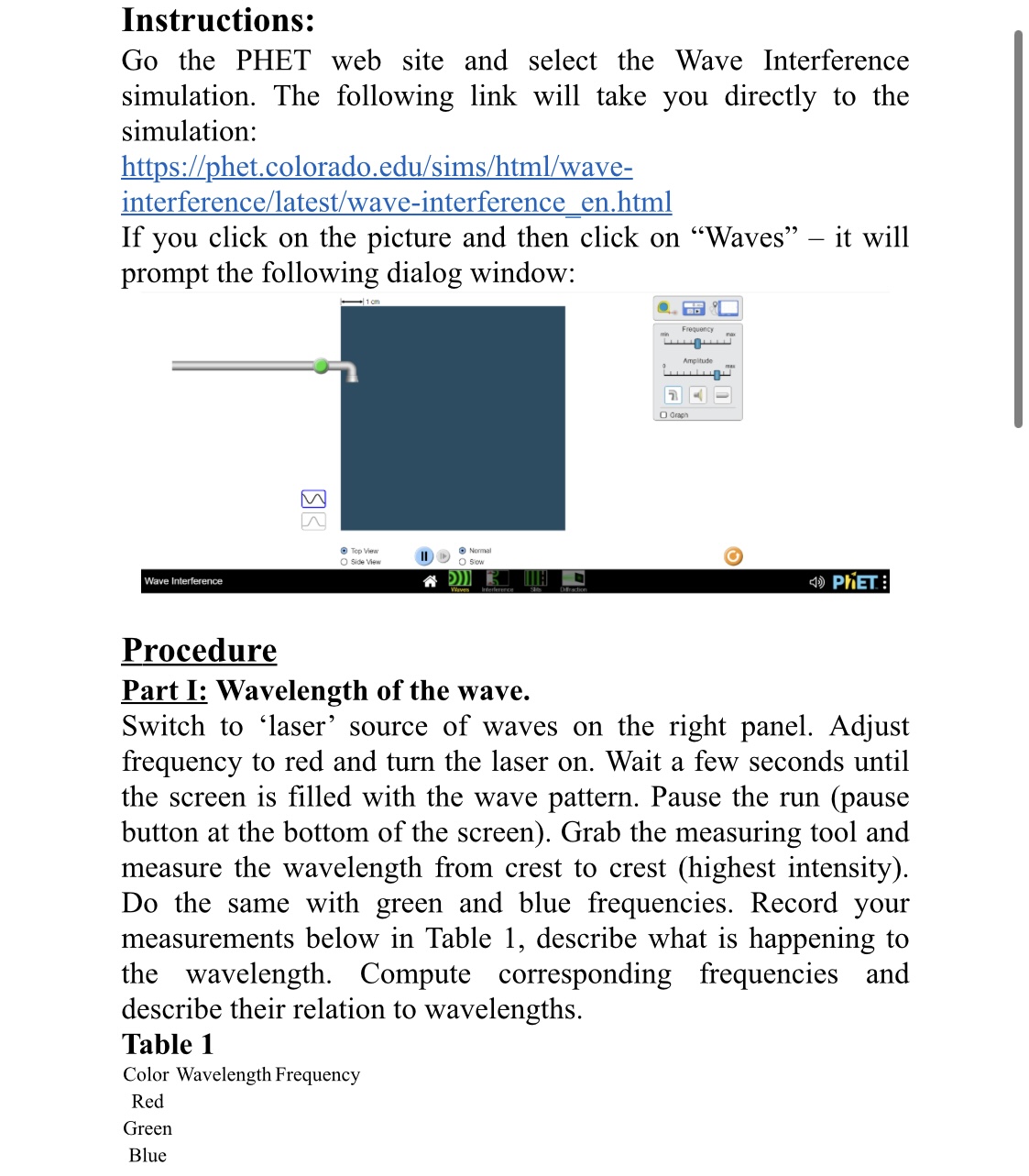
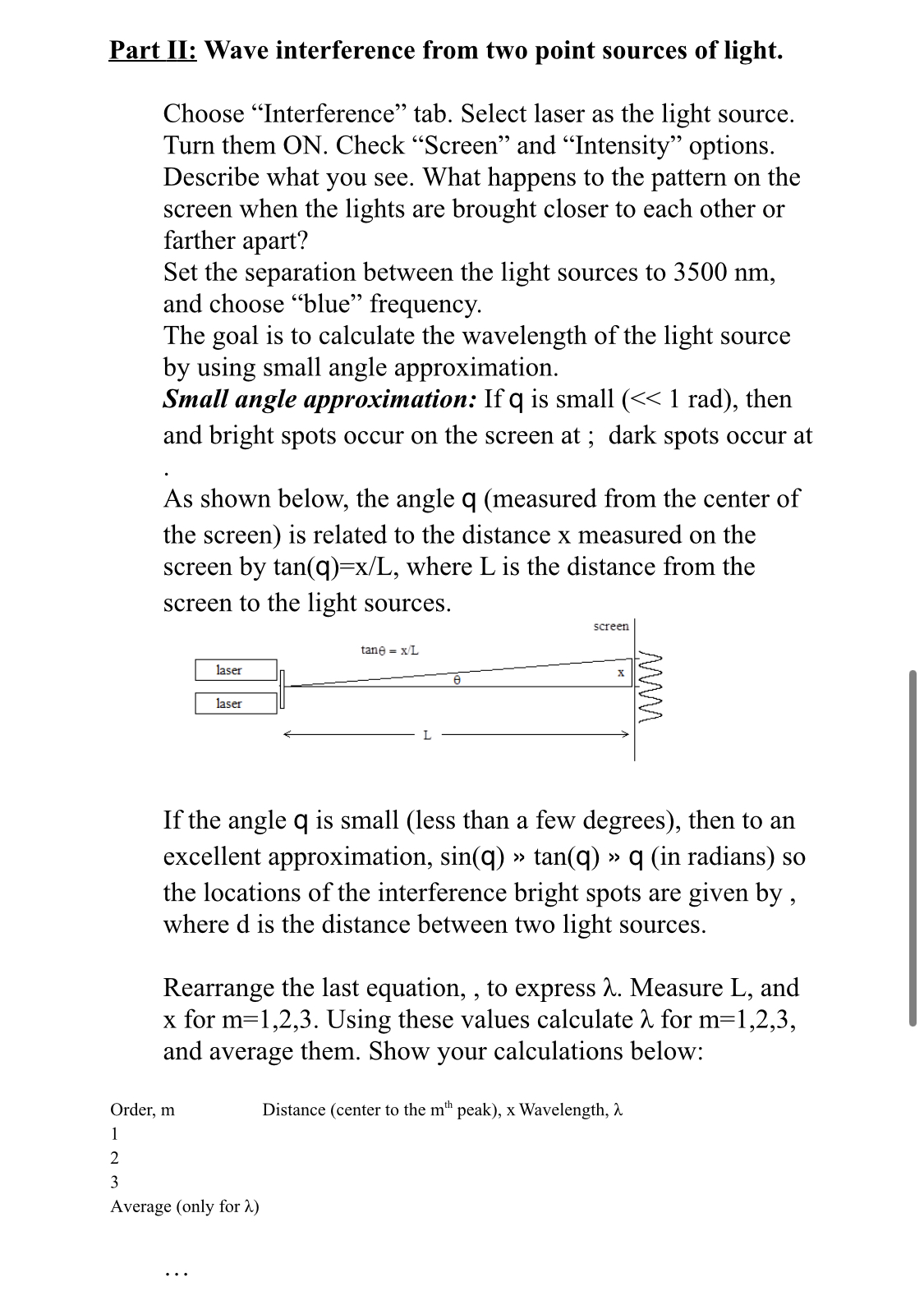
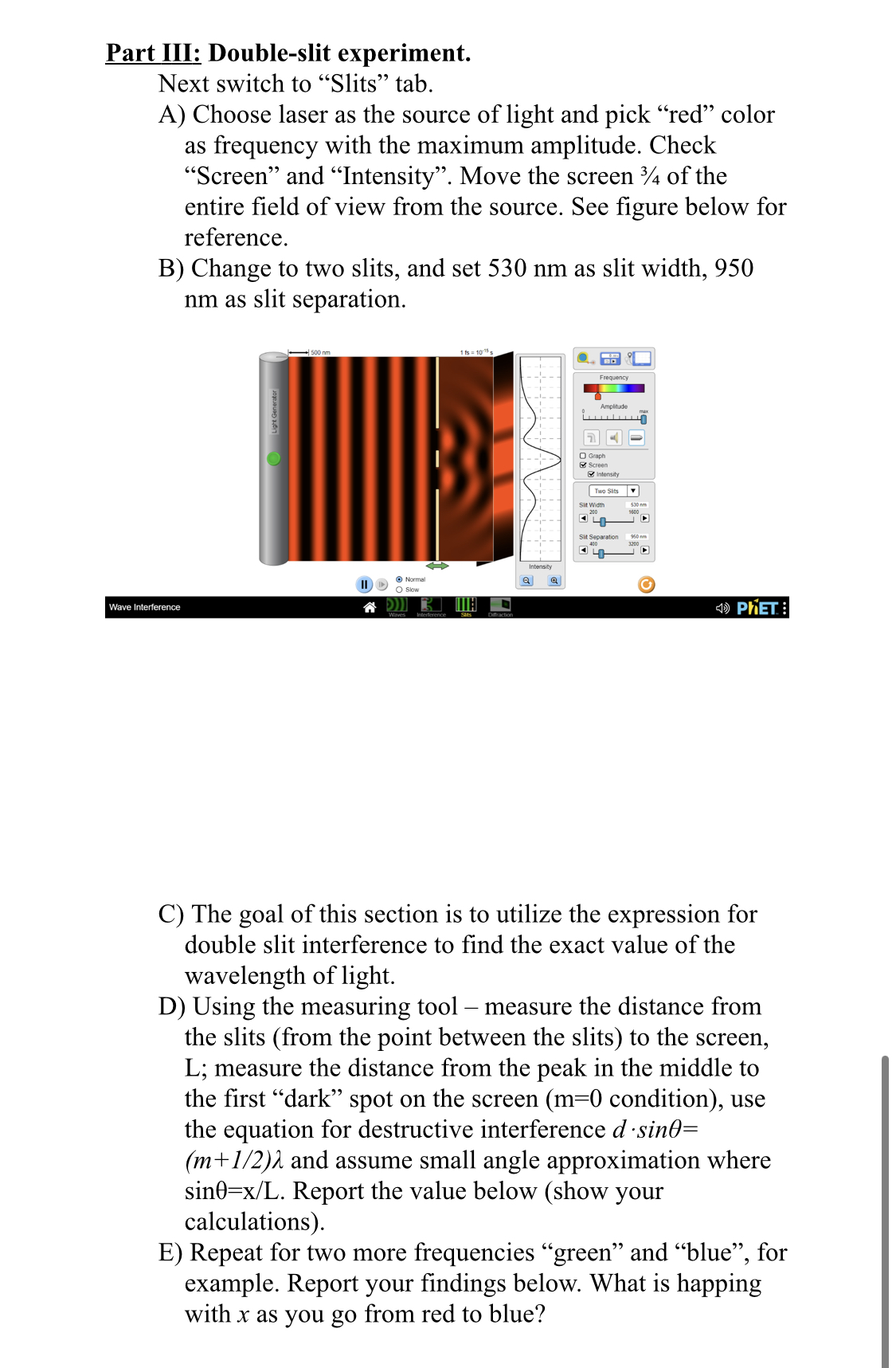
Instructions: Go the PHET web site and select the Wave Interference simulation. The following link will take you directly to the simulation: MILthetcolorado.edu/sims/html/wave- interference/latest/wave-interference_en.html If you click on the picture and then click on \"Waves\" it will prompt the following dialog window: '*'\" A. Ell FMML'I '- LLLH'JAJAJ 57: I new Procedure Part I: Wavelength of the wave. Switch to 'laser' source of waves on the right panel. Adjust frequency to red and turn the laser on. Wait a few seconds until the screen is lled with the wave pattern. Pause the run (pause button at the bottom of the screen). Grab the measuring tool and measure the wavelength from crest to crest (highest intensity). Do the same with green and blue frequencies. Record your measurements below in Table 1, describe what is happening to the wavelength. Compute corresponding frequencies and describe their relation to wavelengths. Table 1 Color Wavelength Frequency Red Green Blue Part II: Wave interference from two point sources of light. Choose \"Interference\" tab. Select laser as the light source. Turn them ON. Check \"Screen\" and \"Intensity\" options. Describe what you see. What happens to the pattern on the screen when the lights are brought closer to each other or farther apart? Set the separation between the light sources to 3500 nm, and choose \"blue\" frequency. The goal is to calculate the wavelength of the light source by using small angle approximation. Small angle approximation: If q is small (
Step by Step Solution
There are 3 Steps involved in it

Get step-by-step solutions from verified subject matter experts