







Question: 1) Log onto the UNIX server. 2) Create a directory in your home directory named MIDTERM (note it is all caps). 3) Change directorles so
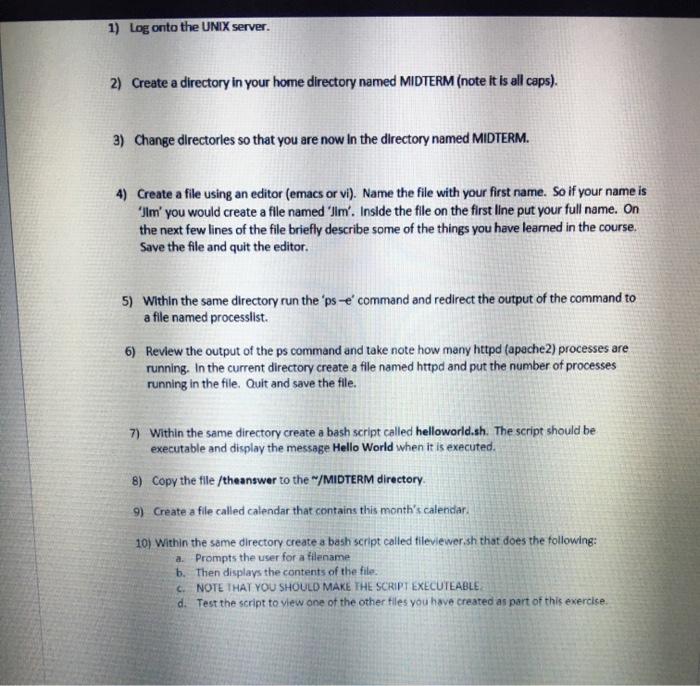
1) Log onto the UNIX server. 2) Create a directory in your home directory named MIDTERM (note it is all caps). 3) Change directorles so that you are now in the directory named MIDTERM. 4) Create a file using an editor (emacs or vi). Name the file with your first name. So if your name is Ilm' you would create a file named 'Jim'. Inside the file on the first line put your full name. On the next few lines of the file briefly describe some of the things you have learned in the course, Save the file and quit the editor. 5) Within the same directory run the 'pse' command and redirect the output of the command to a file named processlist. 6) Review the output of the ps command and take note how many httpd (apache2) processes are running. In the current directory create a file named httpd and put the number of processes running in the file. Quit and save the file. 7) Within the same directory create a bash script called helloworld.sh. The script should be executable and display the message Hello World when it is executed. 8) Copy the file /theanswer to the "/MIDTERM directory. 9) Create a file called calendar that contains this month's calendar 10) Within the same directory create a bash script called tileviewer.sh that does the following: a. Prompts the user for a filename b. Then displays the contents of the file. C. NOTE THAT YOU SHOULD MAKE THE SCRIPT EXECUTEABLE d. Test the script to view one of the other files you have created as part of this exercise
Step by Step Solution
There are 3 Steps involved in it

Get step-by-step solutions from verified subject matter experts
 Study Help