







Question: 1. Open a new script file and save it as L04.m 2. Use the input () function to prompt the user to enter a value
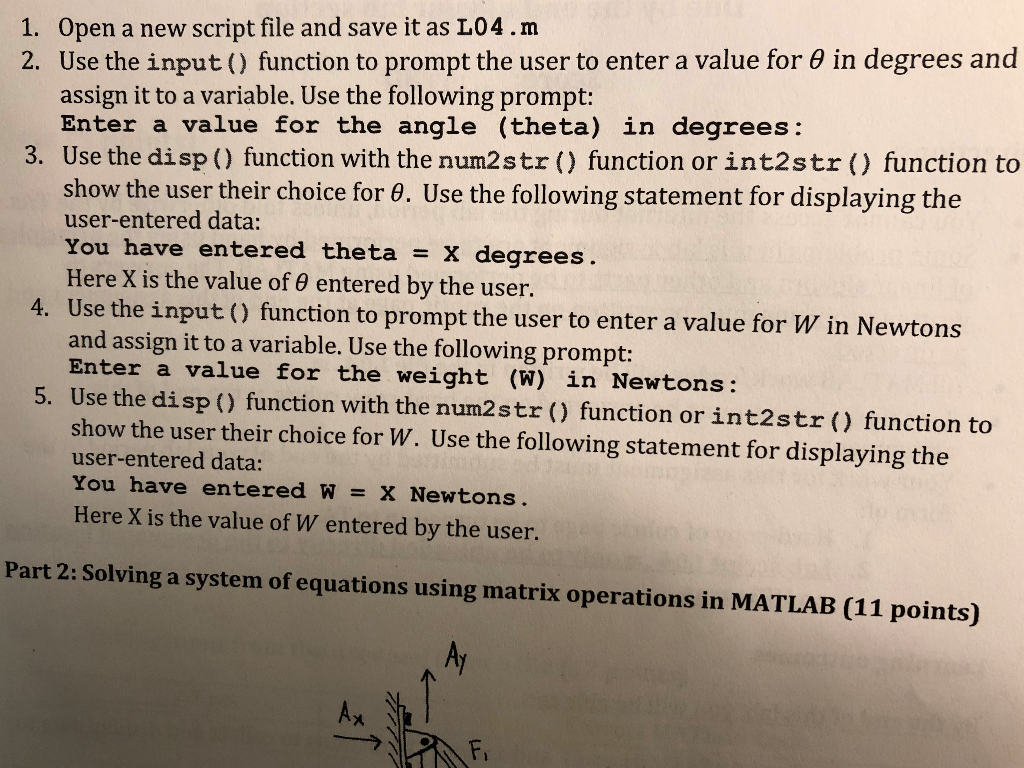
1. Open a new script file and save it as L04.m 2. Use the input () function to prompt the user to enter a value for in degrees and assign it to a variable. Use the following prompt: Enter a value for the angle (theta) in degrees: 3. Use the disp() function with the num2str() function or int2str () function to show the user their choice for . Use the following statement for displaying the user-entered data: You have entered theta x degrees Here X is the value of 0 entered by the user. Use the input () function to prompt the user to enter a value for W in Newtons and assign it to a variable. Use the following prompt: Enter a value for the weight (W) in Newtons: 4. 5. Use the disp () function with the num2str () function or int2str() function to show the user their choice for W. Use the following statement for displaying the user-entered data: You have entered W X Newtons. Here X is the value of W entered by the user. Part 2: Solving a system of equations using matrix operations in MATLAB (11 points) Ax Fi
Step by Step Solution
There are 3 Steps involved in it

Get step-by-step solutions from verified subject matter experts
 Study Help