







Question: Main topics: User defined functions, Find function, If statement Open MATLAB 1. Lab6_Drive.m 1. Create a new script file named Lab6_Drive.m. 2. Display a proper
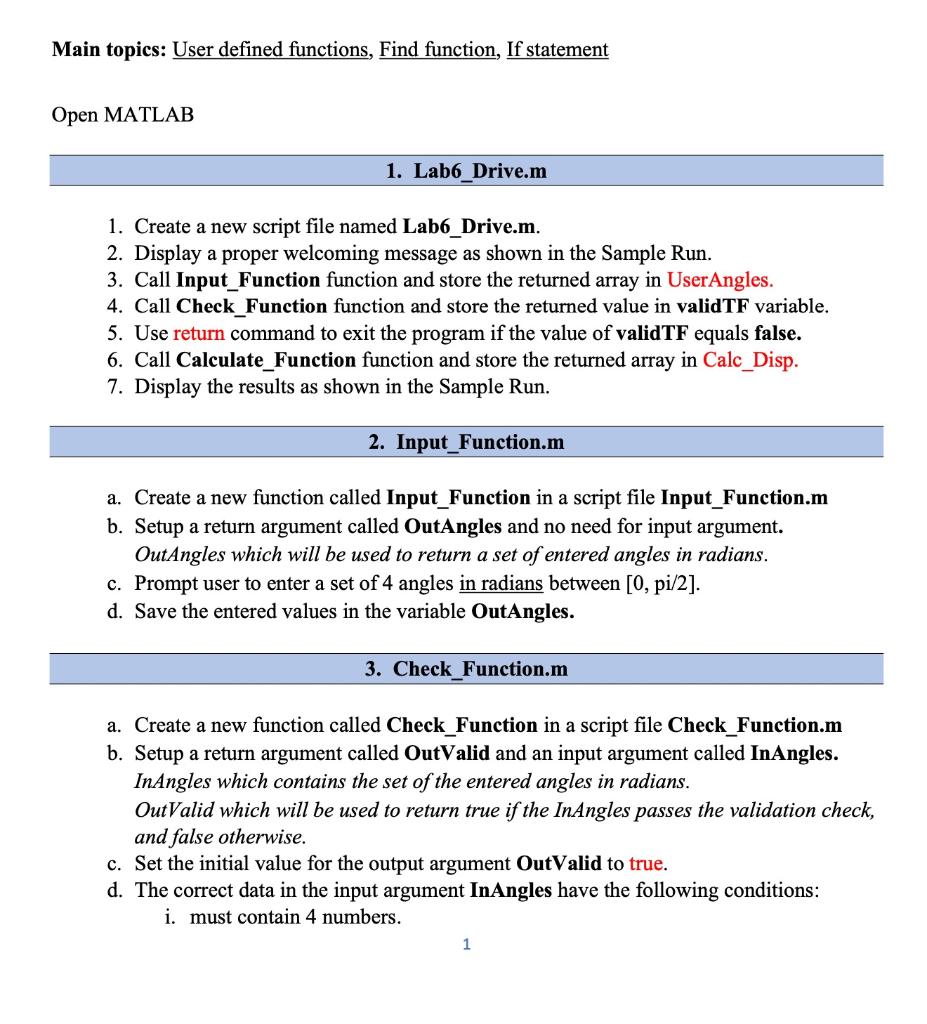
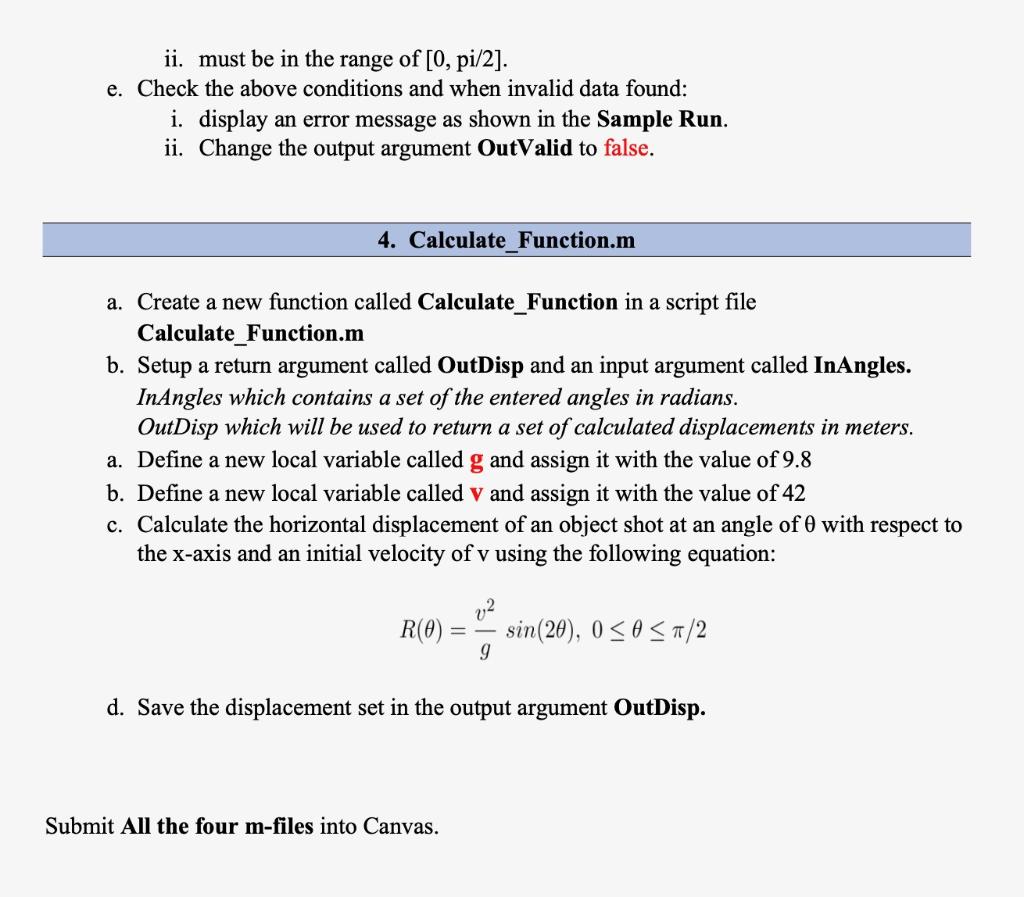
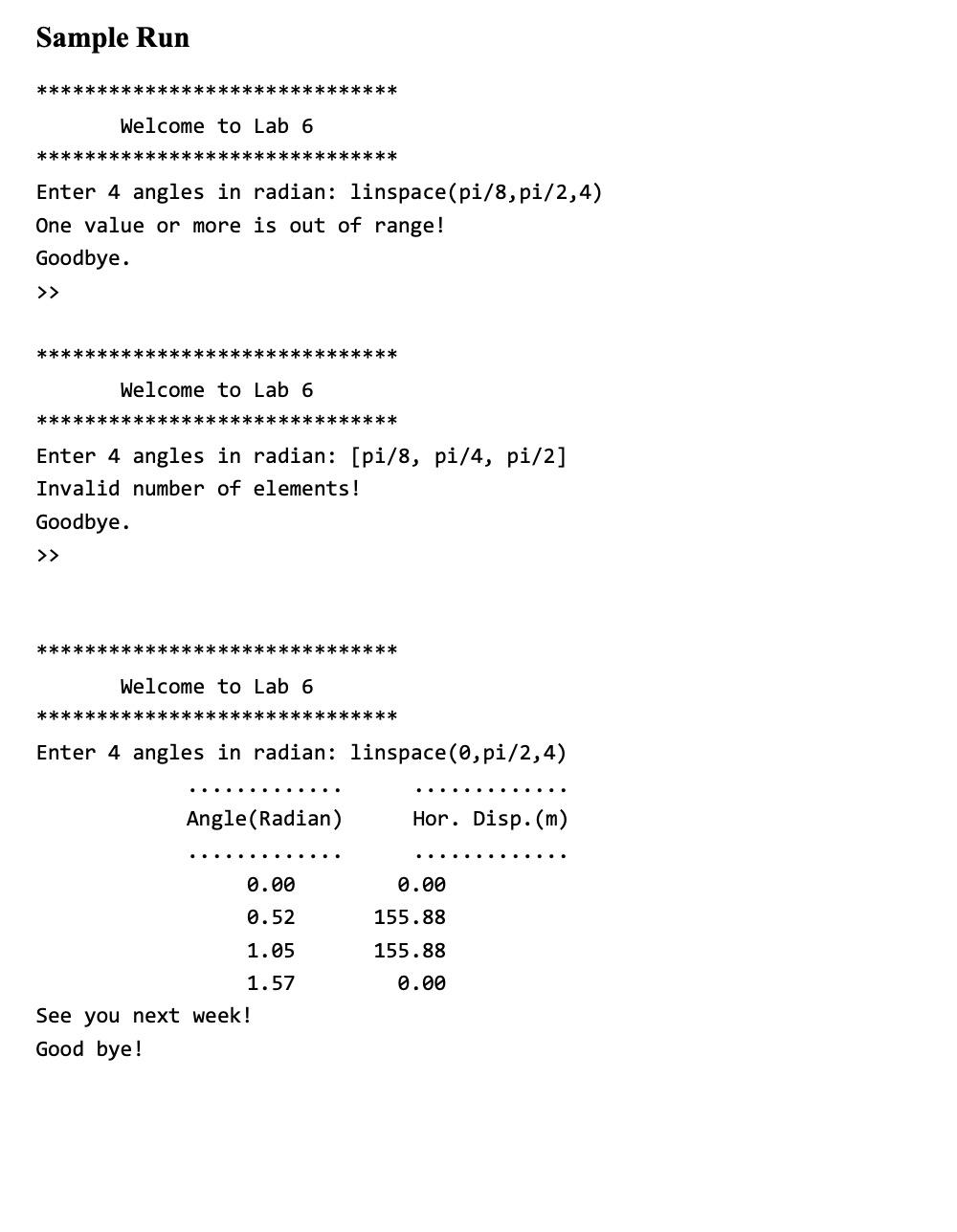
Main topics: User defined functions, Find function, If statement Open MATLAB 1. Lab6_Drive.m 1. Create a new script file named Lab6_Drive.m. 2. Display a proper welcoming message as shown in the Sample Run. 3. Call Input_Function function and store the returned array in UserAngles. 4. Call Check Function function and store the returned value in validTF variable. 5. Use return command to exit the program if the value of validTF equals false. 6. Call Calculate_Function function and store the returned array in Calc_Disp. 7. Display the results as shown in the Sample Run. 2. Input_Function.m a. Create a new function called Input_Function in a script file Input_Function.m b. Setup a return argument called OutAngles and no need for input argument. OutAngles which will be used to return a set of entered angles in radians. c. Prompt user to enter a set of 4 angles in radians between [0, pi/2]. d. Save the entered values in the variable OutAngles. 3. Check Function.m a. Create a new function called Check_Function in a script file Check_Function.m b. Setup a return argument called OutValid and an input argument called InAngles. InAngles which contains the set of the entered angles in radians. OutValid which will be used to return true if the InAngles passes the validation check, and false otherwise. c. Set the initial value for the output argument OutValid to true. d. The correct data in the input argument InAngles have the following conditions: i. must contain 4 numbers. 1 ii. must be in the range of [0, pi/2]. e. Check the above conditions and when invalid data found: i. display an error message as shown in the Sample Run. ii. Change the output argument OutValid to false. 4. Calculate Function.m a. Create a new function called Calculate_Function in a script file Calculate_Function.m b. Setup a return argument called OutDisp and an input argument called InAngles. InAngles which contains a set of the entered angles in radians. OutDisp which will be used to return a set of calculated displacements in meters. a. Define a new local variable called g and assign it with the value of 9.8 b. Define a new local variable called V and assign it with the value of 42 c. Calculate the horizontal displacement of an object shot at an angle of 0 with respect to the x-axis and an initial velocity of v using the following equation: 02 R(O) sin(28), 0
Step by Step Solution
There are 3 Steps involved in it

Get step-by-step solutions from verified subject matter experts
 Study Help