







Question: 1. Open the html file in your text editor (text wrangler, brackets, or sublime text) or view source code in your browser. You are

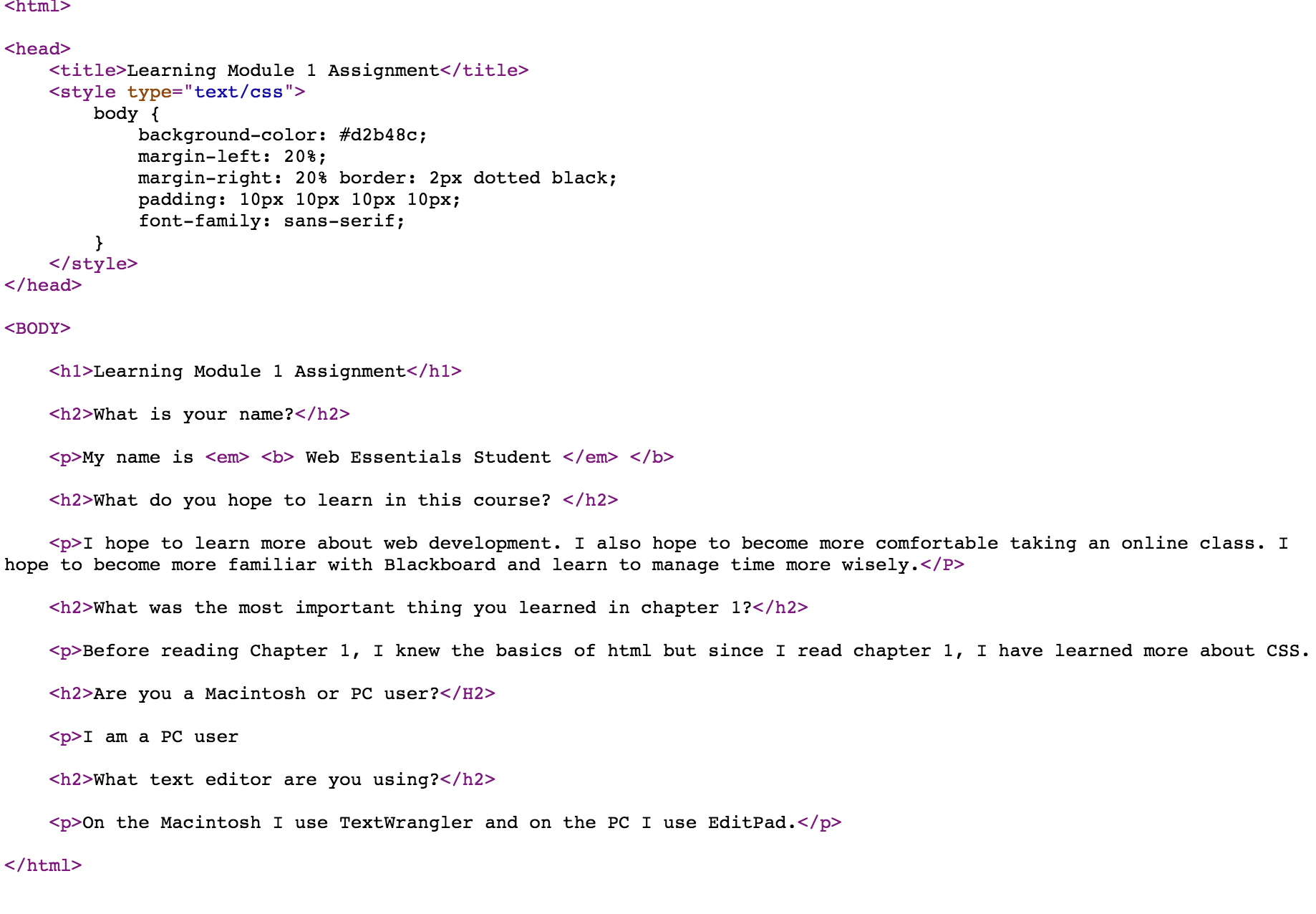
1. Open the html file in your text editor (text wrangler, brackets, or sublime text) or "view source code" in your browser. You are welcome to edit the code if you wish and test the file - but you should not attach the coded files as your response. 2. Review the html code and make a note of any errors you find. We realize you are a beginner and may not see them all - but just try your best to see how many you can find. Learning Module 1 Assignment body { } background-color: #d2b48c; margin-left: 20%; margin-right: 20% border: 2px dotted black; padding: 10px 10px 10px 10px; font-family: sans-serif; Learning Module 1 Assignment What is your name? My name is Web Essentials Student What do you hope to learn in this course? I hope to learn more about web development. I also hope to become more comfortable taking an online class. I hope to become more familiar with Blackboard and learn to manage time more wisely. What was the most important thing you learned in chapter 1? Before reading Chapter 1, I knew the basics of html but since I read chapter 1, I have learned more about CSS. Are you a Macintosh or PC user? I am a PC user What text editor are you using? On the Macintosh I use TextWrangler and on the PC I use EditPad.
Step by Step Solution
There are 3 Steps involved in it
Consistent Tags The H2 tag for Are you a Macintosh or PC user is in uppercase HTML tags are not casesensitive but its best practice to keep them consi... View full answer

Get step-by-step solutions from verified subject matter experts
 Study Help