







Question: 1. Python script execution results Figure 4 Instances deployed wih python script in the required subnets 2. Security Group definition: example for VM1 only
1. Python script execution results

Figure 4 Instances deployed wih python script in the required subnets
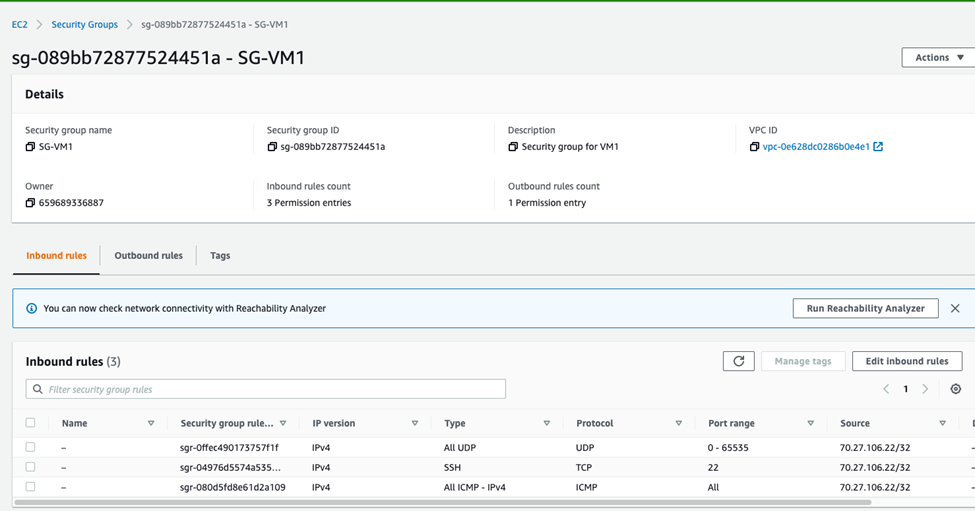
2. Security Group definition: example for VM1 only
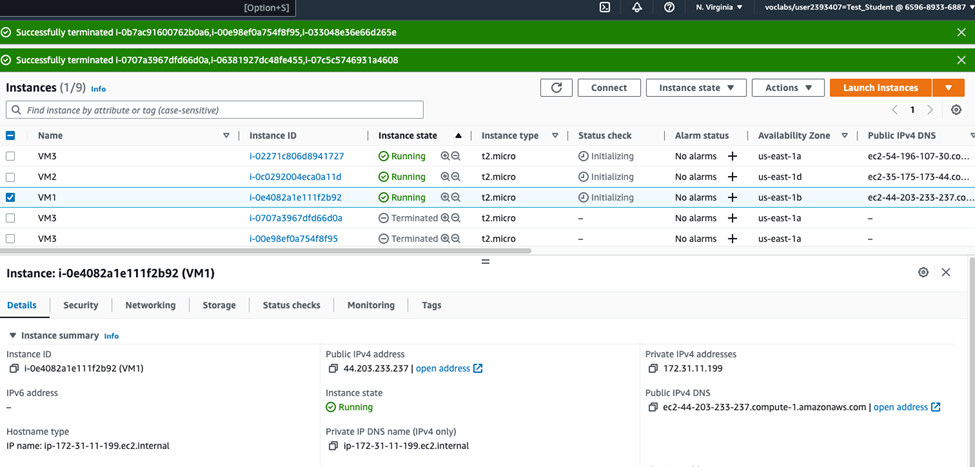
Figure 5 The screenshot shows public IP of VM1
(This group might be incorrect and is added for demonstration purposes only!)
a. Connectivity to VM1 from my laptop with ping
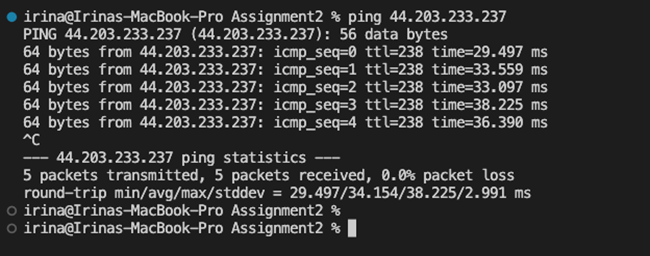
Figure 7 Verified that I can ping VM1 from my laptop
b. Connectivity to VM1 from my laptop with traceroute
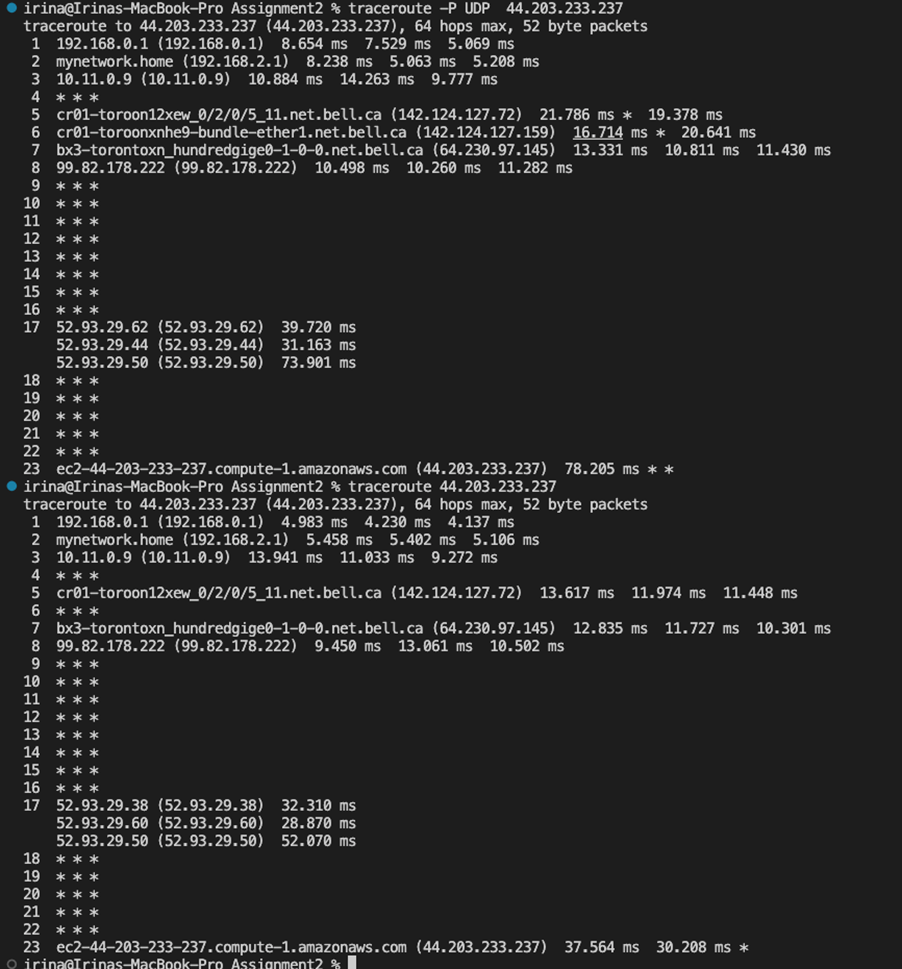
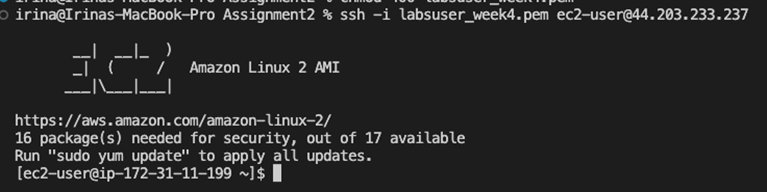
Figure 8 Connected to VM1 via ssh
3. Security Group definition: VM2
Add the screenshots of security group definition and all the required VM2 connectivity screenshots (SSH, HTTP)
d. Example: Connectivity the laptop to webservers on VM2 ports 8081, 8082, and 27017
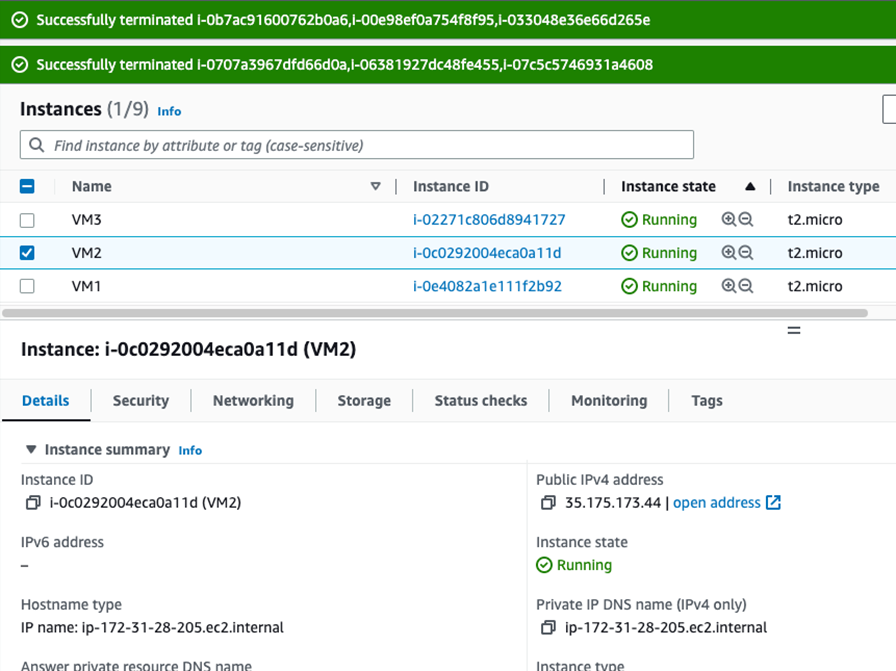
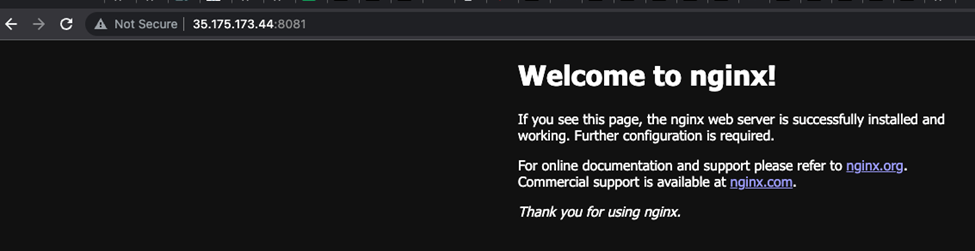
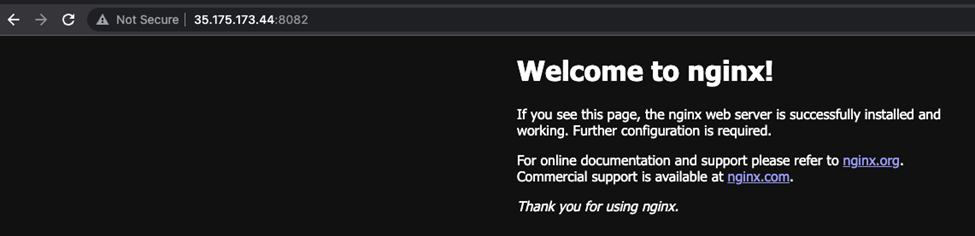

Figure 2 Connecting to VM2 on port 27017
4. Security Group definition: VM3
Add the screenshots of security group definition and all the required VM3 connectivity screenshots
5. Cleanup
Cleanup task completed

Using Python script accomplish this task in AWS(Amazon Web Services) panel.
irina@Irinas-MacBook-Pro Assignment2 % python3 create_vms.py Create EC2 Instances Instance ID is i-02271c806d8941727 with Private IP 172.31.33.68 In the Subnet subnet-0a5b4cbeabe4a1521 with CIDR 172.31.32.0/20 Instance ID is i-0e4082a1e111f2b92 with Private IP 172.31.11.199 In the Subnet subnet-09523bed6fa17fe8e with CIDR 172.31.0.0/20 Instance ID is i-0c0292004eca0alld with Private IP 172.31.28.205 In the Subnet subnet-0748e5e9f3ce54467 with CIDR 172.31.16.0/20 o irina@Irinas-MacBook-Pro Assignment2 %
Step by Step Solution
There are 3 Steps involved in it

Get step-by-step solutions from verified subject matter experts
 Study Help