



Question: 1) Set up a worksheet named Tail in a new workbook. Save the workbook using the filename List_YourFirstName_YourLastName. 2) Create a table on the Tail
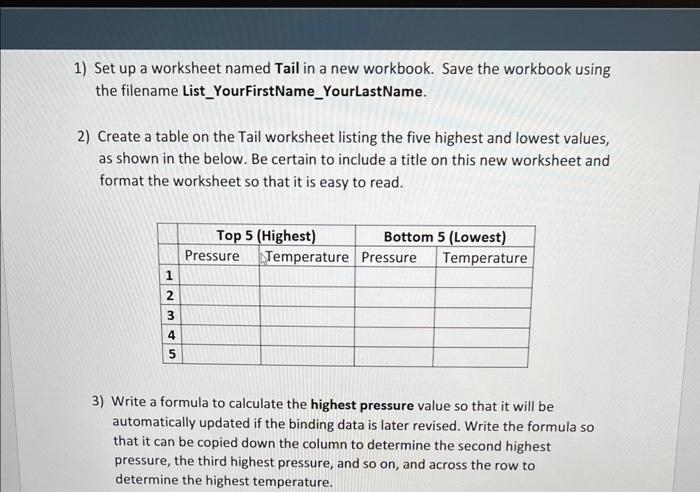
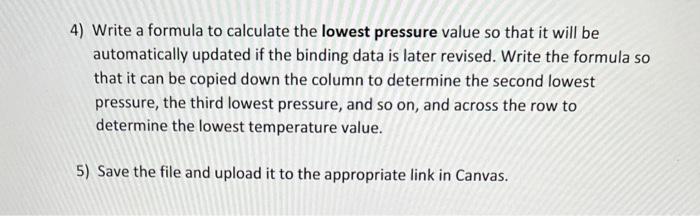
1) Set up a worksheet named Tail in a new workbook. Save the workbook using the filename List_YourFirstName_YourLastName. 2) Create a table on the Tail worksheet listing the five highest and lowest values, as shown in the below. Be certain to include a title on this new worksheet and format the worksheet so that it is easy to read. 3) Write a formula to calculate the highest pressure value so that it will be automatically updated if the binding data is later revised. Write the formula so that it can be copied down the column to determine the second highest pressure, the third highest pressure, and so on, and across the row to determine the highest temperature. 4) Write a formula to calculate the lowest pressure value so that it will be automatically updated if the binding data is later revised. Write the formula so that it can be copied down the column to determine the second lowest pressure, the third lowest pressure, and so on, and across the row to determine the lowest temperature value. 5) Save the file and upload it to the appropriate link in Canvas
Step by Step Solution
There are 3 Steps involved in it

Get step-by-step solutions from verified subject matter experts