







Question: 1. Through code create a binary data file called products.txt 2. Fill it with information about products; the information involves the product key(integer), product description
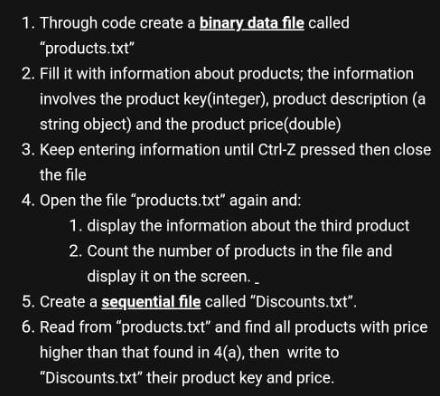
1. Through code create a binary data file called "products.txt" 2. Fill it with information about products; the information involves the product key(integer), product description (a string object) and the product price(double) 3. Keep entering information until Ctrl-Z pressed then close the file 4. Open the file "products.txt" again and: 1. display the information about the third product 2. Count the number of products in the file and display it on the screen.. 5. Create a sequential file called "Discounts.txt". 6. Read from "products.txt" and find all products with price higher than that found in 4(a), then write to "Discounts.txt" their product key and price
Step by Step Solution
There are 3 Steps involved in it

Get step-by-step solutions from verified subject matter experts
 Study Help