







Question: 1. Type the following relation schema and execute it. drop table STUDENT cascade constraints; create table Student ( name varchar2 (30) not null, StudentNumber number
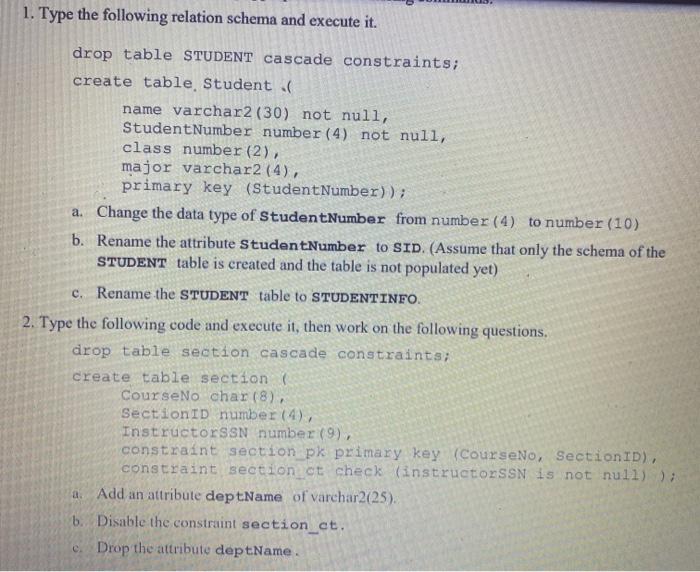
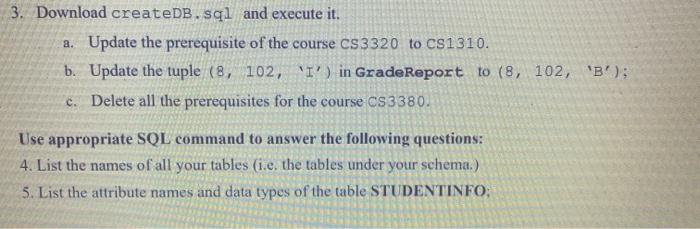
1. Type the following relation schema and execute it. drop table STUDENT cascade constraints; create table Student ( name varchar2 (30) not null, StudentNumber number (4) not null, class number (2), major varchar2 (4), primary key (Student Number)); a. Change the data type of StudentNumber from number (4) to number (10) b. Rename the attribute Student Number to SID. (Assume that only the schema of the STUDENT table is created and the table is not populated yet) c. Rename the STUDENT table to STUDENTINFO. 2. Type the following code and execute it, then work on the following questions. drop table section cascade constraints; create table section ( CourseNo char(8), Section ID number (4), InstructorssN number (9) constraint section pk primary key (CourseNo, SectionID), constraint section_ct check instructorss is not null)); a. Add an attribute deptName of varchar2(25) b. Disable the constraint section_ct. c. Drop the attribute deptName. 3. Download createDB. sal and execute it. a. Update the prerequisite of the course CS 3320 to CS1310. b. Update the tuple (8, 102, 'I') in Grade Report to (8, 102, 'B!): c. Delete all the prerequisites for the course CS 3380. Use appropriate SQL command to answer the following questions: 4. List the names of all your tables (i.e. the tables under your schema.) 5. List the attribute names and data types of the table STUDENTINFO
Step by Step Solution
There are 3 Steps involved in it

Get step-by-step solutions from verified subject matter experts
 Study Help