







Question: 1. Why should you NOT include blank rows in the data that will be converted to a table? Answer: A. Excel does not automatically include
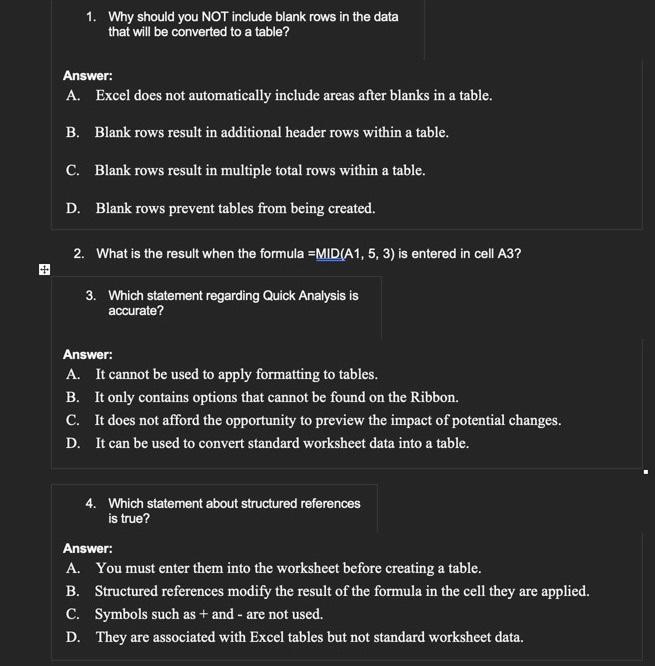
1. Why should you NOT include blank rows in the data that will be converted to a table? Answer: A. Excel does not automatically include areas after blanks in a table. B. Blank rows result in additional header rows within a table. C. Blank rows result in multiple total rows within a table. D. Blank rows prevent tables from being created. 2. What is the result when the formula =MID(A1,5,3) is entered in cell A3 ? 3. Which statement regarding Quick Analysis is accurate? Answer: A. It cannot be used to apply formatting to tables. B. It only contains options that cannot be found on the Ribbon. C. It does not afford the opportunity to preview the impact of potential changes. D. It can be used to convert standard worksheet data into a table. 4. Which statement about structured references is true? Answer: A. You must enter them into the worksheet before creating a table. B. Structured references modify the result of the formula in the cell they are applied. C. Symbols such as + and - are not used. D. They are associated with Excel tables but not standard worksheet data
Step by Step Solution
There are 3 Steps involved in it

Get step-by-step solutions from verified subject matter experts
 Study Help