





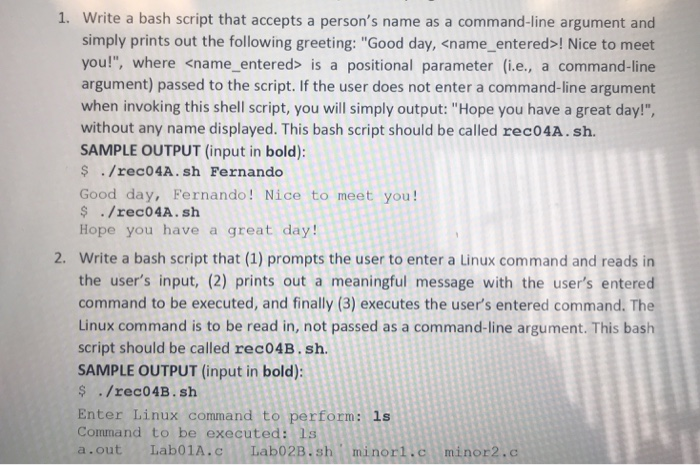
Question: 1. Write a bash script that accepts a person's name as a command-line argument and simply prints out the following greeting: Good day, ! Nice
 1. Write a bash script that accepts a person's name as

1. Write a bash script that accepts a person's name as a command-line argument and simply prints out the following greeting: "Good day, ! Nice to meet you!", where is a positional parameter (i.e., a command-line argument) passed to the script. If the user does not enter a command-line argument when invoking this shell script, you will simply output: "Hope you have a great day!", without any name displayed. This bash script should be called rec04A.sh. SAMPLE OUTPUT (input in bold): $./rec04A.sh Fernando Good day, Fernando! Nice to meet you! ./rec04A.sh Hope you have a great day! 2. Write a bash script that (1) prompts the user to enter a Linux command and reads in the user's input, (2) prints out a meaningful message with the user's entered command to be executed, and finally (3) executes the user's entered command. The Linux command is to be read in, not passed as a command-line argument. This bash script should be called rec04B.sh SAMPLE OUTPUT (input in bold): $/rec04B.sh Enter Linux command to perform: 1s Command to be executed: Ls a.out Lab01A.c Lab02B.shminorl.c minor2.c

Step by Step Solution

There are 3 Steps involved in it

1 Expert Approved Answer
Step: 1 Unlock blur-text-image
Question Has Been Solved by an Expert!

Get step-by-step solutions from verified subject matter experts

Step: 2 Unlock
Step: 3 Unlock

Students Have Also Explored These Related Databases Questions!