







Question: 1. Write a C Program to Read Files, Buffers them, and Writes them to Disk Create a single file called rwfile.c to read a list
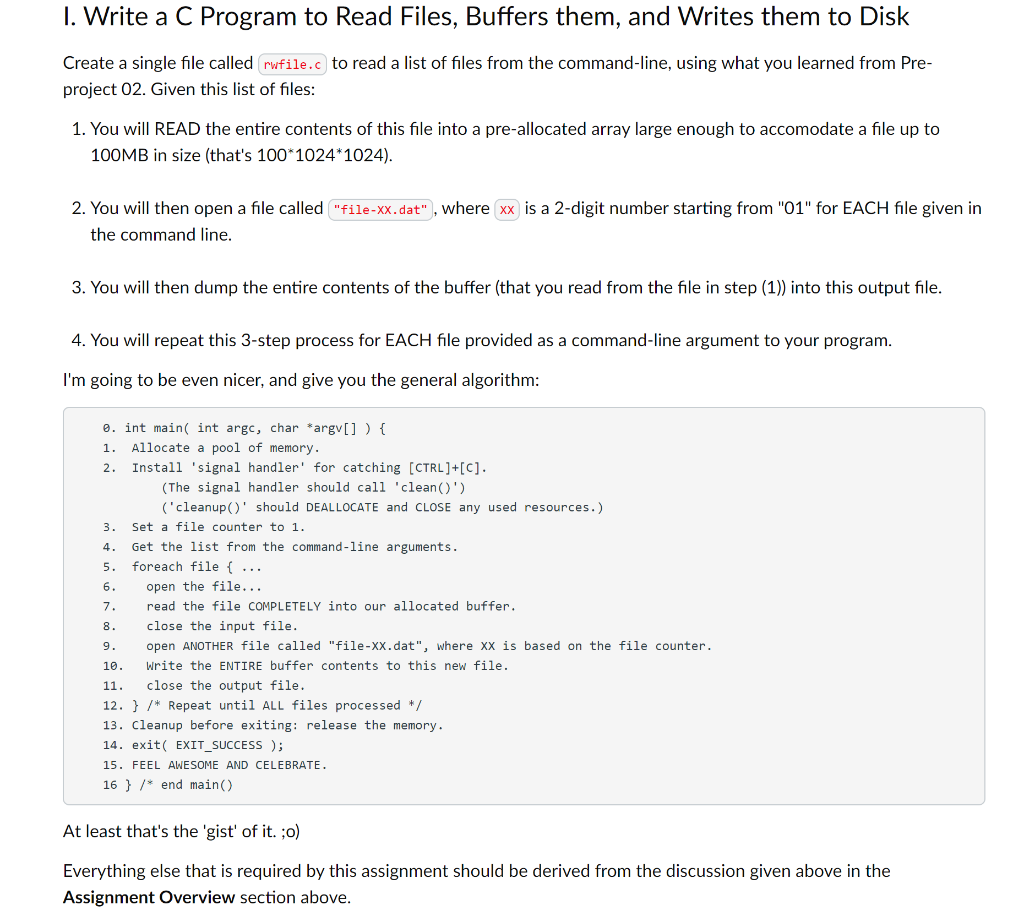
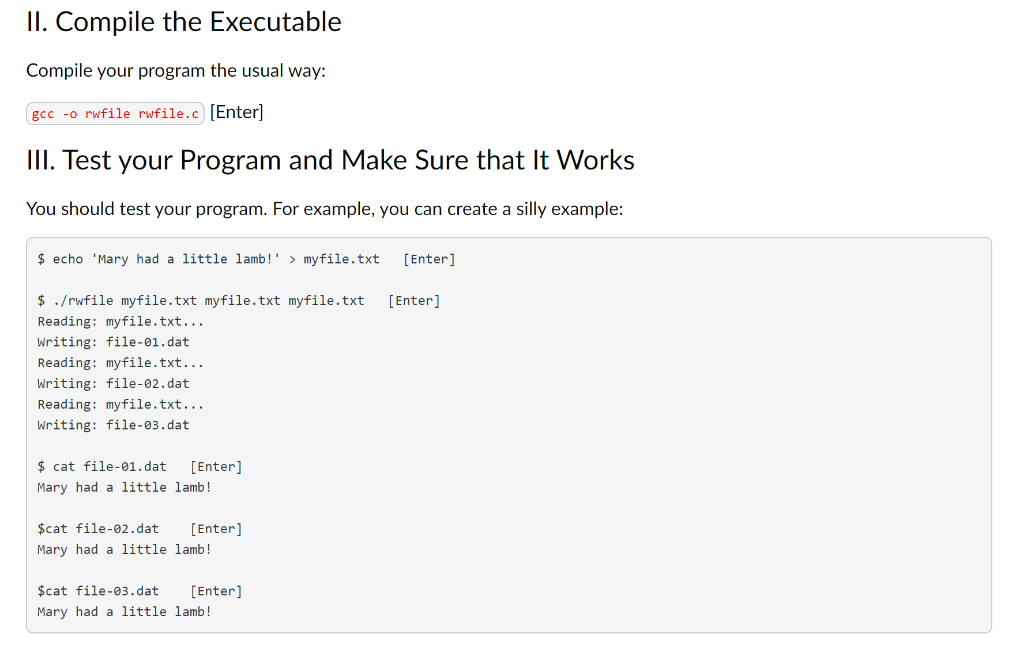
1. Write a C Program to Read Files, Buffers them, and Writes them to Disk Create a single file called rwfile.c to read a list of files from the command-line, using what you learned from Pre- project 02. Given this list of files: 1. You will READ the entire contents of this file into a pre-allocated array large enough to accomodate a file up to 100MB in size (that's 100*1024*1024). 2. You will then open a file called "file-XX.dat" , where xx is a 2-digit number starting from "01" for EACH file given in the command line. 3. You will then dump the entire contents of the buffer (that you read from the file in step (1)) into this output file. 4. You will repeat this 3-step process for EACH file provided as a command-line argument to your program. I'm going to be even nicer, and give you the general algorithm: 4. 0. int main( int argc, char *argv[] ) { 1. Allocate a pool of memory. 2. Install 'signal handler' for catching [CTRL]+[C]. (The signal handler should call 'clean(') ('cleanup' should DEALLOCATE and CLOSE any used resources.) 3. Set a file counter to 1. Get the list from the command-line arguments. 5. foreach file { ... 6. open the file... 7 read the file COMPLETELY into our allocated buffer. 8 close the input file. 9. open ANOTHER file called "file-xx.dat", where xx is based on the file counter. 10. Write the ENTIRE buffer contents to this new file. 11. close the output file. 12. } /* Repeat until ALL files processed */ 13. Cleanup before exiting: release the memory. 14. exit( EXIT_SUCCESS ); 15. FEEL AWESOME AND CELEBRATE. 16 } /* end main() At least that's the 'gist' of it. ;o) Everything else that is required by this assignment should be derived from the discussion given above in the Assignment Overview section above. II. Compile the Executable Compile your program the usual way: gcc -o rwfile rwfile.c (Enter) III. Test your Program and Make Sure that It Works You should test your program. For example, you can create a silly example: $ echo 'Mary had a little lamb!' > myfile.txt [Enter] [Enter] $ ./rwfile myfile.txt myfile.txt myfile.txt Reading: myfile.txt... Writing: file-01. dat Reading: myfile.txt... Writing: file-02.dat Reading: myfile.txt... Writing: file-3.dat $ cat file-01. dat [Enter] Mary had a little lamb! $cat file-02.dat [Enter] Mary had a little lamb! $cat file-3.dat [Enter] Mary had a little lamb! 1. Write a C Program to Read Files, Buffers them, and Writes them to Disk Create a single file called rwfile.c to read a list of files from the command-line, using what you learned from Pre- project 02. Given this list of files: 1. You will READ the entire contents of this file into a pre-allocated array large enough to accomodate a file up to 100MB in size (that's 100*1024*1024). 2. You will then open a file called "file-XX.dat" , where xx is a 2-digit number starting from "01" for EACH file given in the command line. 3. You will then dump the entire contents of the buffer (that you read from the file in step (1)) into this output file. 4. You will repeat this 3-step process for EACH file provided as a command-line argument to your program. I'm going to be even nicer, and give you the general algorithm: 4. 0. int main( int argc, char *argv[] ) { 1. Allocate a pool of memory. 2. Install 'signal handler' for catching [CTRL]+[C]. (The signal handler should call 'clean(') ('cleanup' should DEALLOCATE and CLOSE any used resources.) 3. Set a file counter to 1. Get the list from the command-line arguments. 5. foreach file { ... 6. open the file... 7 read the file COMPLETELY into our allocated buffer. 8 close the input file. 9. open ANOTHER file called "file-xx.dat", where xx is based on the file counter. 10. Write the ENTIRE buffer contents to this new file. 11. close the output file. 12. } /* Repeat until ALL files processed */ 13. Cleanup before exiting: release the memory. 14. exit( EXIT_SUCCESS ); 15. FEEL AWESOME AND CELEBRATE. 16 } /* end main() At least that's the 'gist' of it. ;o) Everything else that is required by this assignment should be derived from the discussion given above in the Assignment Overview section above. II. Compile the Executable Compile your program the usual way: gcc -o rwfile rwfile.c (Enter) III. Test your Program and Make Sure that It Works You should test your program. For example, you can create a silly example: $ echo 'Mary had a little lamb!' > myfile.txt [Enter] [Enter] $ ./rwfile myfile.txt myfile.txt myfile.txt Reading: myfile.txt... Writing: file-01. dat Reading: myfile.txt... Writing: file-02.dat Reading: myfile.txt... Writing: file-3.dat $ cat file-01. dat [Enter] Mary had a little lamb! $cat file-02.dat [Enter] Mary had a little lamb! $cat file-3.dat [Enter] Mary had a little lamb
Step by Step Solution
There are 3 Steps involved in it

Get step-by-step solutions from verified subject matter experts
 Study Help