







Question: 1. Write a main program that displays a single frame with the title My First Frame. Set the size to 800 by 800. Make the
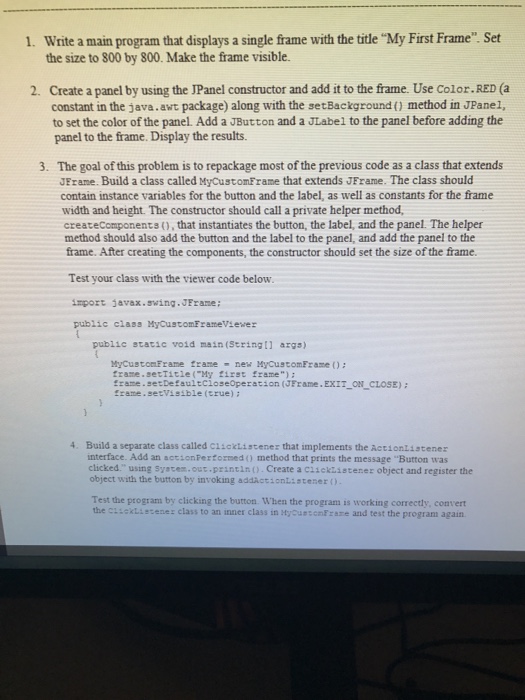
1. Write a main program that displays a single frame with the title "My First Frame". Set the size to 800 by 800. Make the frame visible. Create a panel by using the JPanel constructor and add it to the frame. Use Color.RED (a constant in the java.awt package) along with the setBackground () method in JPane1, to set the color of the panel. Add a JButton and a JLabel to the panel before adding the panel to the frame. Display the results. 2. 3 The goal of this problem is to repackage most of the previous code as a class that extends JFrame. Build a class called MyCustomFrame that extends JFrame. The class should contain instance variables for the button and the label, as well as constants for the frame width and height. The constructor should call a private helper method, createComponents (), that instantiates the button, the label, and the panel. The helper method should also add the button and the label to the panel, and add the panel to the frame. After creating the components, the constructor should set the size of the frame. Test your class with the viewer code below. import javax.swing. JFrame: public class MyCustomEramevsewer public static void main (Stringil args) MyCustomFrame trane new MyCustomFrame ) trane.setTitie("My tirst frame"): frame setDefaultcloseoperation (JFrame.EXIT_ON CLOSE): framesetVisible (true) ; 4. Build a separate class called ciicktistenez that implements the Actionlistener interface. Add an actionFertormed ) method that prints the message Button was clicked." using system.out.printin0 Create a ciickiistenez object and register the object with the button by invoking addActionListener Test the program by clicking the button. When the program is working correctly, convert the cisektiezenez class to an inner class in HycuesonFraze and test the program again
Step by Step Solution
There are 3 Steps involved in it
To accomplish the tasks in the question well break down the process into steps and implement the required Java code Step 1 Create the Main Program with a JFrame and JPanel java import javaxswing impor... View full answer

Get step-by-step solutions from verified subject matter experts
 Study Help