







Question: 1. Write a shell script called SpellOutDate that prints the detail of the current date in separate lines. For example if the current date on
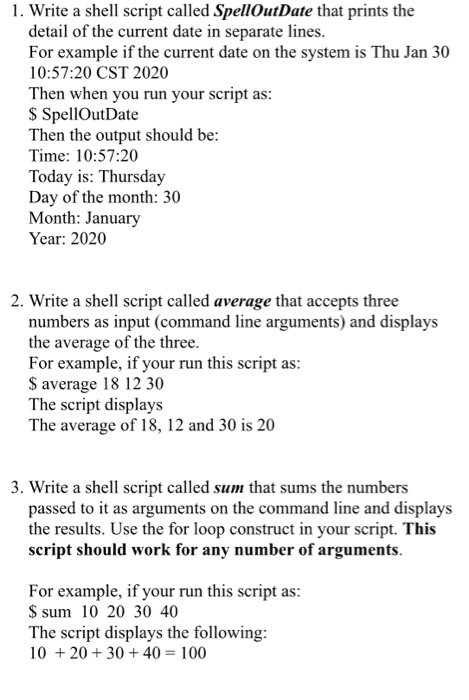
1. Write a shell script called SpellOutDate that prints the detail of the current date in separate lines. For example if the current date on the system is Thu Jan 30 10:57:20 CST 2020 Then when you run your script as: $ SpellOutDate Then the output should be: Time: 10:57:20 Today is: Thursday Day of the month: 30 Month: January Year: 2020 2. Write a shell script called average that accepts three numbers as input (command line arguments) and displays the average of the three. For example, if your run this script as: $ average 18 12 30 The script displays The average of 18, 12 and 30 is 20 3. Write a shell script called sum that sums the numbers passed to it as arguments on the command line and displays the results. Use the for loop construct in your script. This script should work for any number of arguments. For example, if your run this script as: $ sum 10 20 30 40 The script displays the following: 10 + 20 + 30 + 40 = 100
Step by Step Solution
There are 3 Steps involved in it

Get step-by-step solutions from verified subject matter experts
 Study Help