







Question: 10. Continue working with the filtered data that has the conditional formatting applied. Sort the table first alphabetically by the values in the Model column
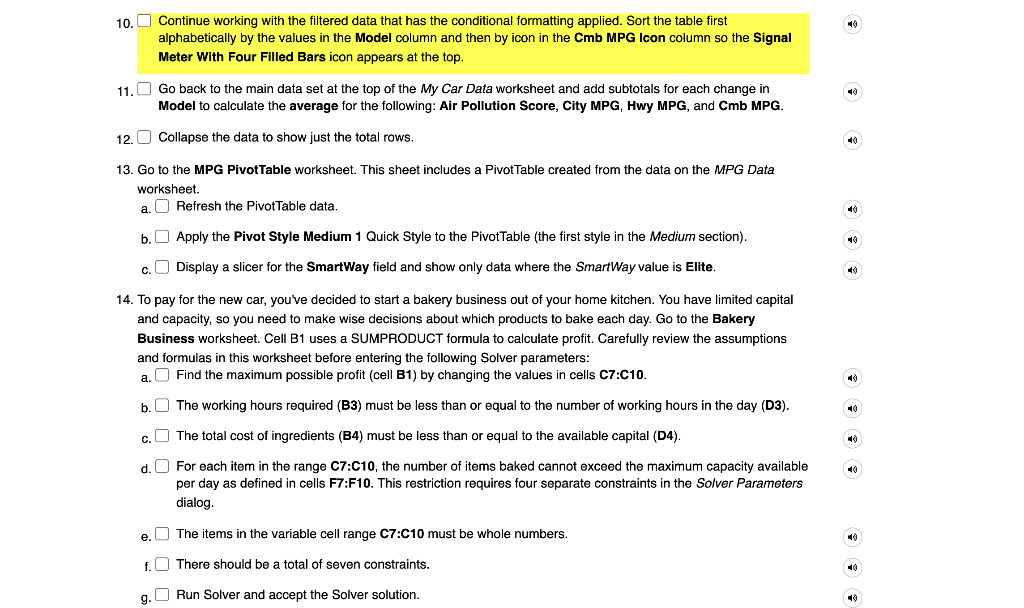
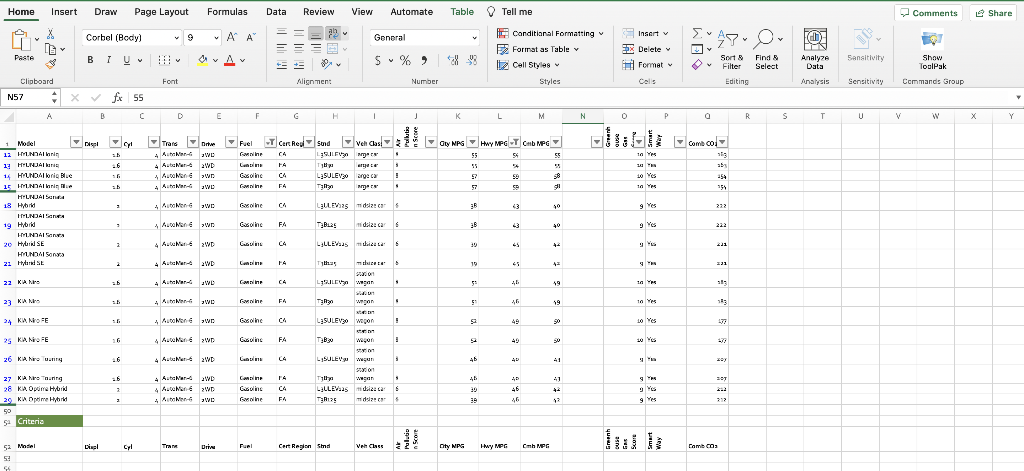
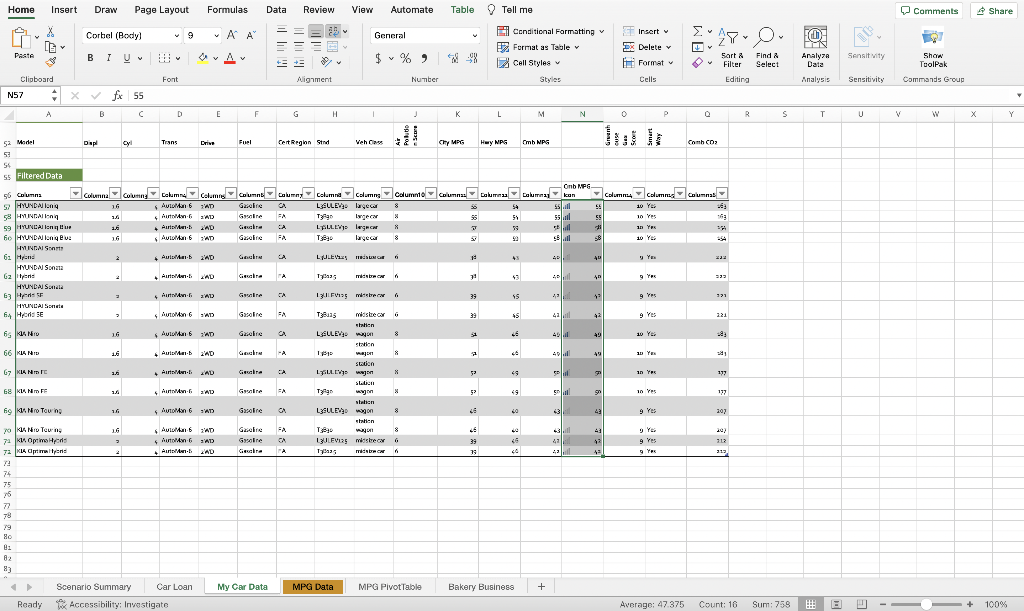
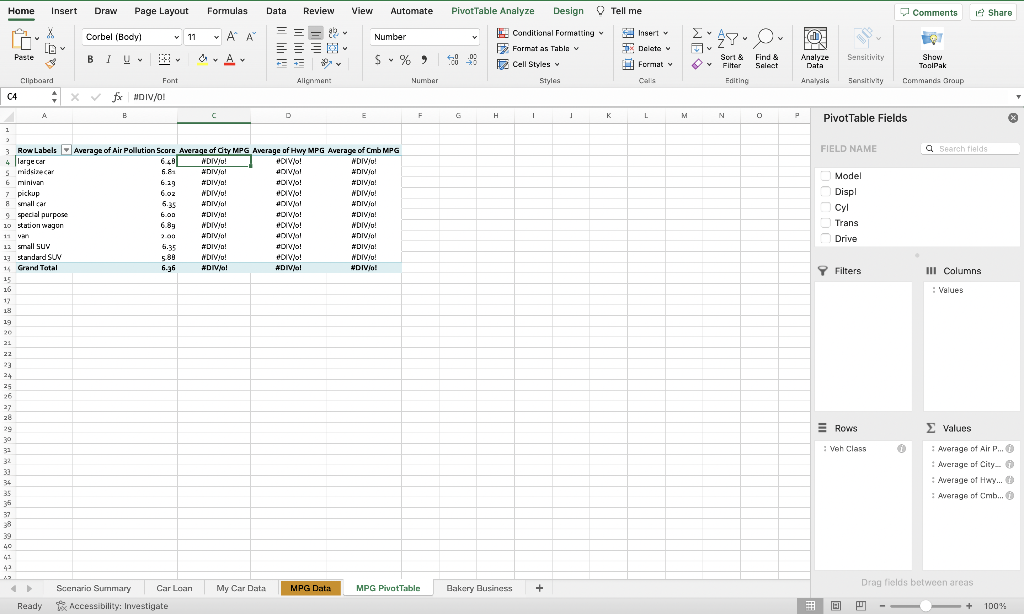
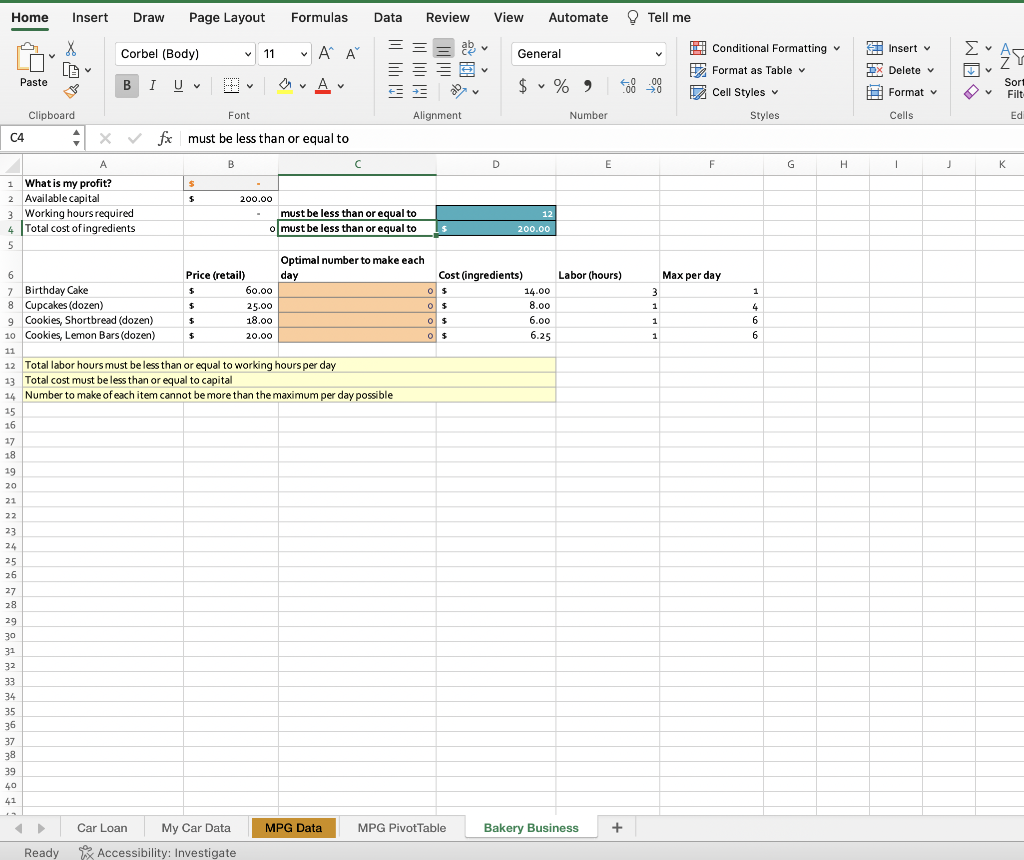
10. Continue working with the filtered data that has the conditional formatting applied. Sort the table first alphabetically by the values in the Model column and then by icon in the Cmb MPG Icon column so the Signal Meter With Four Filled Bars icon appears at the top. 11. Go back to the main data set at the top of the My Car Data worksheet and add subtotals for each change in Model to calculate the average for the following: Air Pollution Score, City MPG, Hwy MPG, and Cmb MPG. 12. Collapse the data to show just the total rows. 13. Go to the MPG PivotTable worksheet. This sheet includes a PivotTable created from the data on the MPG Data worksheet. a. Refresh the PivotTable data. b. Apply the Pivot Style Medium 1 Quick Style to the PivotTable (the first style in the Medium section). c. Display a slicer for the SmartWay field and show only data where the SmartWay value is Elite. 14. To pay for the new car, you've decided to start a bakery business out of your home kitchen. You have limited capital and capacity, so you need to make wise decisions about which products to bake each day. Go to the Bakery Business worksheet. Cell B1 uses a SUMPRODUCT formula to calculate profit. Carefully review the assumptions and formulas in this worksheet before entering the following Solver parameters: a. Find the maximum possible profit (cell B1) by changing the values in cells C7:C10. b. The working hours required (B3) must be less than or equal to the number of working hours in the day (D3). c. The total cost of ingredients (B4) must be less than or equal to the available capital (D4). d. For each item in the range C7:C10, the number of items baked cannot exceed the maximum capacity available per day as defined in cells F7:F10. This restriction requires four separate constraints in the Solver Parameters dialog. e. The items in the variable cell range C7:C10 must be whole numbers. f. There should be a total of seven constraints. g. Run Solver and accept the Solver solution. Home Insert Draw Page Layout Formulas Data Review View Automate Table 9 Tell me = Home Insert Draw Page Layout Formulas Data Review View Automate @ Tell me Total labor hours must be less than or equal to working hours per day Total cost must be less than or equal to capital Number to make of each item cannot be more than the maximum per day possible 10. Continue working with the filtered data that has the conditional formatting applied. Sort the table first alphabetically by the values in the Model column and then by icon in the Cmb MPG Icon column so the Signal Meter With Four Filled Bars icon appears at the top. 11. Go back to the main data set at the top of the My Car Data worksheet and add subtotals for each change in Model to calculate the average for the following: Air Pollution Score, City MPG, Hwy MPG, and Cmb MPG. 12. Collapse the data to show just the total rows. 13. Go to the MPG PivotTable worksheet. This sheet includes a PivotTable created from the data on the MPG Data worksheet. a. Refresh the PivotTable data. b. Apply the Pivot Style Medium 1 Quick Style to the PivotTable (the first style in the Medium section). c. Display a slicer for the SmartWay field and show only data where the SmartWay value is Elite. 14. To pay for the new car, you've decided to start a bakery business out of your home kitchen. You have limited capital and capacity, so you need to make wise decisions about which products to bake each day. Go to the Bakery Business worksheet. Cell B1 uses a SUMPRODUCT formula to calculate profit. Carefully review the assumptions and formulas in this worksheet before entering the following Solver parameters: a. Find the maximum possible profit (cell B1) by changing the values in cells C7:C10. b. The working hours required (B3) must be less than or equal to the number of working hours in the day (D3). c. The total cost of ingredients (B4) must be less than or equal to the available capital (D4). d. For each item in the range C7:C10, the number of items baked cannot exceed the maximum capacity available per day as defined in cells F7:F10. This restriction requires four separate constraints in the Solver Parameters dialog. e. The items in the variable cell range C7:C10 must be whole numbers. f. There should be a total of seven constraints. g. Run Solver and accept the Solver solution. Home Insert Draw Page Layout Formulas Data Review View Automate Table 9 Tell me = Home Insert Draw Page Layout Formulas Data Review View Automate @ Tell me Total labor hours must be less than or equal to working hours per day Total cost must be less than or equal to capital Number to make of each item cannot be more than the maximum per day possible
Step by Step Solution
There are 3 Steps involved in it

Get step-by-step solutions from verified subject matter experts
 Study Help