







Question: 100 Button Insanity Exercise Without touching index.html, please use JavaScript to create exactly 100 new button elements! Add each new button inside the container element
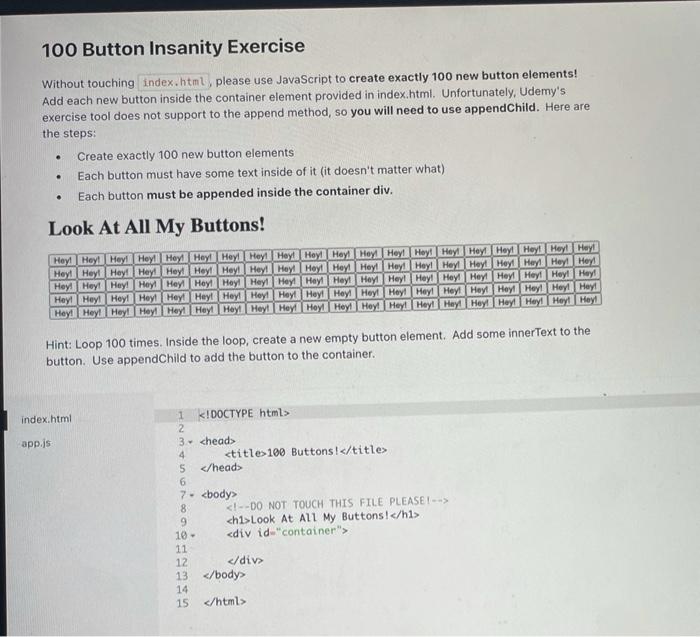
100 Button Insanity Exercise Without touching index.html, please use JavaScript to create exactly 100 new button elements! Add each new button inside the container element provided in index.html. Unfortunately, Udemy's exercise tool does not support to the append method, so you will need to use appendChild. Here are the steps: Create exactly 100 new button elements Each button must have some text inside of it (it doesn't matter what) Each button must be appended inside the container div. . . . Look At All My Buttons! Hey! Hey! Hey Heyil Hey Hey Hey Hey Hey Hey Hey Hey Hey Hey Hey Hey Hey! Hey! Hey! Hey! Hey Hey Hey Hey Hey Hey Hey Hey Hey Hey Hey Hey! HeyHey! HeyHeyHey Hey Hey Hey Hey! Hey! Hey! Hey! Hey! Hey! Hey! Hey! Hey! Hey! Hey! Hey! Hey! Hey! Hey! Hey! Hey! Hey! Hey! Hey! Hey! Hey! Hey! Hey! HeyHey! Hey! Hey! Hey! Hey! Hey! Hey! Hey! Hey! Hey! Hey! Hey! Hey! Hey! Hey! Hey! Hey! Hey! Hey! Hey! Hey! Hey! Hey! Hey! Hey! Hey! Hey! Hey! Hey! Hey! Hey! Hey! Hey! Hey! Hey! Hint: Loop 100 times. Inside the loop, create a new empty button element. Add some innerText to the button. Use appendChild to add the button to the container. index.html app.js 1 K!DOCTYPE html> 2 3. 4
5 6 7. 8 9
Look At All My Buttons!
10 -
13 14 15
Step by Step Solution
There are 3 Steps involved in it

Get step-by-step solutions from verified subject matter experts
 Study Help