







Question: -1012 Lab 5 - computa Lab04. pdf x + V file:///C:/Users/theap/Documents/EECS%201012/lab%20works/lab04/Lab04.pdf - + Fit to page Page view A Read aloud L Add notes Exercise
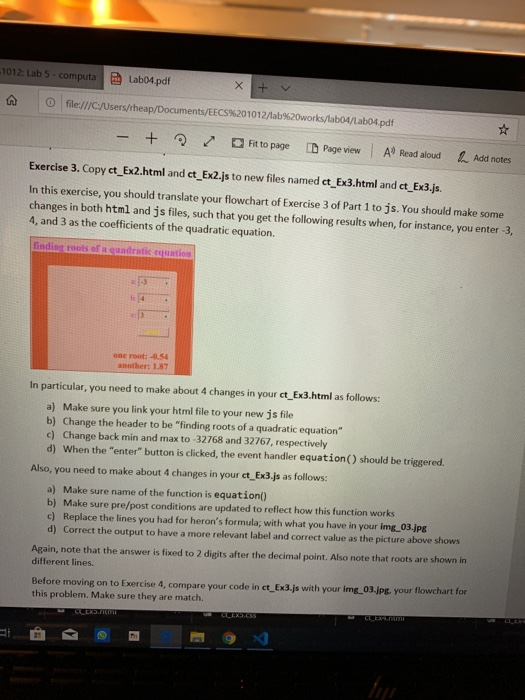
-1012 Lab 5 - computa Lab04. pdf x + V file:///C:/Users/theap/Documents/EECS%201012/lab%20works/lab04/Lab04.pdf - + Fit to page Page view A Read aloud L Add notes Exercise 3. Copy ct_Ex2.html and ct_Ex2.js to new files named ct_Ex3.html and ct_Ex3.js. In this exercise, you should translate your flowchart of Exercise 3 of Part 1 to js. You should make some changes in both html and js files, such that you get the following results when, for instance, you enter 3. 4, and 3 as the coefficients of the quadratic equation. lindist roots of guadratic equatio one root: -0.54 another 1.87 In particular, you need to make about 4 changes in your ct_Ex3.html as follows: a) Make sure you link your html file to your new js file b) Change the header to be "finding roots of a quadratic equation" c) Change back min and max to -32768 and 32767, respectively d) When the "enter" button is clicked, the event handler equation() should be triggered. Also, you need to make about 4 changes in your ct_Ex3.js as follows: a) Make sure name of the function is equation() b) Make sure pre/post conditions are updated to reflect how this function works c) Replace the lines you had for heron's formula; with what you have in your img_03.jpg d) Correct the output to have a more relevant label and correct value as the picture above shows Again, note that the answer is fixed to 2 digits after the decimal point. Also note that roots are shown in different lines. Before moving on to Exercise 4, compare your code in ct Ex3.js with your img_03.jpg your flowchart for this problem. Make sure they are match. M ULERSTILITI CLEAR
Step by Step Solution
There are 3 Steps involved in it

Get step-by-step solutions from verified subject matter experts
 Study Help