







Question: 1.1 Objective . To configure the basic operation of a Layer 2 switch 1.2 Networking and Service Description TOOLS/EQUIPMENT REQUIRED Huawei S3700 Series Switch DESCRIPTION
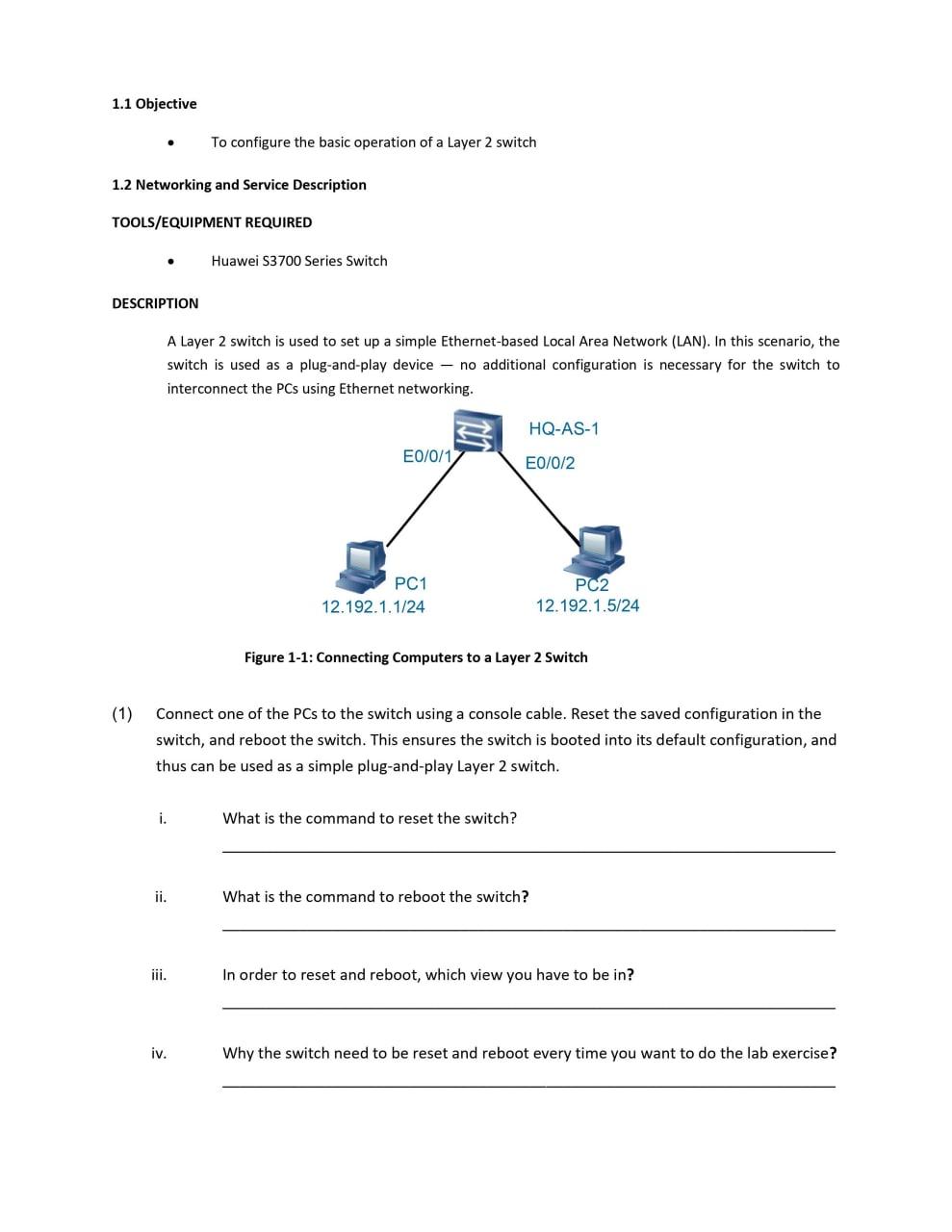
1.1 Objective . To configure the basic operation of a Layer 2 switch 1.2 Networking and Service Description TOOLS/EQUIPMENT REQUIRED Huawei S3700 Series Switch DESCRIPTION A Layer 2 switch is used to set up a simple Ethernet-based Local Area Network (LAN). In this scenario, the switch is used as a plug-and-play device no additional configuration is necessary for the switch to interconnect the PCs using Ethernet networking. HQ-AS-1 E0/0/17 E0/0/2 PC1 12.192.1.1/24 PC2 12.192.1.5/24 Figure 1-1: Connecting Computers to a Layer 2 Switch (1) Connect one of the PCs to the switch using a console cable. Reset the saved configuration in the switch, and reboot the switch. This ensures the switch is booted into its default configuration, and thus can be used as a simple plug-and-play Layer 2 switch. i. What is the command to reset the switch? ii. What is the command to reboot the switch? iii. In order to reset and reboot, which view you have to be in? iv. Why the switch need to be reset and reboot every time you want to do the lab exercise
Step by Step Solution
There are 3 Steps involved in it

Get step-by-step solutions from verified subject matter experts
 Study Help