







Question: 12 Part 12 of 12 Tutorial 13: Working with multiple elements of a groph points This tutorial has presented the basic types of Interactions you
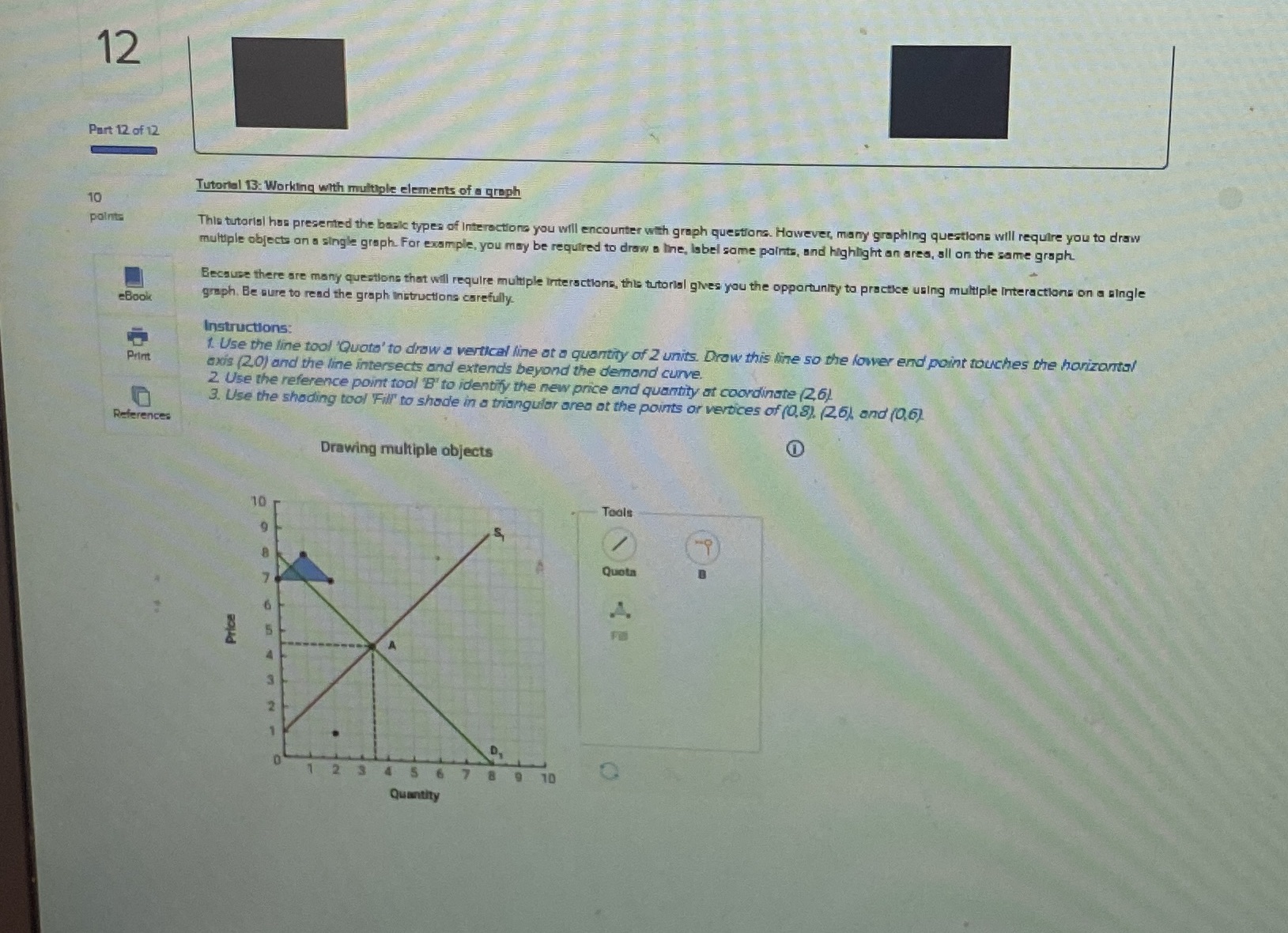
12 Part 12 of 12 Tutorial 13: Working with multiple elements of a groph points This tutorial has presented the basic types of Interactions you will encounter with graph questions. However, many graphing questions will require you to draw multiple objects on a single graph For example, you may be required to draw a line, label some paints, and highlight an area, all on the same graph. Because there are many questions that will require multiple Interactions, this tutorial gives you the opportunity to practice using multiple Interactions on a single -Book graph. Be sure to read the graph instructions carefully Instructions: 1. Use the line tool 'Quote' to draw a vertical line at a quantity of 2 units. Drew this line so the lower end point touches the horizontal Print axis (2.0) and the line intersects and extends beyond the demand curve. 2. Use the reference point tool 'B' to identify the new price and quantity at coordinate (2,6) 3. Use the shading tool Fill to shodle in a triangular area at the points or vertices of (0.8). (26) and (0,6) References Drawing multiple objects Toals Quota Price 2 3 6 8 10 Quantity
Step by Step Solution
There are 3 Steps involved in it

Get step-by-step solutions from verified subject matter experts
 Study Help