







Question: 16. Use Excel VBA and show all your code/work Question 16: Exit Sub End If for Error Checking - Use Exit Sub with End If
16. Use Excel VBA and show all your code/work
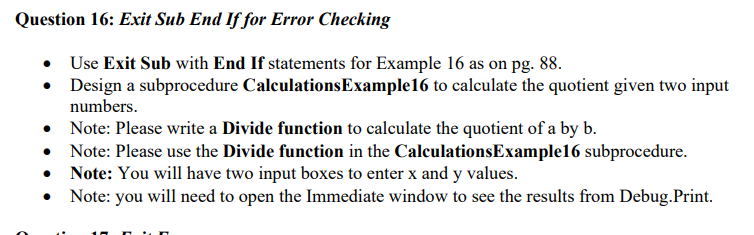
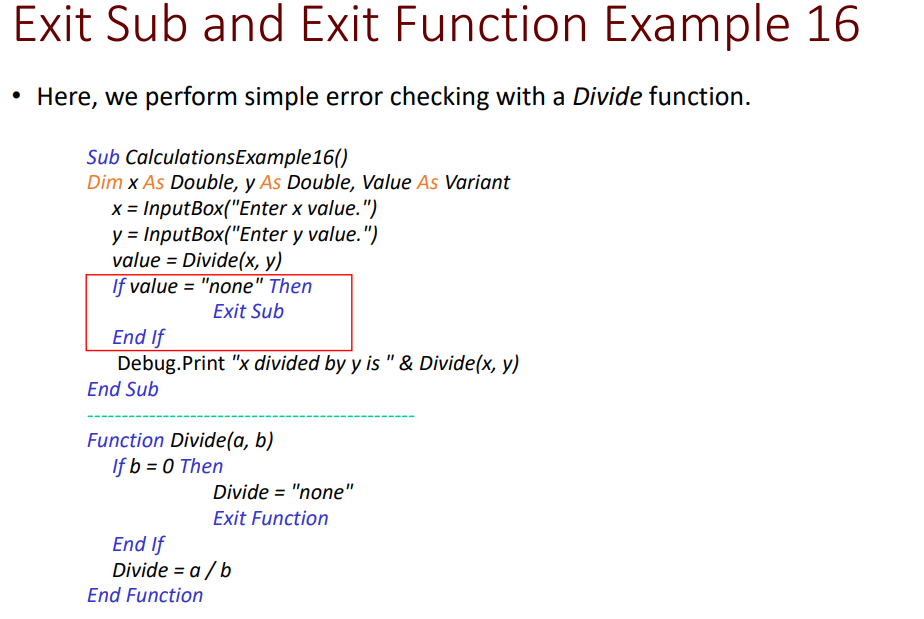
Question 16: Exit Sub End If for Error Checking - Use Exit Sub with End If statements for Example 16 as on pg. 88. - Design a subprocedure CalculationsExample16 to calculate the quotient given two input numbers. - Note: Please write a Divide function to calculate the quotient of a by b. - Note: Please use the Divide function in the CalculationsExample16 subprocedure. - Note: You will have two input boxes to enter x and y values. - Note: you will need to open the Immediate window to see the results from Debug.Print. Exit Sub and Exit Function Example 16 - Here, we perform simple error checking with a Divide function. Sub CalculationsExample16() Dim x As Double, y As Double, Value As Variant x= InputBox("Enter x value.") y= InputBox("Enter y value.") value =Divide(x,y) If value = "none" Then Exit Sub End If Debug.Print " x divided by y is " \& Divide (x,y) End Sub Function Divide (a,b) If b=0 Then Divide = "none" Exit Function End If Divide =a/b End Function
Step by Step Solution
There are 3 Steps involved in it

Get step-by-step solutions from verified subject matter experts
 Study Help