



Question: 18. What is the test drive? A. The feature on the Advanced tab that allows you to try out customizations before applying them B. A
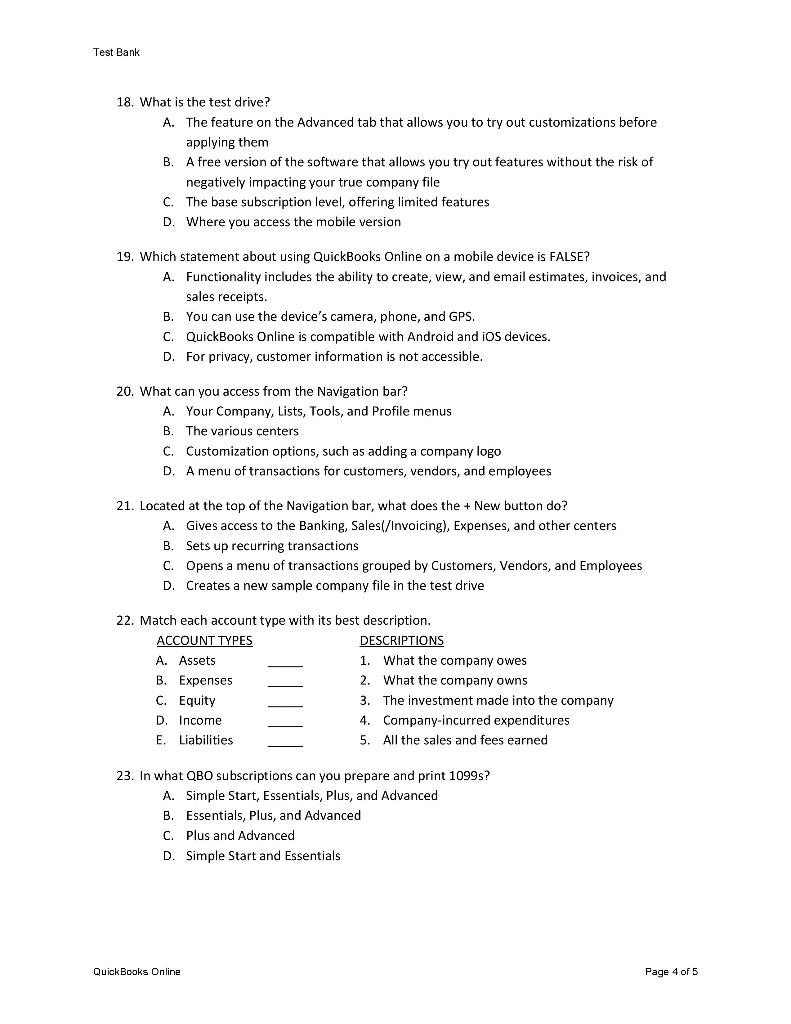
18. What is the test drive? A. The feature on the Advanced tab that allows you to try out customizations before applying them B. A free version of the software that allows you try out features without the risk of negatively impacting your true company file C. The base subscription level, offering limited features D. Where you access the mobile version 19. Which statement about using QuickBooks Online on a mobile device is FALSE? A. Functionality includes the ability to create, view, and email estimates, invoices, and sales receipts. B. You can use the device's camera, phone, and GPS. C. QuickBooks Online is compatible with Android and iOS devices. D. For privacy, customer information is not accessible. 20. What can you access from the Navigation bar? A. Your Company, Lists, Tools, and Profile menus B. The various centers C. Customization options, such as adding a company logo D. A menu of transactions for customers, vendors, and employees 21. Located at the top of the Navigation bar, what does the + New button do? A. Gives access to the Banking, Sales(/Invoicing), Expenses, and other centers B. Sets up recurring transactions C. Opens a menu of transactions grouped by Customers, Vendors, and Employees D. Creates a new sample company file in the test drive 22. Match each account type with its best description. DESCRIPTIONS 1. What the company owes 2. What the company owns 3. The investment made into the company 4. Company-incurred expenditures 5. All the sales and fees earned 23. In what QBO subscriptions can you prepare and print 1099 s? A. Simple Start, Essentials, Plus, and Advanced B. Essentials, Plus, and Advanced C. Plus and Advanced D. Simple Start and Essentials 18. What is the test drive? A. The feature on the Advanced tab that allows you to try out customizations before applying them B. A free version of the software that allows you try out features without the risk of negatively impacting your true company file C. The base subscription level, offering limited features D. Where you access the mobile version 19. Which statement about using QuickBooks Online on a mobile device is FALSE? A. Functionality includes the ability to create, view, and email estimates, invoices, and sales receipts. B. You can use the device's camera, phone, and GPS. C. QuickBooks Online is compatible with Android and iOS devices. D. For privacy, customer information is not accessible. 20. What can you access from the Navigation bar? A. Your Company, Lists, Tools, and Profile menus B. The various centers C. Customization options, such as adding a company logo D. A menu of transactions for customers, vendors, and employees 21. Located at the top of the Navigation bar, what does the + New button do? A. Gives access to the Banking, Sales(/Invoicing), Expenses, and other centers B. Sets up recurring transactions C. Opens a menu of transactions grouped by Customers, Vendors, and Employees D. Creates a new sample company file in the test drive 22. Match each account type with its best description. DESCRIPTIONS 1. What the company owes 2. What the company owns 3. The investment made into the company 4. Company-incurred expenditures 5. All the sales and fees earned 23. In what QBO subscriptions can you prepare and print 1099 s? A. Simple Start, Essentials, Plus, and Advanced B. Essentials, Plus, and Advanced C. Plus and Advanced D. Simple Start and Essentials
Step by Step Solution
There are 3 Steps involved in it

Get step-by-step solutions from verified subject matter experts