







Question: 1.I created a node file that will scrape the provided url: https://www.billboard.com/charts/rap-song and send an email of all artists that are sung. However for some
1.I created a node file that will scrape the provided url: https://www.billboard.com/charts/rap-song and send an email of all artists that are sung. However for some reason it's not sending any email.
This is my code-
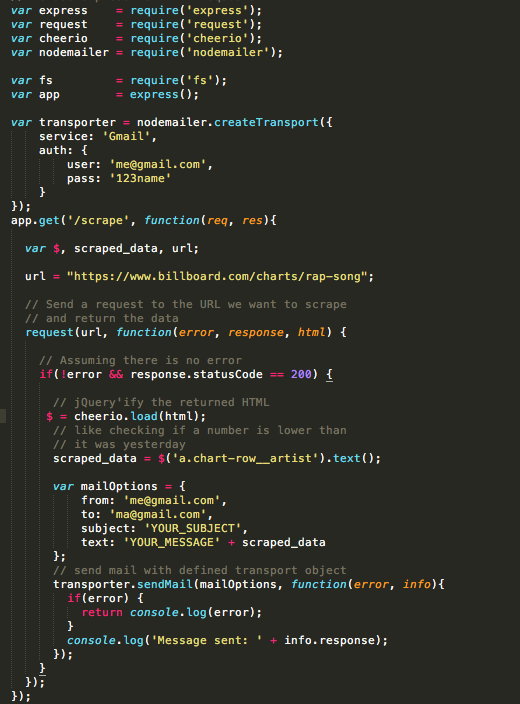
var express require ('express'); var requestrequire('request') var cheeriorequire('cheerio'); var nodemailerrequire('nodemailer') var fs var app -require('fs'); - express); var transporter nodemailer.createTransport( service: Gmail' auth: user: 'me@gmail.com pass: '123name app.get('/scrape, function(req, res) var $, scraped_data, url; url "https://www.billboard.com/charts/rap-song" // Send a request to the URL we want to scrape // and return the data request (url, function(error, response, html) // Assuming there is no error if(error && response. StatusCode = 200) { // jQuery'ify the returned HTML cheerio. load(html); // like checking if a number is lower than // it was yesterday scraped_data $('a.chart-row artist').text) var mailoptions from: 'me@gmail.com to: 'ma@gmail.com, subject: 'YOUR_SUBJECT, text: 'YOUR_MESSAGE' scraped_data t; // send mail with defined transport object transporter.sendMail (mailOptions, function(error, info) if(error) return console.log(error); console.log( 'Message sent: 'info.response)
Step by Step Solution
There are 3 Steps involved in it

Get step-by-step solutions from verified subject matter experts
 Study Help