







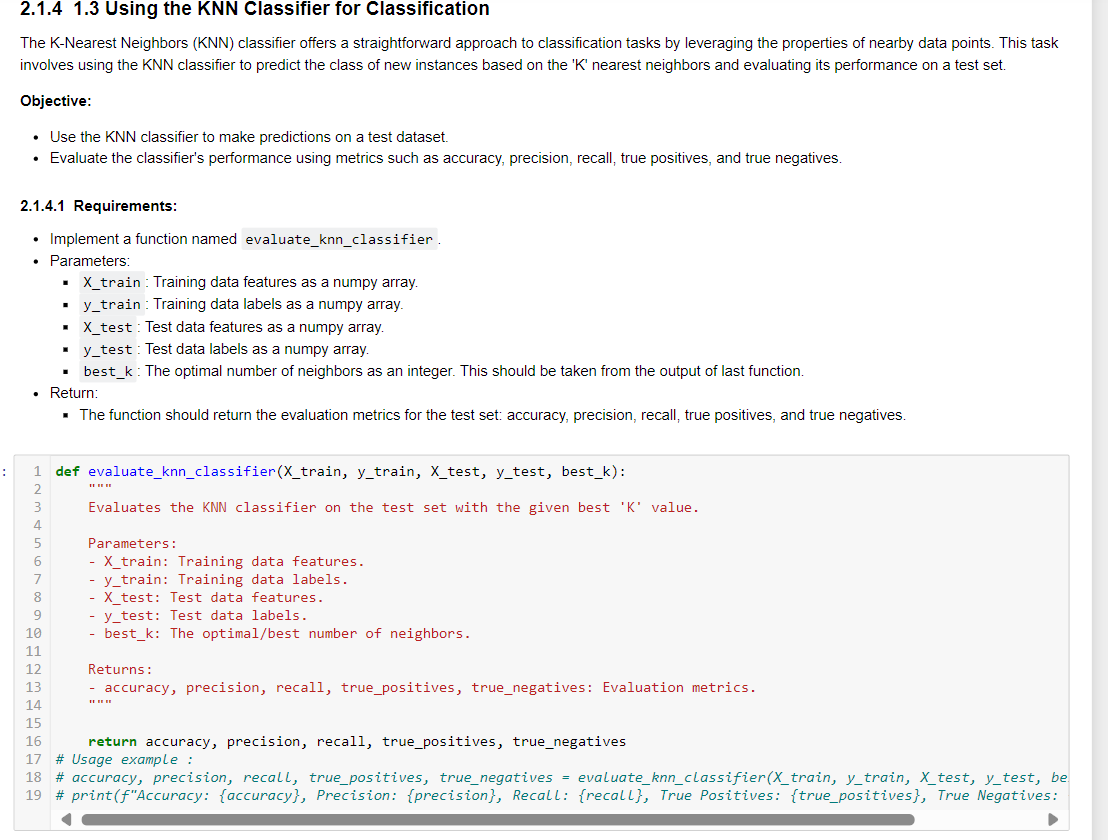
Question: 2 . 1 . 4 1 . 3 Using the KNN Classifier for Classification The K - Nearest Neighbors ( KNN ) classifier offers a
Using the KNN Classifier for Classification
The KNearest Neighbors KNN classifier offers a straightforward approach to classification tasks by leveraging the properties of nearby data points. This task
involves using the KNN classifier to predict the class of new instances based on the K nearest neighbors and evaluating its performance on a test set.
Objective:
Use the KNN classifier to make predictions on a test dataset.
Evaluate the classifier's performance using metrics such as accuracy, precision, recall, true positives, and true negatives.
Requirements:
Implement a function named evaluateknnclassifier
Parameters:
Xtrain : Training data features as a numpy array.
ytrain : Training data labels as a numpy array.
Xtest : Test data features as a numpy array.
ytest : Test data labels as a numpy array.
bestk: The optimal number of neighbors as an integer. This should be taken from the output of last function.
Return:
The function should return the evaluation metrics for the test set: accuracy, precision, recall, true positives, and true negatives.
def evaluateknnclassifierXtrain, ytrain, Xtest, ytest, bestk:
Evaluates the KNN classifier on the test set with the given best K value.
Parameters:
Xtrain: Training data features.
ytrain: Training data labels.
Xtest: Test data features.
ytest: Test data labels.
bestk: The optimalbest number of neighbors.
Returns:
accuracy, precision, recall, truepositives, truenegatives: Evaluation metrics.
return accuracy, precision, recall, truepositives, truenegatives
# Usage example :
# accuracy, precision, recall, truepositives, truenegatives evaluateknnclassifierXtrain, train,est,test, be
# printfAccuracy: accuracy Precision: precision Recall: recall True Positives: truepositives True Negatives:
Step by Step Solution
There are 3 Steps involved in it
1 Expert Approved Answer
Step: 1 Unlock

Question Has Been Solved by an Expert!
Get step-by-step solutions from verified subject matter experts
Step: 2 Unlock
Step: 3 Unlock
 Study Help