







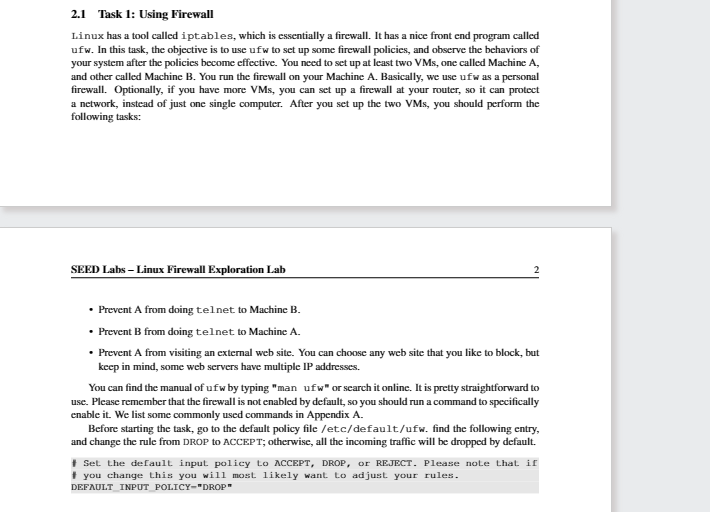
Question: 2 . 1 Task 1 : Using Firewall Linux has a tool called iptables, which is essentially a firewall. It has a nice front end
Task : Using Firewall
Linux has a tool called iptables, which is essentially a firewall. It has a nice front end program called
ufw. In this task, the objective is to use ufw to set up some firewall policies, and observe the behaviors of
your system after the policies become effective. You need to set up at least two VMs one called Machine A
and other called Machine B You run the firewall on your Machine A Basically, we use ufw as a personal
firewall. Optionally, if you have more VMs you can set up a firewall at your router, so it can protect
a network, instead of just one single computer. After you set up the two VMs you should perform the
following task:
SEED Labs Linux Firewall Exploration Lab
Prevent A from doing tel net. to Machine B
Prevent B from doing telnet to Machine A
Prevent A from visiting an external web site. You can choose any web site that you like to block, but
keep in mind, some web servers have multiple IP addresses.
You can find the manual of uf by typing "man uf w or search it online. It is pretty straightforward to
use. Please remember that the firewall is not enabled by default, so you should run a command to specifically
enable it We list some commonly used commands in Appendix A
Before starting the task, go to the default policy file etcdefaultufw find the following entry,
and change the rule from DROP to ACCEPT; otherwise, all the incoming traffic will be dropped by default.
Step by Step Solution
There are 3 Steps involved in it
1 Expert Approved Answer
Step: 1 Unlock

Question Has Been Solved by an Expert!
Get step-by-step solutions from verified subject matter experts
Step: 2 Unlock
Step: 3 Unlock
 Study Help