







Question: 2. 2.1: LAB: Warm up: Basic output with variables main.py 1 user_num = int (input( 'Enter integer: ln ') ) 3 # Type your code
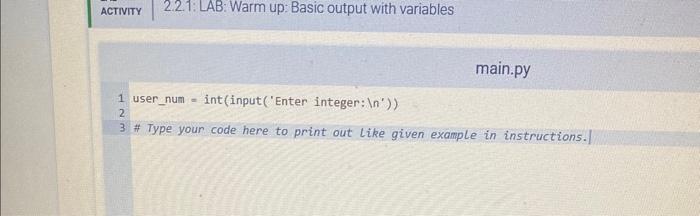
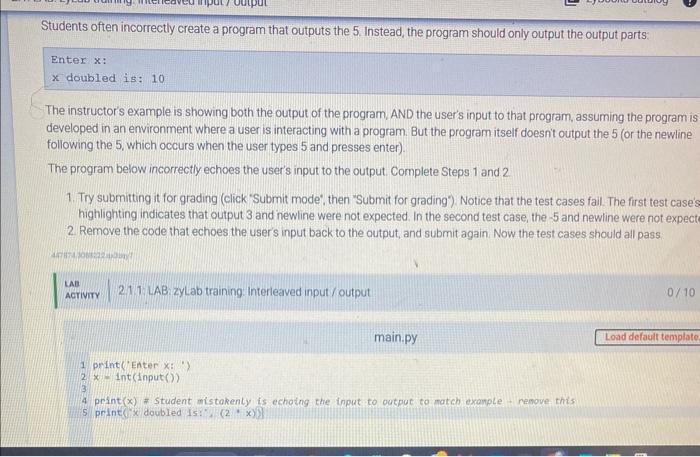
2. 2.1: LAB: Warm up: Basic output with variables main.py 1 user_num = int (input( 'Enter integer: ln ') ) 3 \# Type your code here to print out like given example in instructions.| Students often incorrectly create a program that outputs the 5. Instead, the program should only output the output parts: Enter x : x doubled is: 10 The instructor's example is showing both the output of the program, AND the user's input to that program, assuming the program is developed in an environment where a user is interacting with a program. But the program itself doesnt output the 5 (or the newline following the 5 , which occurs when the user types 5 and presses enter). The program below incorrectly echoes the user's input to the output. Complete Steps 1 and 2. 1. Try submitting it for grading (click 'Submit mode', then "Submit for grading'). Notice that the test cases fail. The first test case' highlighting indicates that output 3 and newline were not expected. In the second test case, the - 5 and newline were not expect 2. Remove the code that echoes the user's input back to the output, and submit again. Now the test cases should all pass. \begin{tabular}{l|l} Aa \\ Acriviry & 2.11 L AB zyLab training: interleaved input / output \end{tabular} 0/10 main.py 1 print('Enter x: : ) 2.x=int( nput( )) 4 print (x) * student mistokenty is echaing the input to output to match exanple - remove this 5. print x doubled is:*is(2, x))
Step by Step Solution
There are 3 Steps involved in it

Get step-by-step solutions from verified subject matter experts
 Study Help