







Question: # 2 . Build an app that will take a file number and read in one of the PPG Data _ # . csv files
#Build an app that will take a file number and read in one of the PPG Data#csv files and determine what percentage of each file's mean normalized magnitude of Acceleration is in a period of at least seconds long with the Normalized Magnitude being within the threshold. Use a moving window of sec samples to find lowactivity sections. Assign the lowactivity sections a value of and all other periods, the highactivity sections, a value of Note the highactivity sections can be less than samples. Be sure to drop the first rows of data from the pandas data frame to eliminate the corrupted "warmup data at the beginning of each data file.
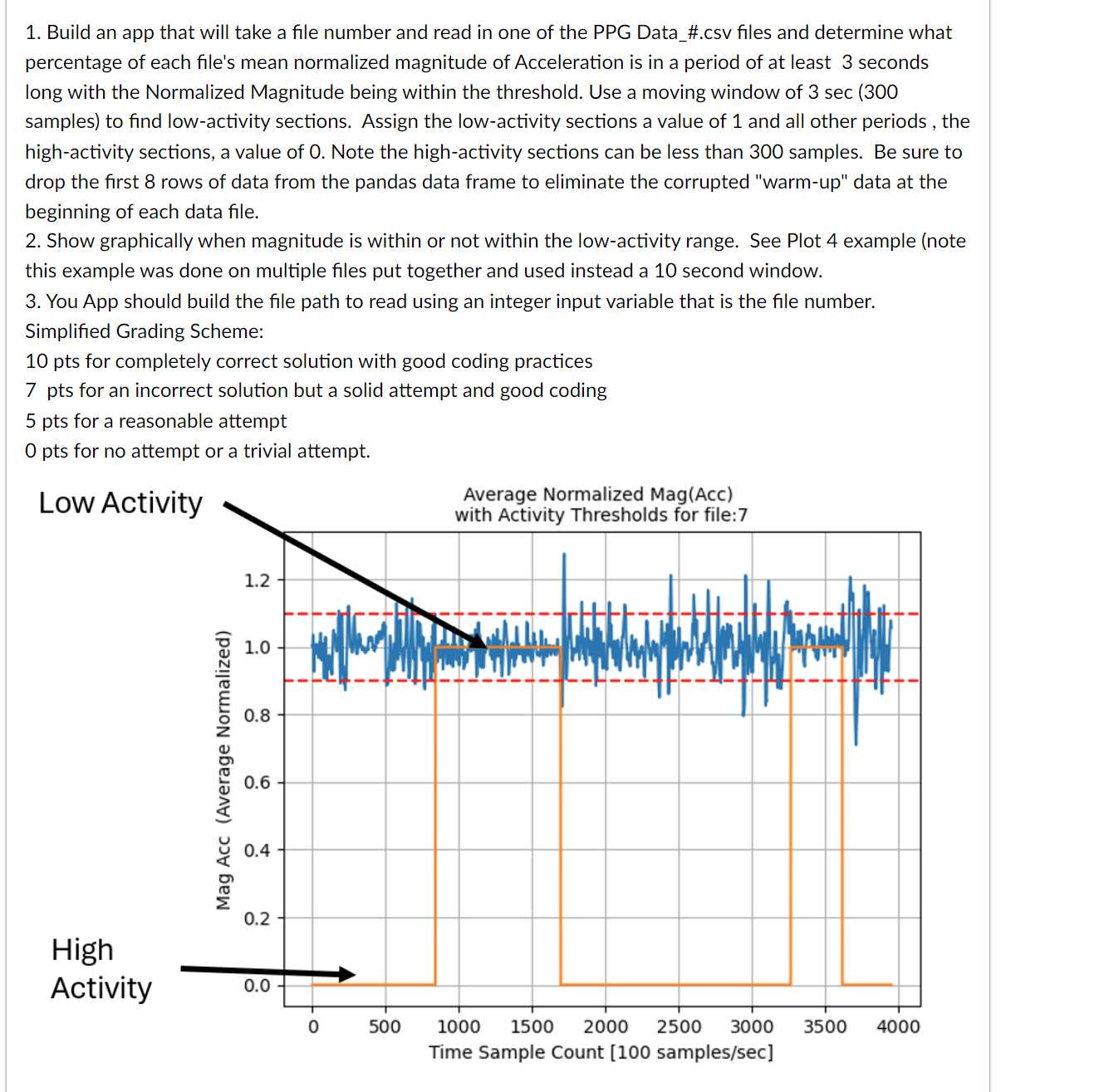
Show graphically when magnitude is within or not within the lowactivity range. See Plot example note this example was done on multiple files put together and used instead a second window.
You App should build the file path to read using an integer input variable that is the file number.
Simplified Grading Scheme:
pts for completely correct solution with good coding practices
pts for an incorrect solution but a solid attempt and good coding
pts for a reasonable attempt
pts for no attempt or a trivial attempt.
#
Starting with the solution for HW# add an additional section of code that calculates the BPM heart rate only for beats where there is exactly peak in between the adjacent troughs. Now recalculate this new heart rate, BPM and display it's average and standard deviation for the ~ second interval output to console with decimal places and properly labeled do this for file number You only need to do this for the IR channel remembering that IR and red are mislabeled
Step by Step Solution
There are 3 Steps involved in it
1 Expert Approved Answer
Step: 1 Unlock

Question Has Been Solved by an Expert!
Get step-by-step solutions from verified subject matter experts
Step: 2 Unlock
Step: 3 Unlock
 Study Help