







Question: 2. Consider the code given below. Write a custom print function cprintf() that implements a buffer. The function takes a single string as input
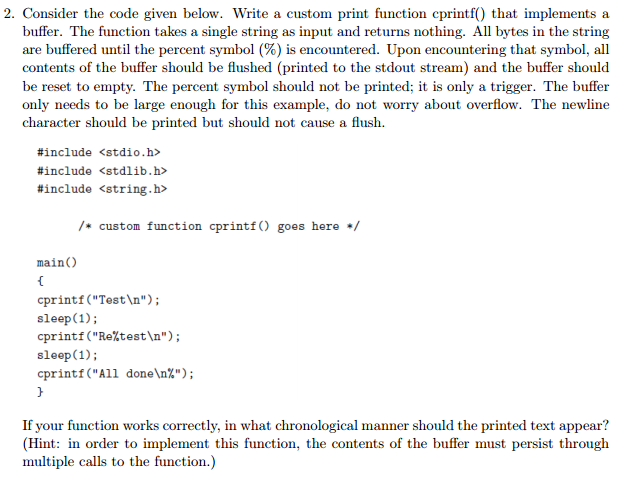
2. Consider the code given below. Write a custom print function cprintf() that implements a buffer. The function takes a single string as input and returns nothing. All bytes in the string are buffered until the percent symbol (%) is encountered. Upon encountering that symbol, all contents of the buffer should be flushed (printed to the stdout stream) and the buffer should be reset to empty. The percent symbol should not be printed; it is only a trigger. The buffer only needs to be large enough for this example, do not worry about overflow. The newline character should be printed but should not cause a flush. #include #include #include main() { /* custom function cprintf() goes here */ cprintf("Test "); sleep (1); cprintf("Re%test "); sleep (1); cprintf("All done %"); } If your function works correctly, in what chronological manner should the printed text appear? (Hint: in order to implement this function, the contents of the buffer must persist through multiple calls to the function.)
Step by Step Solution
3.42 Rating (155 Votes )
There are 3 Steps involved in it
Answer The custom function cprintf is given below include include include void cprintfchar str char ... View full answer

Get step-by-step solutions from verified subject matter experts
 Study Help