







Question: 2) Drawing a Tree Trees will be displayed as graphical objects on a GraphX display. To display a Tree, add a void public member function
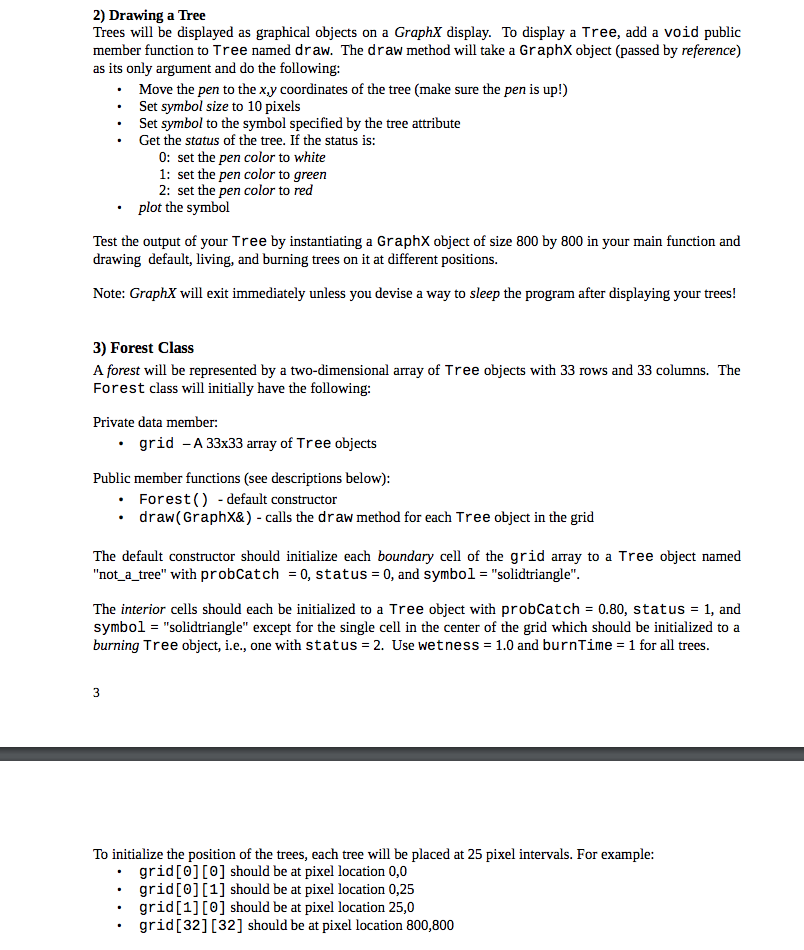
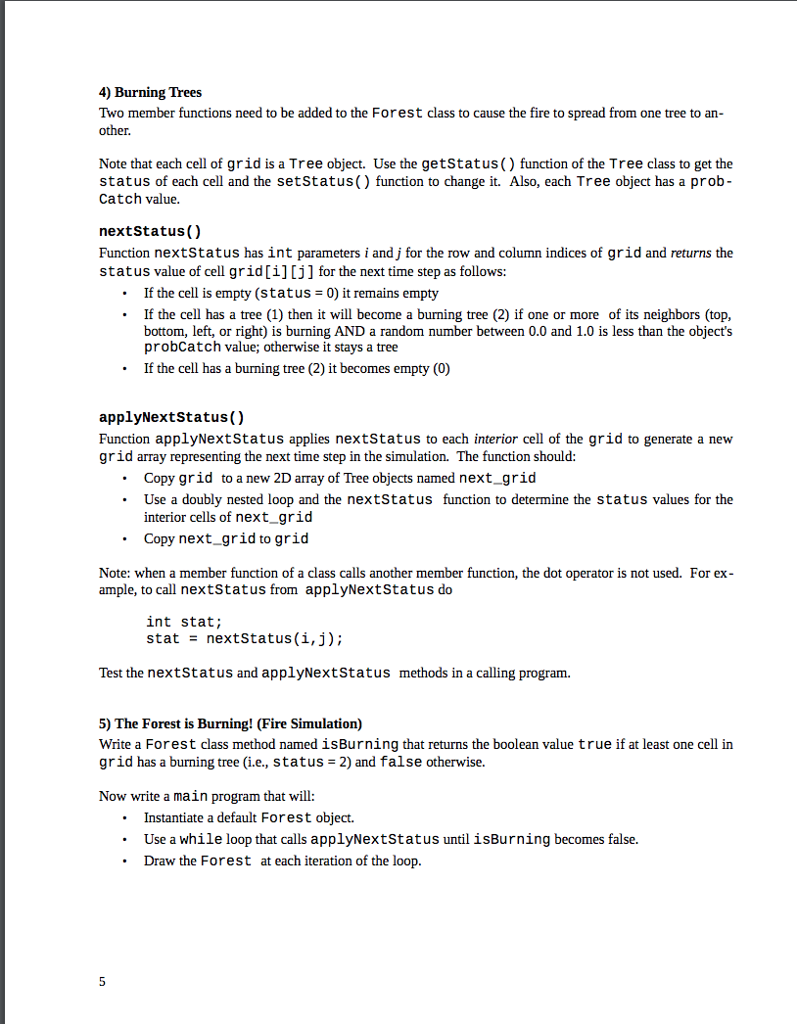
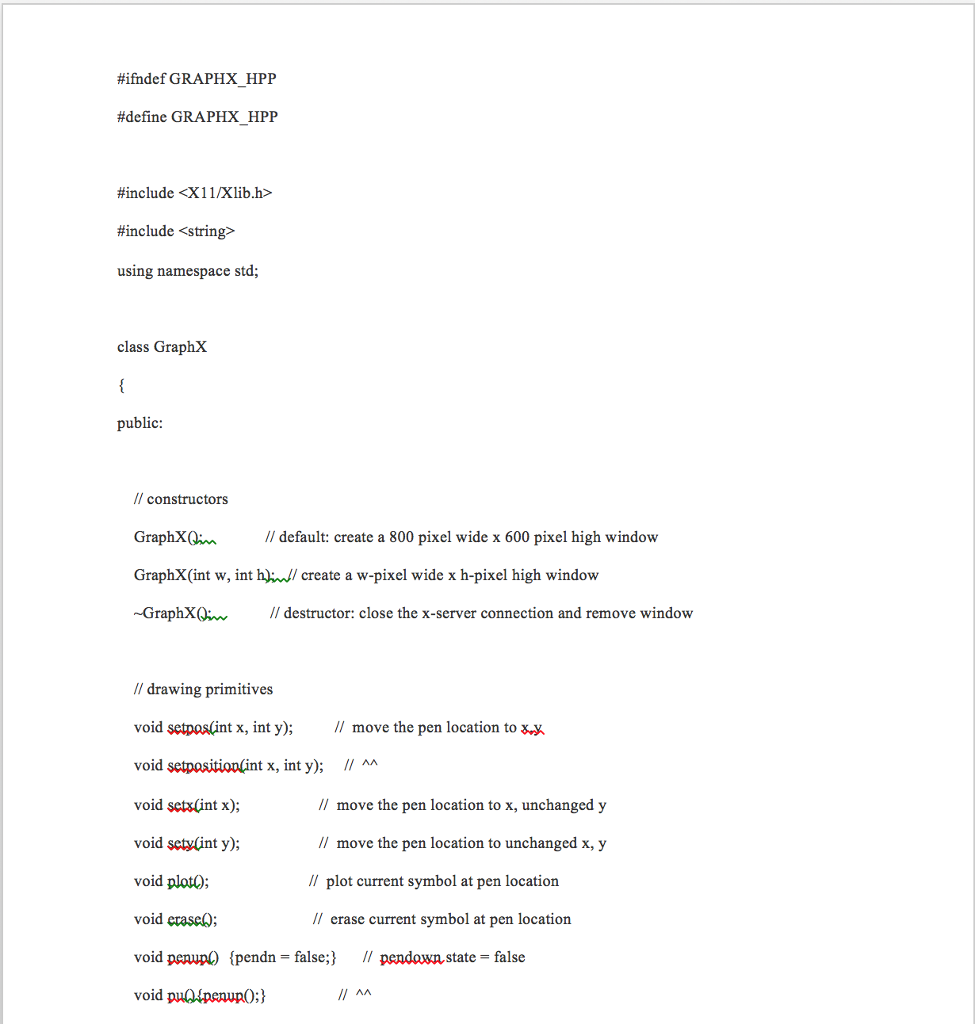
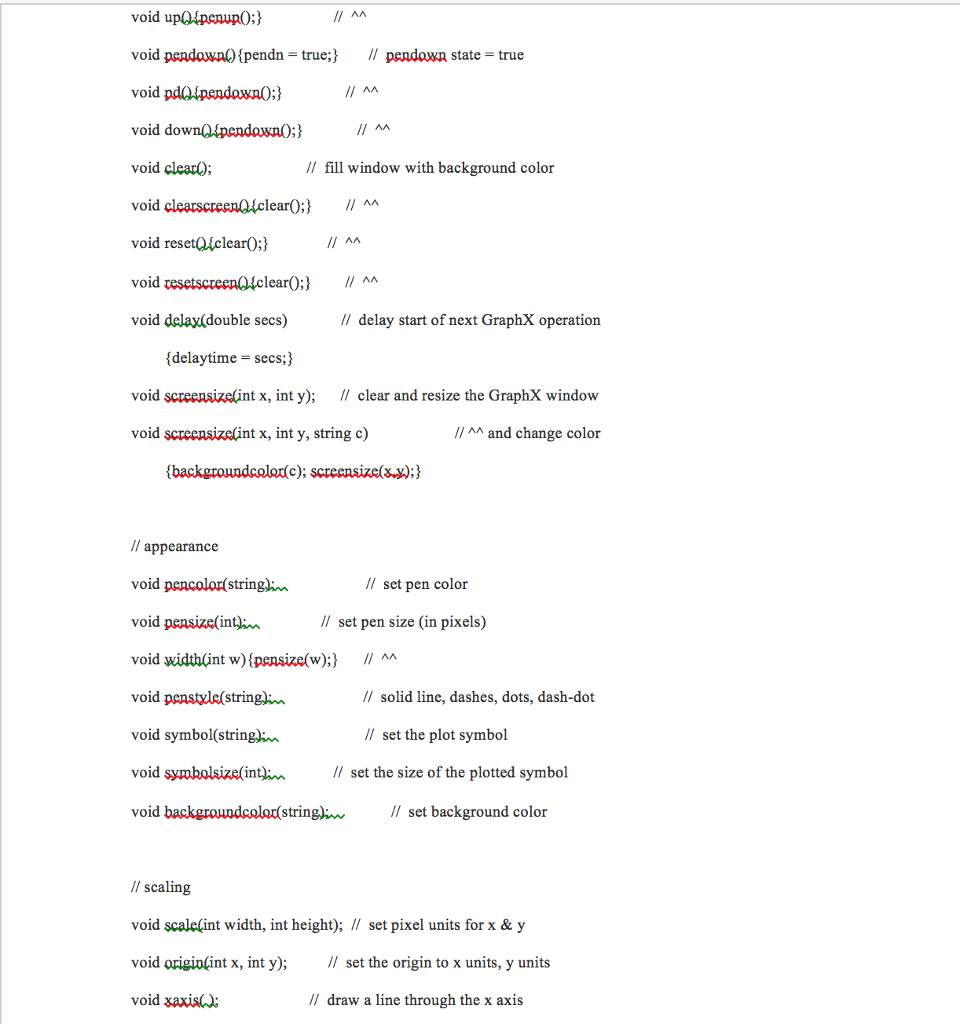
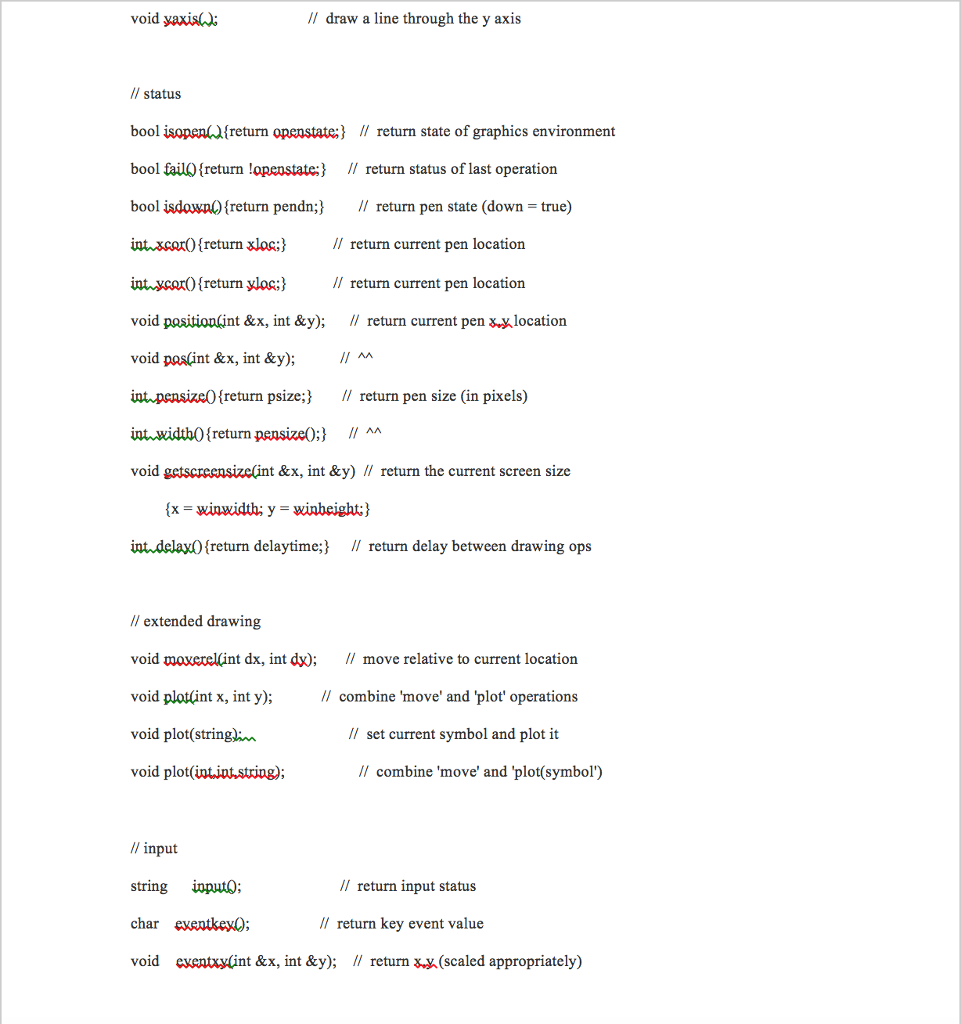
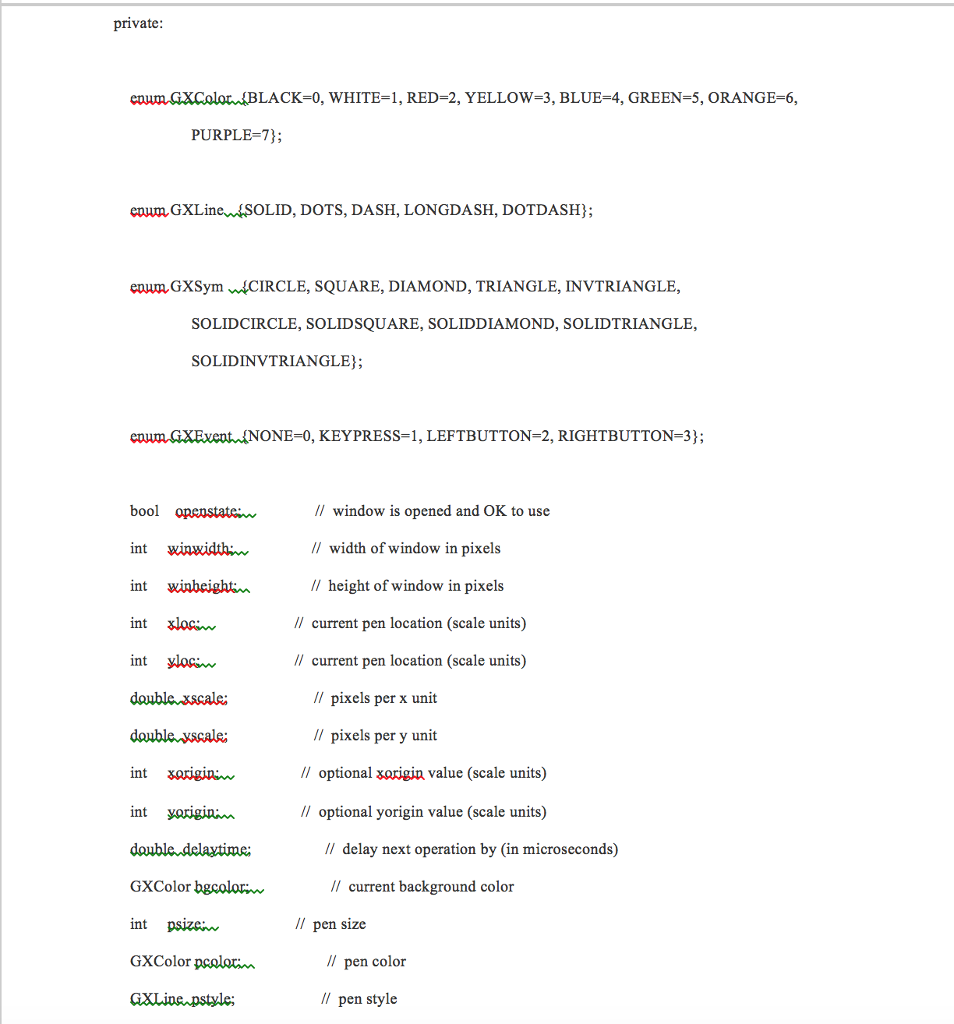
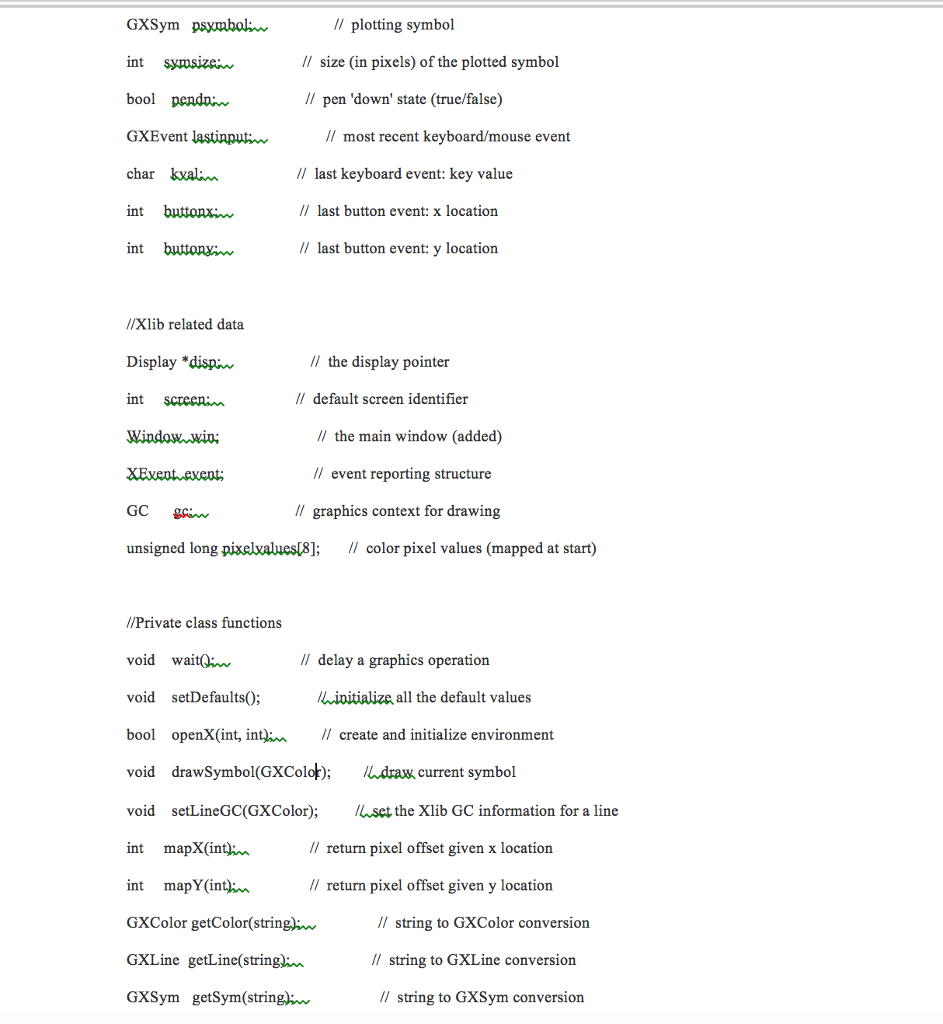

2) Drawing a Tree Trees will be displayed as graphical objects on a GraphX display. To display a Tree, add a void public member function to Tree named draw. The draw method will take a GraphX object (passed by reference) as its only argument and do the following: Move the pen to the ?.y coordinates of the tree (make sure the pen is up!) .Set symbol size to 10 pixels .Set symbol to the symbol specified by the tree attribute .Get the status of the tree. If the status is: 0: set the pen color to white 1: set the pen color to green 2: set the pen color to red plot the symbol . Test the output of your Tree by instantiating a GraphX object of size 800 by 800 in your main function and drawing default, living, and burning trees on it at different positions. Note: GraphX will exit immediately unless you devise a way to sleep the program after displaying your trees! 3) Forest Class A forest will be represented by a two-dimensional array of Tree objects with 33 rows and 33 columns. The Forest class will initially have the following: Private data member: .grid -A 33x33 array of Tree objects Public member functions (see descriptions below) .Forest() - default constructor .draw(GraphX&) calls the draw method for each Tree object in the grid The default constructor should initialize each boundary cell of the grid array to a Tree object named "not_a_tree" with probCatch -0, status 0, and symbol "solidtriangle" The interior cells should each be initialized to a Tree object with probCatch - 0.80, status - 1, and symbol- "solidtriangle" except for the single cell in the center of the grid which should be initialized toa burning Tree object, i.e., one with status 2. Use wetness-1.0 and burnTime-1 for all trees To initialize the position of the trees, each tree will be placed at 25 pixel intervals. For example: .grid[0] [0] should be at pixel location 0,0 .grid[0][1] should be at pixel location 0,25 .grid[1] [0] should be at pixel location 25,0 grid[32] [32] should be at pixel location 800,800 2) Drawing a Tree Trees will be displayed as graphical objects on a GraphX display. To display a Tree, add a void public member function to Tree named draw. The draw method will take a GraphX object (passed by reference) as its only argument and do the following: Move the pen to the ?.y coordinates of the tree (make sure the pen is up!) .Set symbol size to 10 pixels .Set symbol to the symbol specified by the tree attribute .Get the status of the tree. If the status is: 0: set the pen color to white 1: set the pen color to green 2: set the pen color to red plot the symbol . Test the output of your Tree by instantiating a GraphX object of size 800 by 800 in your main function and drawing default, living, and burning trees on it at different positions. Note: GraphX will exit immediately unless you devise a way to sleep the program after displaying your trees! 3) Forest Class A forest will be represented by a two-dimensional array of Tree objects with 33 rows and 33 columns. The Forest class will initially have the following: Private data member: .grid -A 33x33 array of Tree objects Public member functions (see descriptions below) .Forest() - default constructor .draw(GraphX&) calls the draw method for each Tree object in the grid The default constructor should initialize each boundary cell of the grid array to a Tree object named "not_a_tree" with probCatch -0, status 0, and symbol "solidtriangle" The interior cells should each be initialized to a Tree object with probCatch - 0.80, status - 1, and symbol- "solidtriangle" except for the single cell in the center of the grid which should be initialized toa burning Tree object, i.e., one with status 2. Use wetness-1.0 and burnTime-1 for all trees To initialize the position of the trees, each tree will be placed at 25 pixel intervals. For example: .grid[0] [0] should be at pixel location 0,0 .grid[0][1] should be at pixel location 0,25 .grid[1] [0] should be at pixel location 25,0 grid[32] [32] should be at pixel location 800,800
Step by Step Solution
There are 3 Steps involved in it

Get step-by-step solutions from verified subject matter experts
 Study Help