







Question: 2 . Edit fields in a PivotTable. a . Select the PivotTable sheet tab and change the display name for cell D 3 to Sold.
Edit fields in a PivotTable.
a Select the PivotTable sheet tab and change the display name for cell D to Sold.
b Change the display name for cell A to Staff.
Copy the PivotTable sheet to the end and keep the default sheet name.
Select the PivotTable sheet and remove the Staff field from the PivotTable. Verify that the data is sorted in ascending order by the transaction field.
Create named sets in a PivotTable.
a Create a set based on row items named Odd.
b Deselect the Replace the fields currently in the row area with the new set box.
c Select and delete each evennumbered transaction and the row that displays All. Click OK when finished.
d Create a set based on row items named Even.
e Deselect the Replace the fields currently in the row area with the new set box.
f Select and delete each oddnumbered transaction and the All row. Click OK when finished.
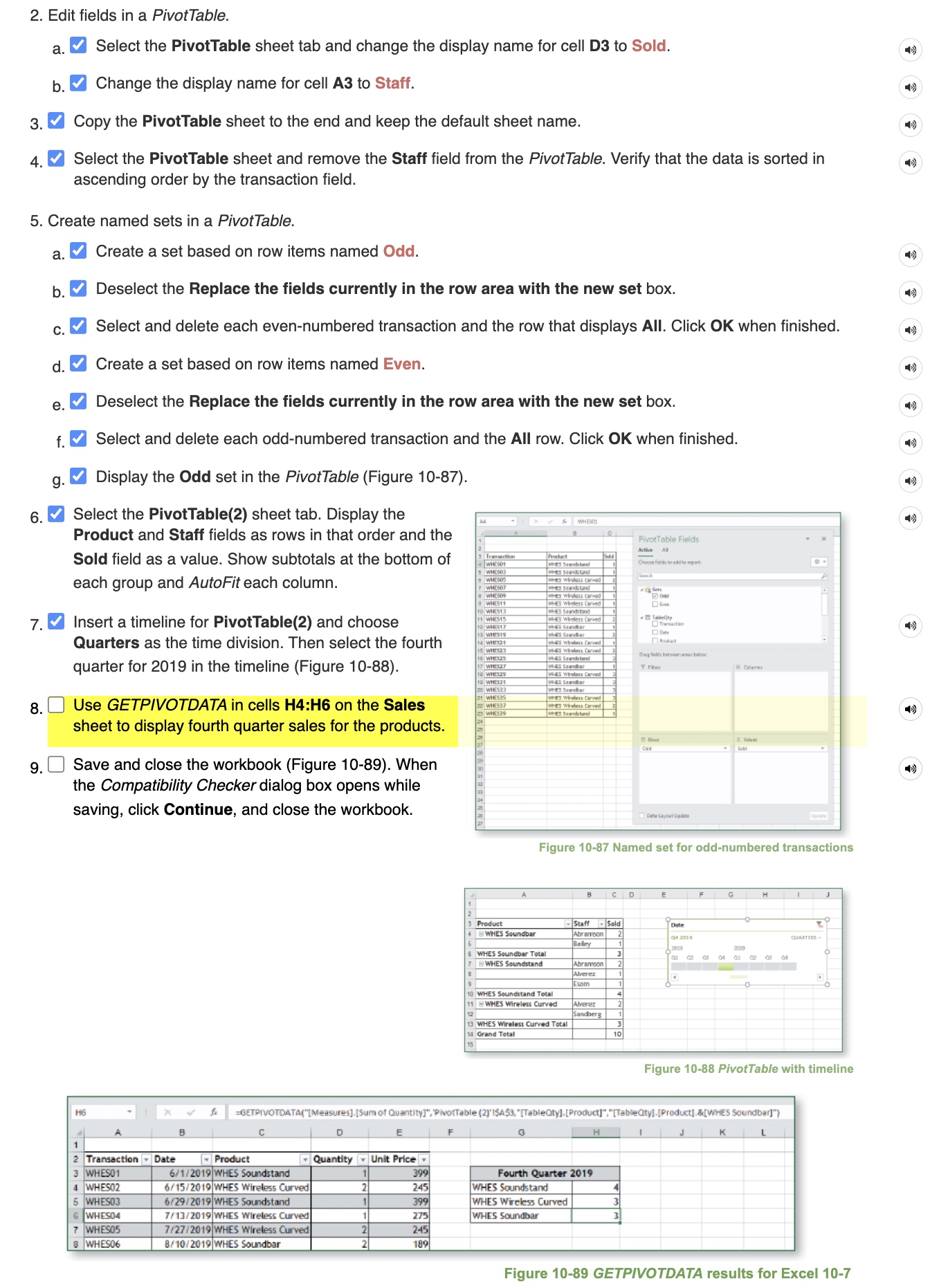
g Display the Odd set in the PivotTable Figure
Select the PivotTable sheet tab. Display the Product and Staff fields as rows in that order and the Sold field as a value. Show subtotals at the bottom of each group and AutoFit each column.
Insert a timeline for PivotTable and choose Quarters as the time division. Then select the fourth quarter for in the timeline Figure
Use GETPIVOTDATA in cells H:H on the Sales sheet to display fourth quarter sales for the products.
Save and close the workbook Figure When the Compatibility Checker dialog box opens while saving, click Continue, and close the workbook.
I only need help with the formula for question please thank you
Step by Step Solution
There are 3 Steps involved in it
1 Expert Approved Answer
Step: 1 Unlock

Question Has Been Solved by an Expert!
Get step-by-step solutions from verified subject matter experts
Step: 2 Unlock
Step: 3 Unlock
 Study Help