







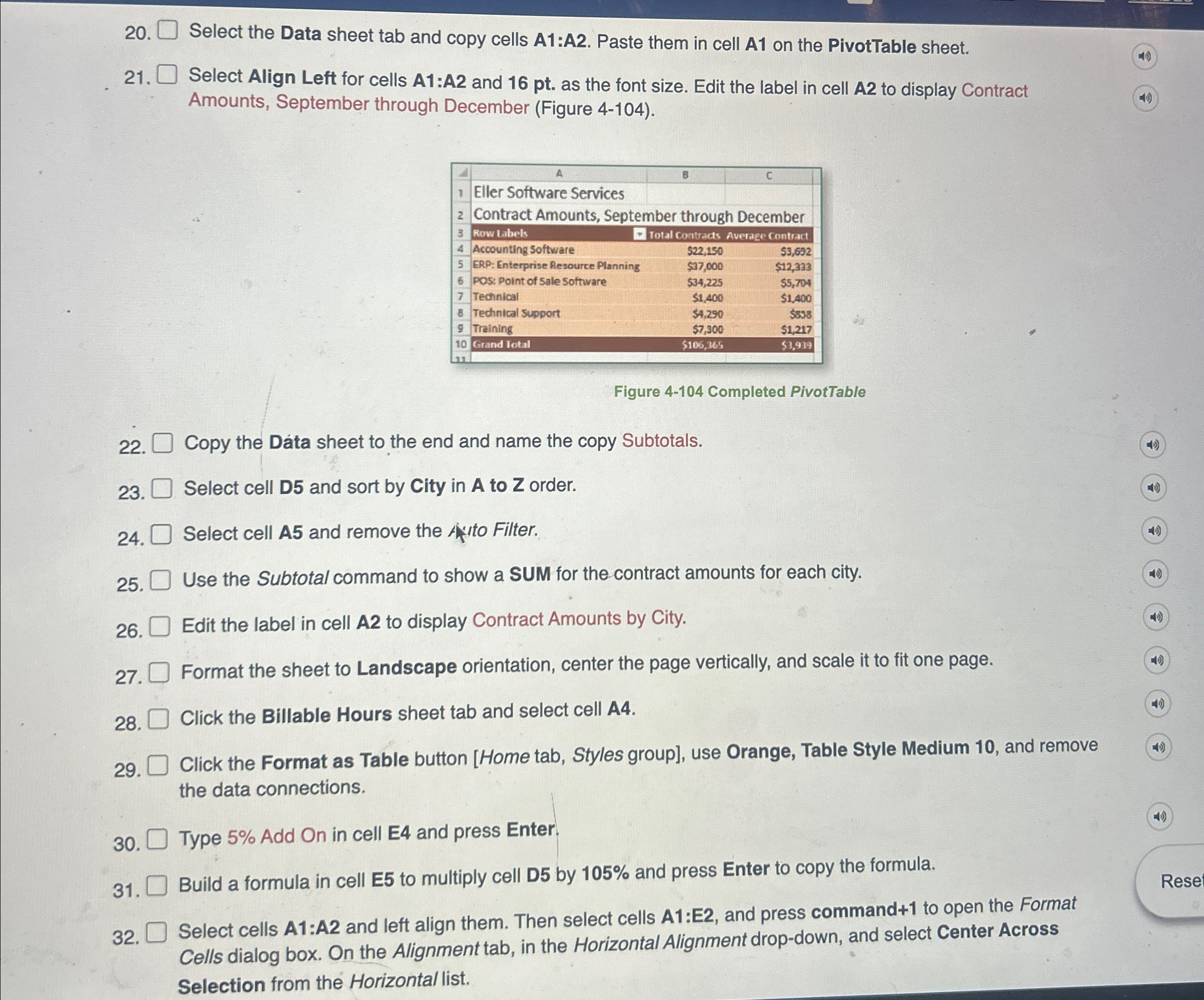
Question: Select the Data sheet tab and copy cells A 1 :A 2 . Paste them in cell A 1 on the PivotTable sheet. Select Align
Select the Data sheet tab and copy cells A:A Paste them in cell A on the PivotTable sheet.
Select Align Left for cells A:A and pt as the font size. Edit the label in cell A to display Contract
Amounts, September through December Figure
Figure Completed PivotTable
Copy the Data sheet to the end and name the copy Subtotals.
Select cell D and sort by City in to order.
Select cell A and remove the fittor.
Use the Subtotal command to show a SUM for the contract amounts for each city.
Edit the label in cell A to display Contract Amounts by City.
Format the sheet to Landscape orientation, center the page vertically, and scale it to fit one page.
Click the Billable Hours sheet tab and select cell A
Click the Format as Table button Home tab, Styles group use Orange, Table Style Medium and remove
the data connections.
Type Add On in cell E and press Enter.
Build a formula in cell E to multiply cell D by and press Enter to copy the formula.
Select cells A:A and left align them. Then select cells A:E and press command to open the Format
Cells dialog box. On the Alignment tab, in the Horizontal Alignment dropdown, and select Center Across
Selection from the Horizontal list.
Step by Step Solution
There are 3 Steps involved in it
1 Expert Approved Answer
Step: 1 Unlock

Question Has Been Solved by an Expert!
Get step-by-step solutions from verified subject matter experts
Step: 2 Unlock
Step: 3 Unlock
 Study Help