



Question: 2 Points Question 3 Match the following pairs about navigation Options Prompts Submitted Answers Options Shows or hides the descriptions 5 Slide information Shows or
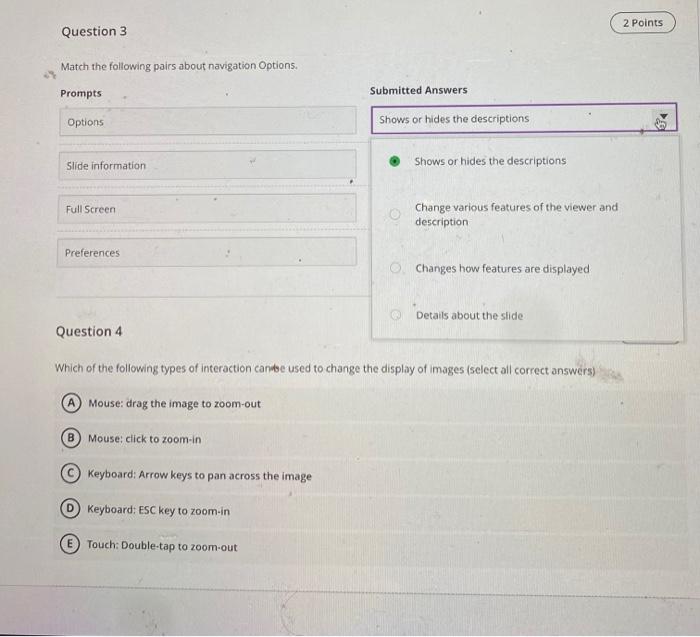
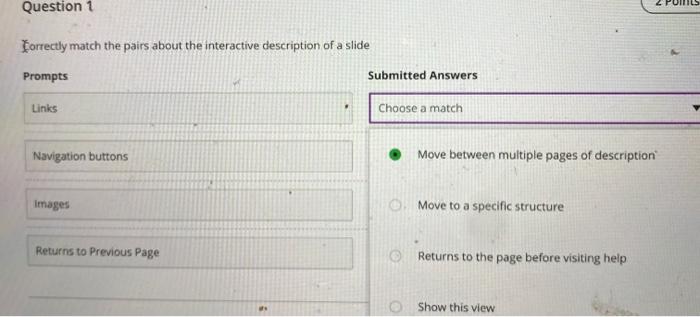
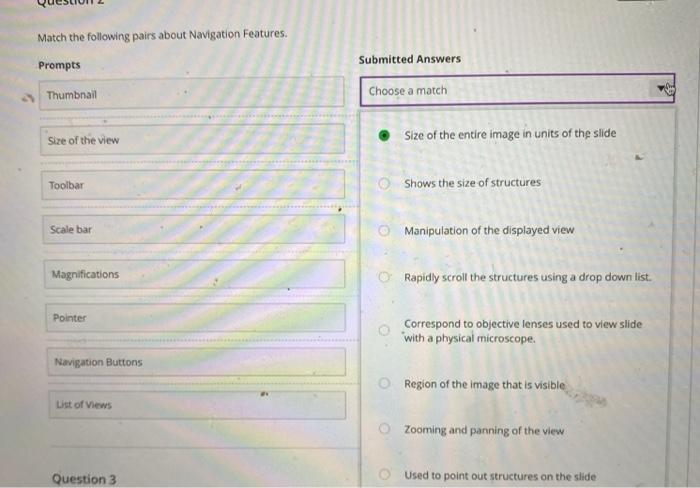
2 Points Question 3 Match the following pairs about navigation Options Prompts Submitted Answers Options Shows or hides the descriptions 5 Slide information Shows or hides the descriptions Full Screen Change various features of the viewer and description Preferences Changes how features are displayed Details about the slide Question 4 Which of the following types of interaction can be used to change the display of images (select all correct answers) A Mouse: drag the image to zoom-out B Mouse: click to zoom in Keyboard: Arrow keys to pan across the image Keyboard: ESC key to zoom-in E Touch: Double-tap to zoom-out Question 1 Forrectly match the pairs about the interactive description of a slide Prompts Submitted Answers Links Choose a match Navigation buttons Move between multiple pages of description Images Move to a specific structure Returns to Previous Page Returns to the page before visiting help Show this view Match the following pairs about Navigation Features. Submitted Answers Prompts Thumbnail Choose a match Size of the view Size of the entire image in units of the slide Toolbar Shows the size of structures Scale bar Manipulation of the displayed view Magnifications Rapidly scroll the structures using a drop down list. Pointer Correspond to objective lenses used to view slide with a physical microscope. Navigation Buttons Region of the image that is visible List of Views O Zooming and panning of the view Question 3 Used to point out structures on the slide
Step by Step Solution
There are 3 Steps involved in it

Get step-by-step solutions from verified subject matter experts