







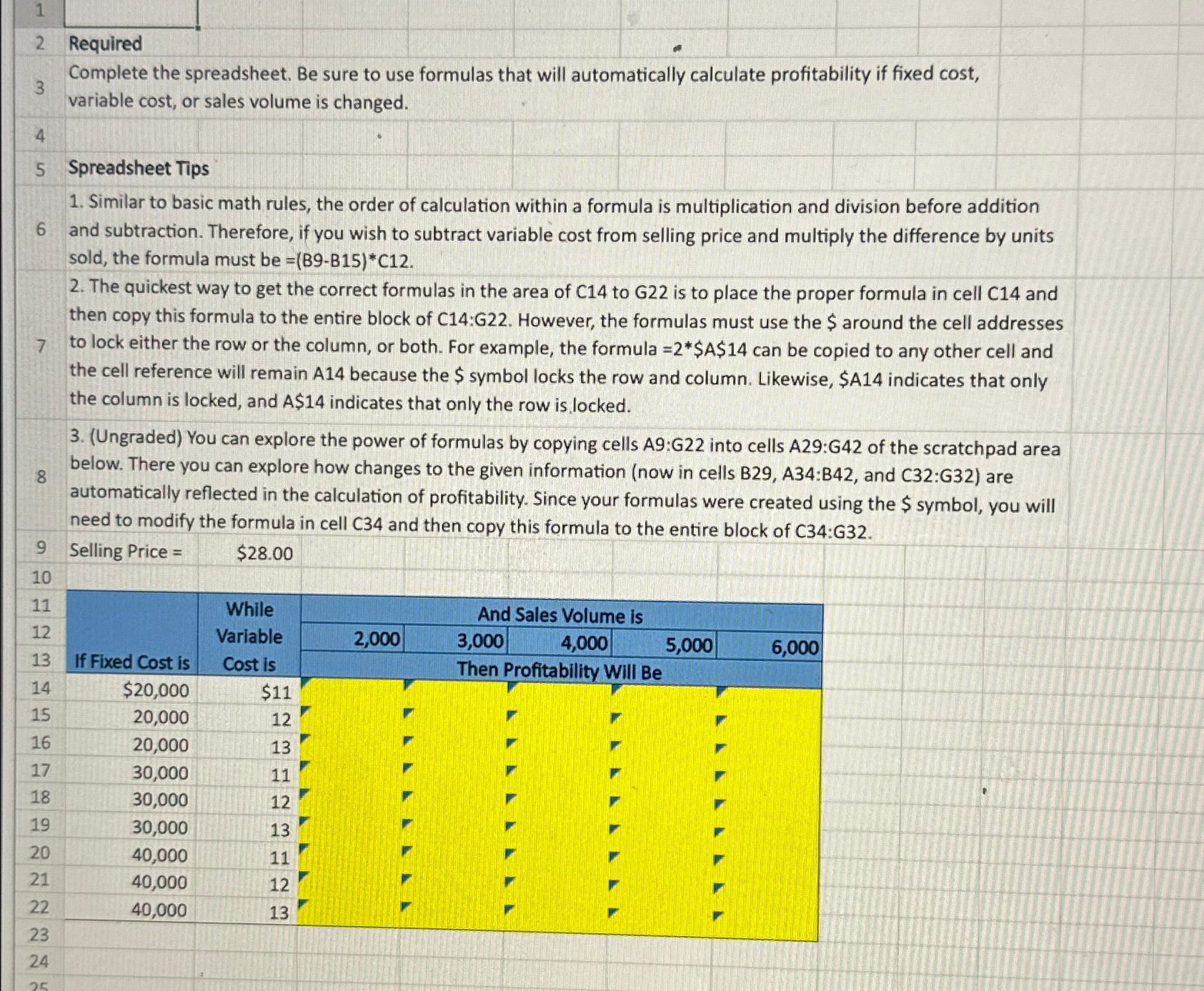
Question: 2 Required 3 Complete the spreadsheet. Be sure to use formulas that will automatically calculate profitability if fixed cost, variable cost, or sales volume is
Required
Complete the spreadsheet. Be sure to use formulas that will automatically calculate profitability if fixed cost, variable cost, or sales volume is changed.
Spreadsheet Tips
Similar to basic math rules, the order of calculation within a formula is multiplication and division before addition
and subtraction. Therefore, if you wish to subtract variable cost from selling price and multiply the difference by units sold, the formula must be
The quickest way to get the correct formulas in the area of C to G is to place the proper formula in cell C and then copy this formula to the entire block of C:G However, the formulas must use the $ around the cell addresses
to lock either the row or the column, or both. For example, the formula $$ can be copied to any other cell and the cell reference will remain because the $ symbol locks the row and column. Likewise, $A indicates that only the column is locked, and $ indicates that only the row is locked.
Ungraded You can explore the power of formulas by copying cells A:G into cells A:G of the scratchpad area
below. There you can explore how changes to the given information now in cells B A:B and C:G are automatically reflected in the calculation of profitability. Since your formulas were created using the $ symbol, you will need to modify the formula in cell C and then copy this formula to the entire block of C:G
Step by Step Solution
There are 3 Steps involved in it
1 Expert Approved Answer
Step: 1 Unlock

Question Has Been Solved by an Expert!
Get step-by-step solutions from verified subject matter experts
Step: 2 Unlock
Step: 3 Unlock
 Study Help